


SlidesPilot

Turn PDFs into Flashcards

Turn chapters and teaching handouts into illustrated flashcards. Print a classroom set or keep an editable PowerPoint.

1 / 5

Drag and drop your files here.

10 files max
50 MB per file
PDF, Word, PPT, images or audio

From your PDF to a classroom-ready flashcard set

  1. Upload your teaching PDF

    Add the textbook chapter, reading assignment, lesson handout, or training document you want students to work with.

  2. Set the lesson focus

    Name the concepts and learning objectives to emphasize. Choose the student level, language, and visual style for the cards.

  3. Create cards for teaching and practice

    Present a question and reveal its explanation, print a set for group work, or save a PDF for students. Export editable PowerPoint to adapt the material for another lesson.

Give the reading a teaching follow-up

Turn your PDF chapter, handout, or course reading into questions students can use after your explanation.

PDF → VISUAL STUDY CARDS

Turn a chapter into questions students can explain

Use your PDF to create focused question-and-answer pages with diagrams, illustrations, and clear layouts. Follow a reading assignment with prompts that help students explain the ideas in their own words.

  • Textbook chapters: Build classroom prompts about definitions, processes, and relationships from the assigned reading.

  • Lesson handouts and course PDFs: Turn the materials you already teach from into a visual recap students can revisit.

  • Questions shaped around your objectives: Ask for the concepts students should explain, compare, or apply at their level.
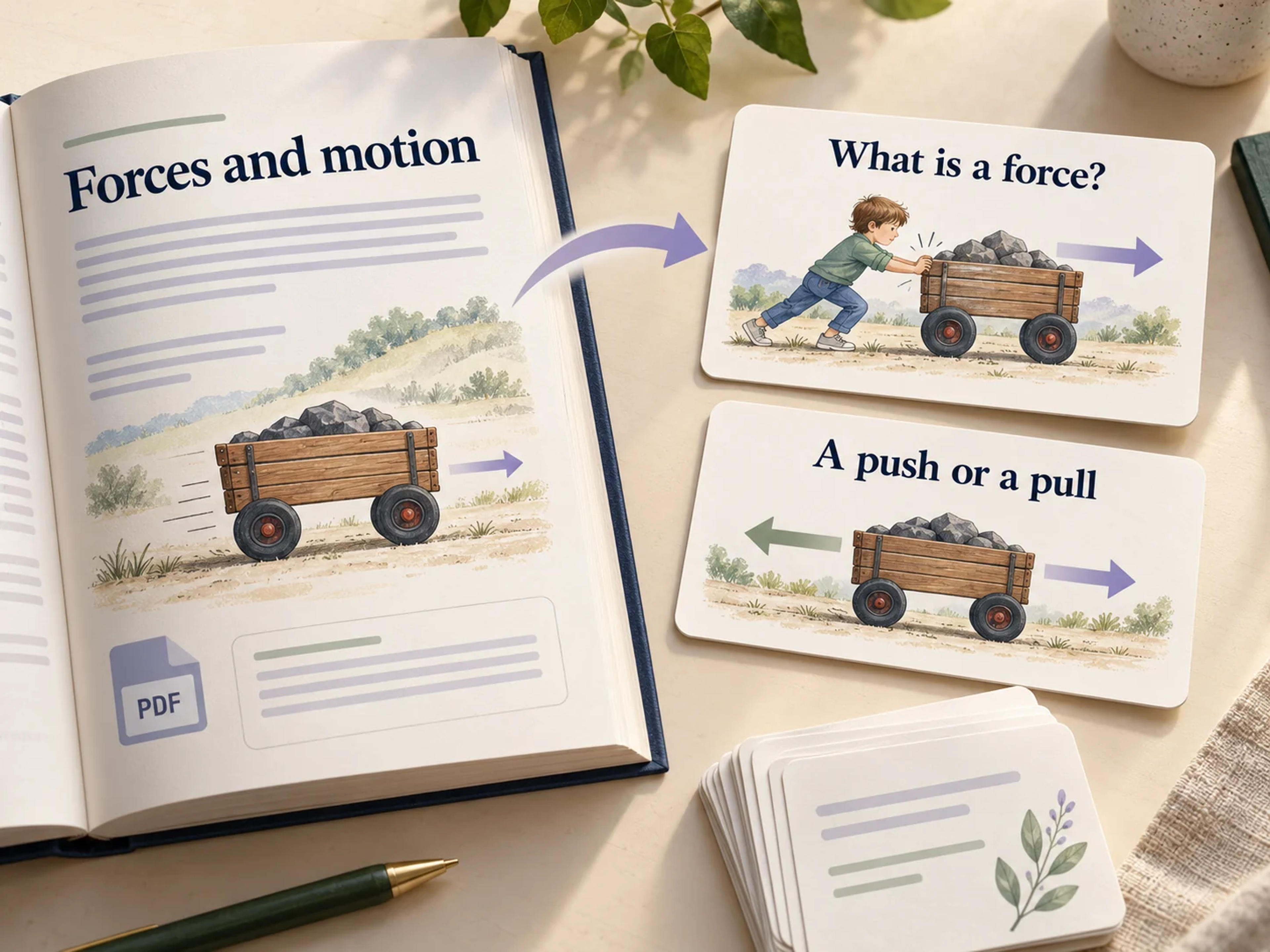
Editorial illustration of a PDF chapter about forces becoming illustrated question-and-answer cards

One PDF, several ways to support your lesson

Use one set for a classroom activity, a teacher-led recap, and independent student practice afterward.

Explain the answer visually

Show a diagram or illustrated example after students attempt a question. Connect the answer to the concept in the reading and use it to guide your explanation.

Print cards for classroom activities

Create a set for paired questioning, small-group discussion, or a recap station. Save a PDF for students to continue practicing after class.

Keep an editable teaching resource

Export PPTX and adapt the text and design in PowerPoint. Bring selected cards into your lesson slides, change an example, or adjust the level for another group.

Put your PDF materials to work in class

I uploaded the PDF chapter we were using for our cell biology unit and requested questions about structures and functions. The illustrated cards gave pairs a focused task before our class discussion. I printed the questions and kept the answer pages for the walkthrough.

Avery Langford

Biology teacher

I wanted a practical follow-up to the PDF lecture handout without building another resource from scratch. The generated cards helped students explain a concept before seeing its diagram and reasoning. I adapted the PowerPoint to include the examples we had worked through in the lecture.

Nico Serrano

Engineering lecturer

My class already had the chapter handout, so I wanted a different way for them to revisit it. I turned the PDF into illustrated cards and printed them for a paired activity. The questions encouraged students to put the ideas into their own words, and the answer pages supported the discussion.

Freya Bellamy

Secondary school teacher

Students often arrive with several PDFs and no clear plan for revising them. I use one document as the starting point and ask for cards around a manageable group of concepts. Exporting the set as editable PPTX lets me simplify the explanations or add examples that fit the student I am working with.

Arjun Vale

Study-skills tutor

We had a useful PDF guide that people mostly read once during induction. Turning its main concepts into flashcards gave us a resource for later review sessions. I kept the editable PowerPoint so we could update the wording alongside the guide, and printed a set for our small-group workshop.

Elena Crossley

Professional development coordinator

I use PDF flashcards to revisit definitions and distinctions from my course readings. The ability to specify what to focus on is helpful when I only want to work on one part of a document. I also like having the cards in PowerPoint, where I can add my own examples as my understanding develops.

Jasper Quinn

Postgraduate student

About converting PDFs to flashcards

Upload your teaching PDF, choose the student level and language, and specify the concepts or learning objectives. SlidesPilot creates visual question-and-answer cards you can present, print, or export as editable PowerPoint.

Yes. Use a textbook chapter as the source and name the concepts students should recall, compare, or explain. Create illustrated cards for a lesson recap, partner activity, or follow-up practice.

Yes. Upload your PDF lecture notes, course readings, or handouts. Focus the instructions on the lesson and learner level so the cards stay connected to the material you teach.

Yes. SlidesPilot creates designed flashcards with visual explanations, illustrations, and diagrams. Choose the illustration mode and visual style to suit the subject and your learners.

Yes. Print the completed set for classroom or tutoring activities. Use Save as PDF in the print dialog to create a file for student practice, and select question and answer pages to suit the activity.

Yes. Export editable PPTX and customize the wording and design. Add an example from your class, combine cards with your teaching slides, or adapt the set for another group.

Yes. Students can create cards from their own course readings and notes. Teachers can also provide a set after a lesson so learners can practice independently. Word documents, PowerPoint, pasted text, links, and topics are additional starting points.

Make your next PDF a resource you can teach with

Turn the reading you already use into illustrated flashcards for class, tutoring, and student practice.

Create Flashcards from My Teaching PDF