
Drag & drop your file here or
50MB Maximum File Size
PDF, Word or PPT Formats
Powered by Nanobanana Pro: The Future of Presentation Design
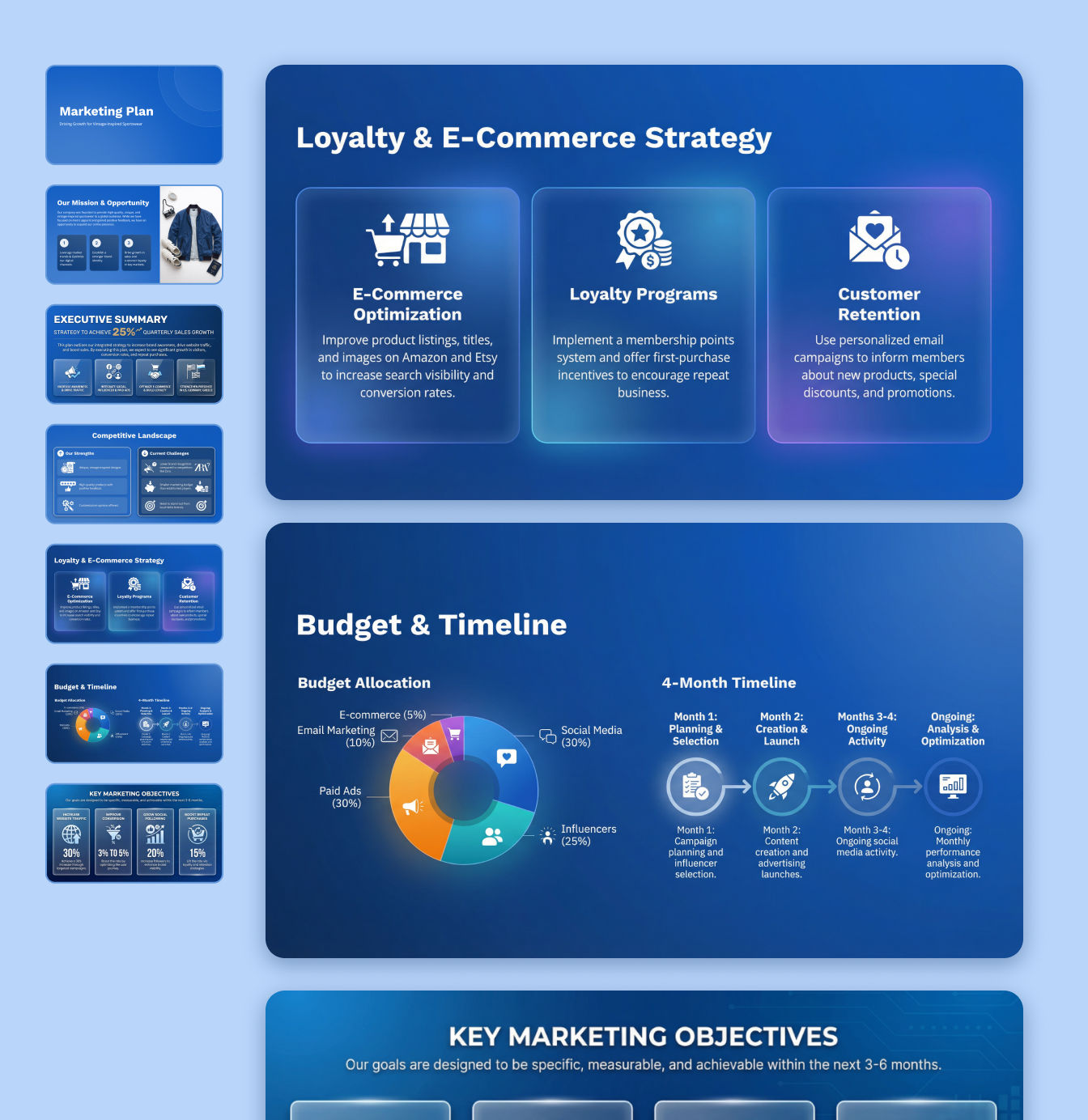

Brand Consistency via Reasoning Engine
Built on Google's Gemini 3 Pro, our AI uses a reasoning engine to plan scenes before rendering. It understands logical structures like headers and CTAs, ensuring your rebrand maintains strict visual consistency and professional layouts across the entire strategy deck.

Superior Text Rendering in 2K Resolution
Unlike older models, SlidesPilot's Nanobanana Pro integration renders accurate, legible text in multiple languages directly onto images. We deliver native 2K high-fidelity slides with perfect lighting, fixing the blurry text issues common in other AI tools.

Context-Aware Visuals & Diagrams
Leveraging connections to Google Search, our AI understands real-world context to generate accurate maps and complex diagrams. Whether refining existing images or building new scenes, the AI ensures your strategy deck is factually accurate and visually stunning.
How to rebrand strategy decks to PPT with AI?
Step 1
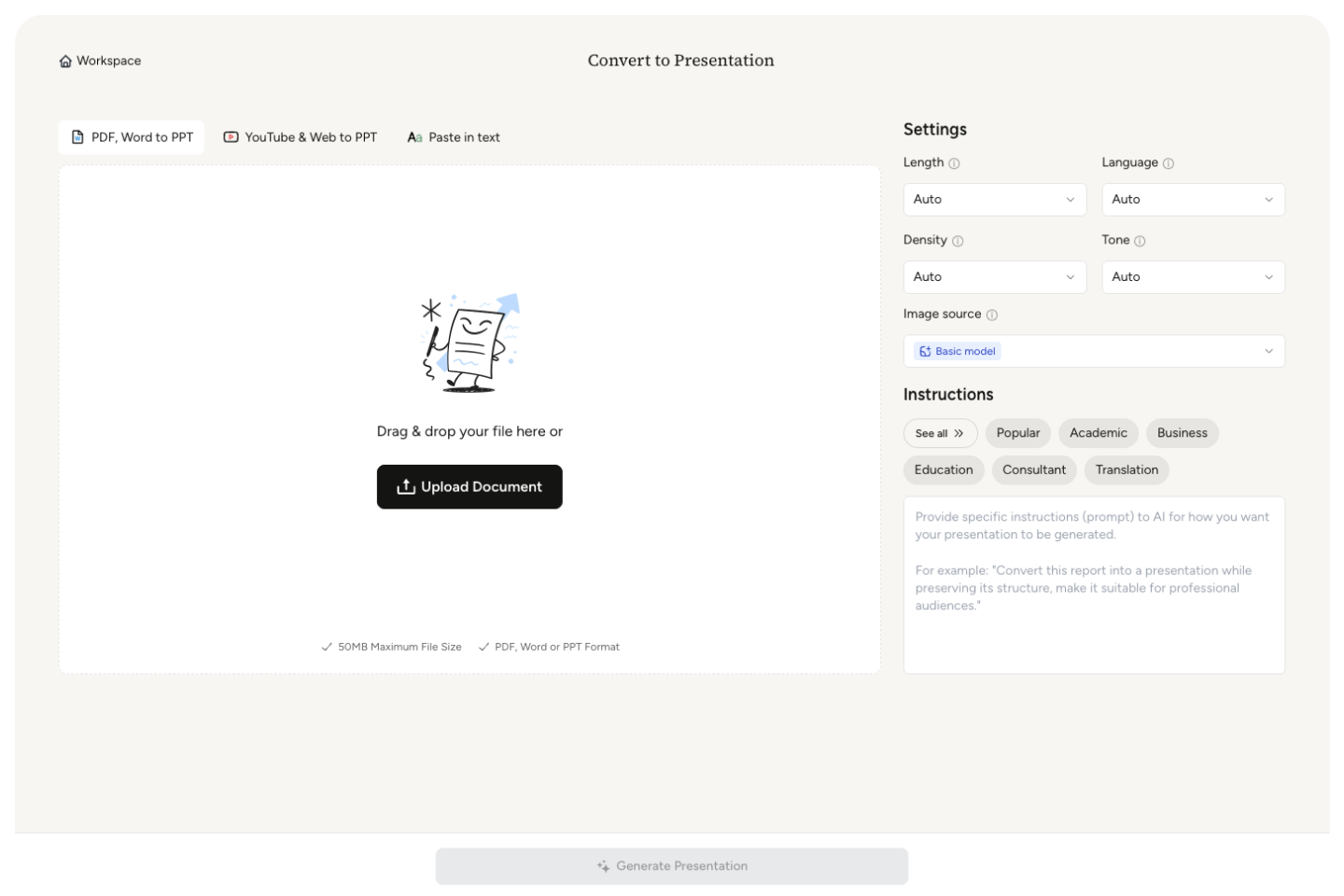
Upload the PPT you want to beautify to our AI Converter and get a fresh, editable file in seconds.
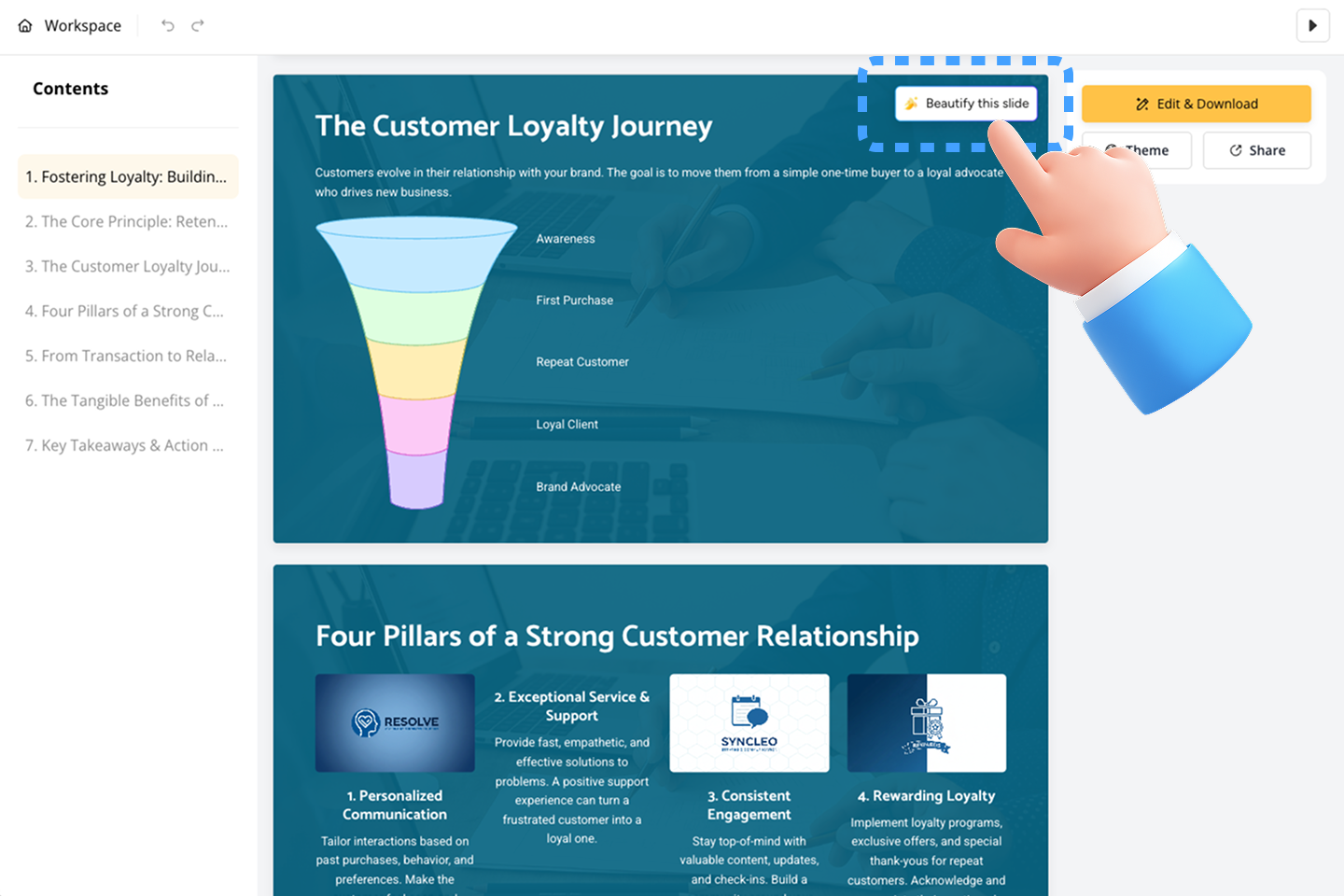
Step 2
Go to the slide you want to beautify, hover over the top-right corner, and click "Beautify this slide."
Step 3
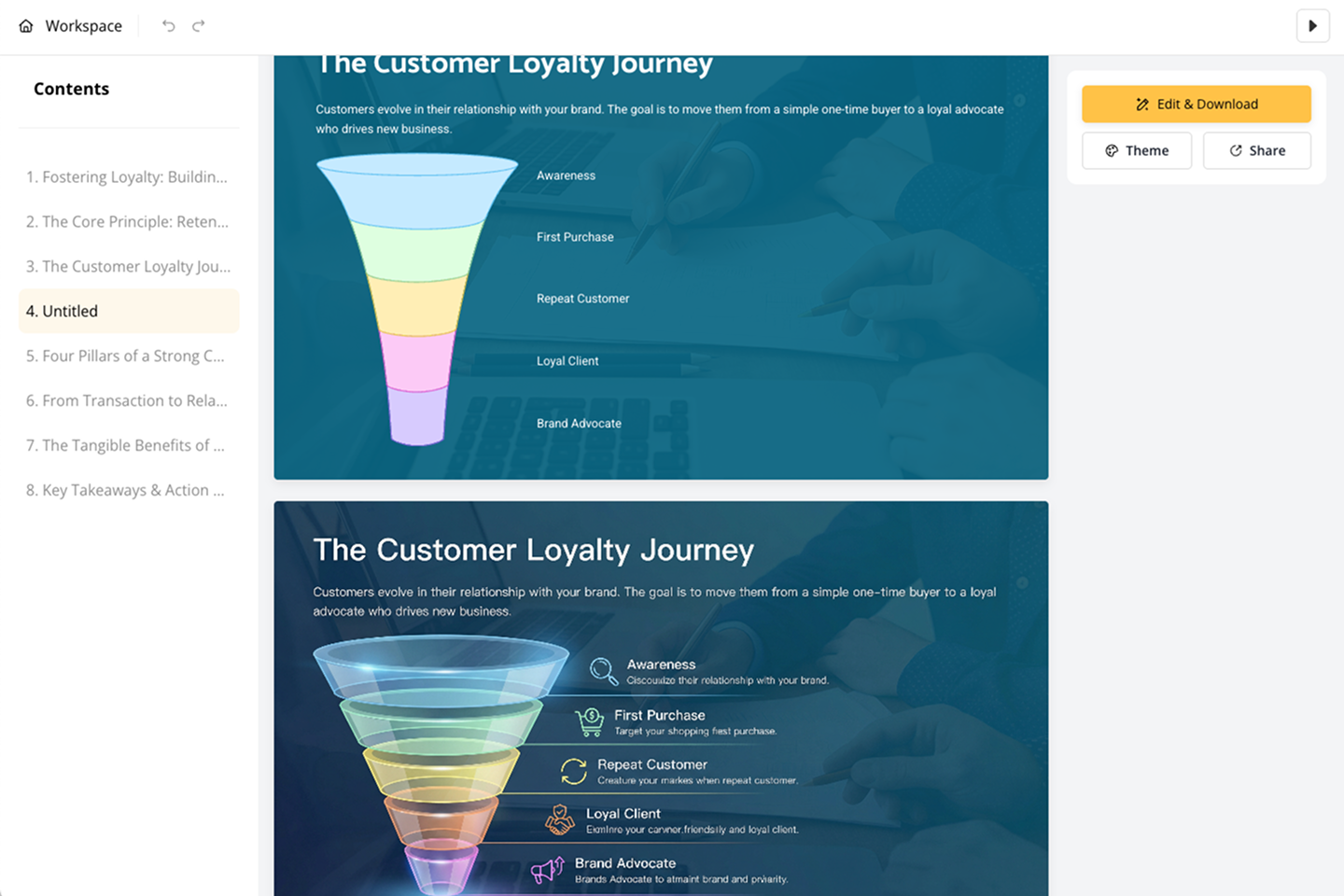
Sit back as the AI refines layout, visuals, typography, spacing, and clarity—creating a new slide for side-by-side comparison.
Step 4
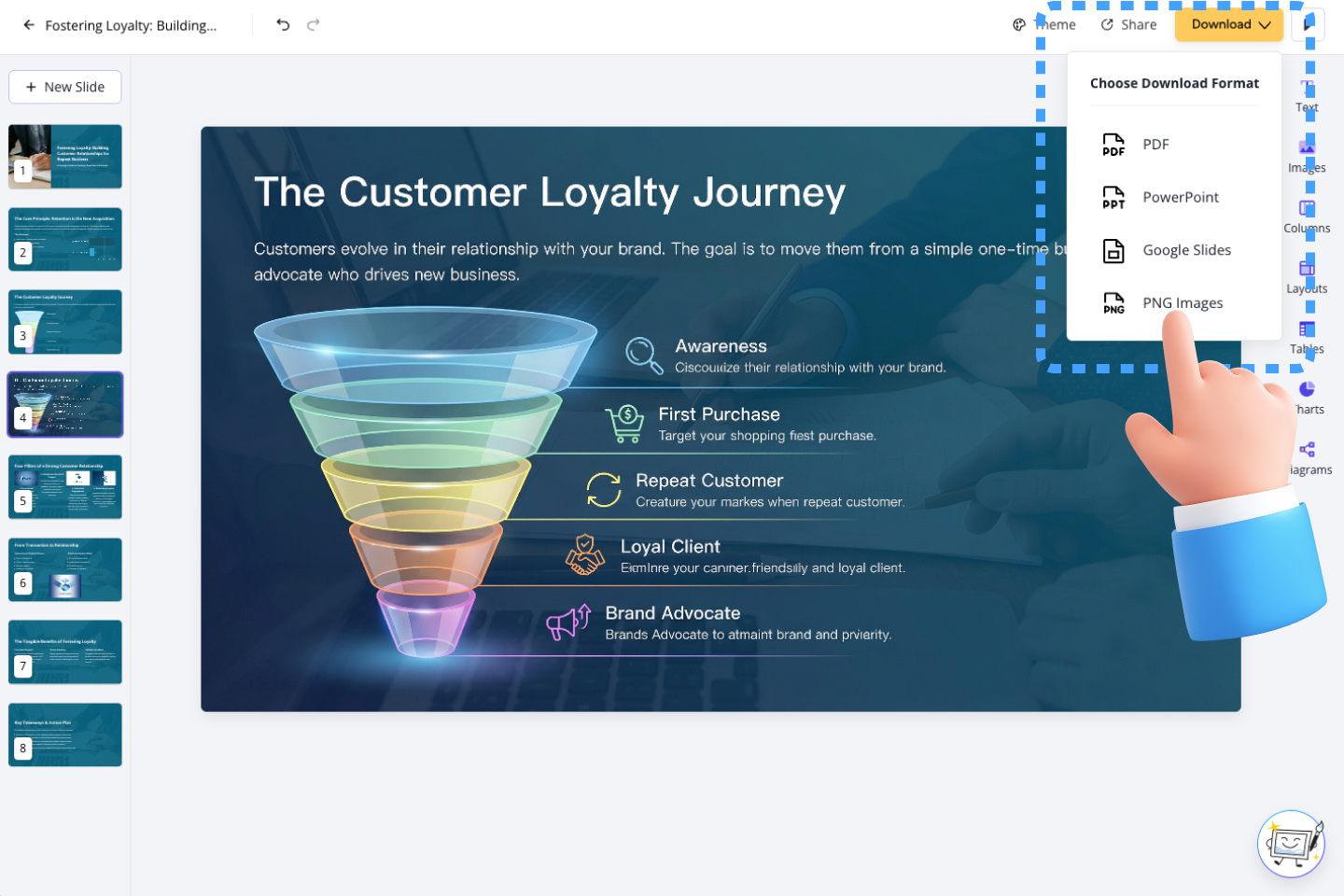
Use our Block-Based Editor to keep, fine-tune, or delete the new slide—or download instantly as PPT, Google Slides, PDF, or PNG.
Trusted by Consultants and Agencies
Rebranding legacy decks for new clients used to take my team days of manual formatting. SlidesPilot's AI understands our new brand guidelines instantly. It kept the strategy logic intact but completely modernized the look. The high-res output is actually client-ready.
Marcus
Senior Strategy Consultant
I was skeptical about AI image generation for text-heavy slides, but the Nanobanana Pro integration is a game changer. The text rendering is crisp, and it actually spells things correctly in our diagrams. It saved me hours before a major pitch.
Priya
Creative Agency Director
Frequently Asked Questions
More AI Tools to Speed Up Your Workflow

PDF to PPT
Transform PDFs into editable PowerPoint slides

Word to PPT
Convert Word documents into polished presentations

Beautify PPT
Enhance your presentations with professional designs

Youtube to PPT
Create presentations from YouTube video content

Text to PPT
Generate slides from plain text in seconds

AI Summarizer
Summarize documents and content with AI
Create Slides 10× Faster
Transform your work into a presentation, instantly. ⭐ #1 AI PowerPoint Generator | Trusted by 3 million users worldwide
