
Give the AI a topic or brief
Start with a one-line idea, a detailed assignment, meeting notes, a creative brief, or a prepared outline. Add the audience and desired outcome so the generation has a clear purpose.
Turn an idea into a complete, structured presentation. Define the audience and goal, guide the tone and length, and let SlidesPilot build the storyline, slide plan, content, and visual direction.
See how a short topic or brief can become an information-rich presentation slide with charts, frameworks, diagrams, timelines, and simulated data.
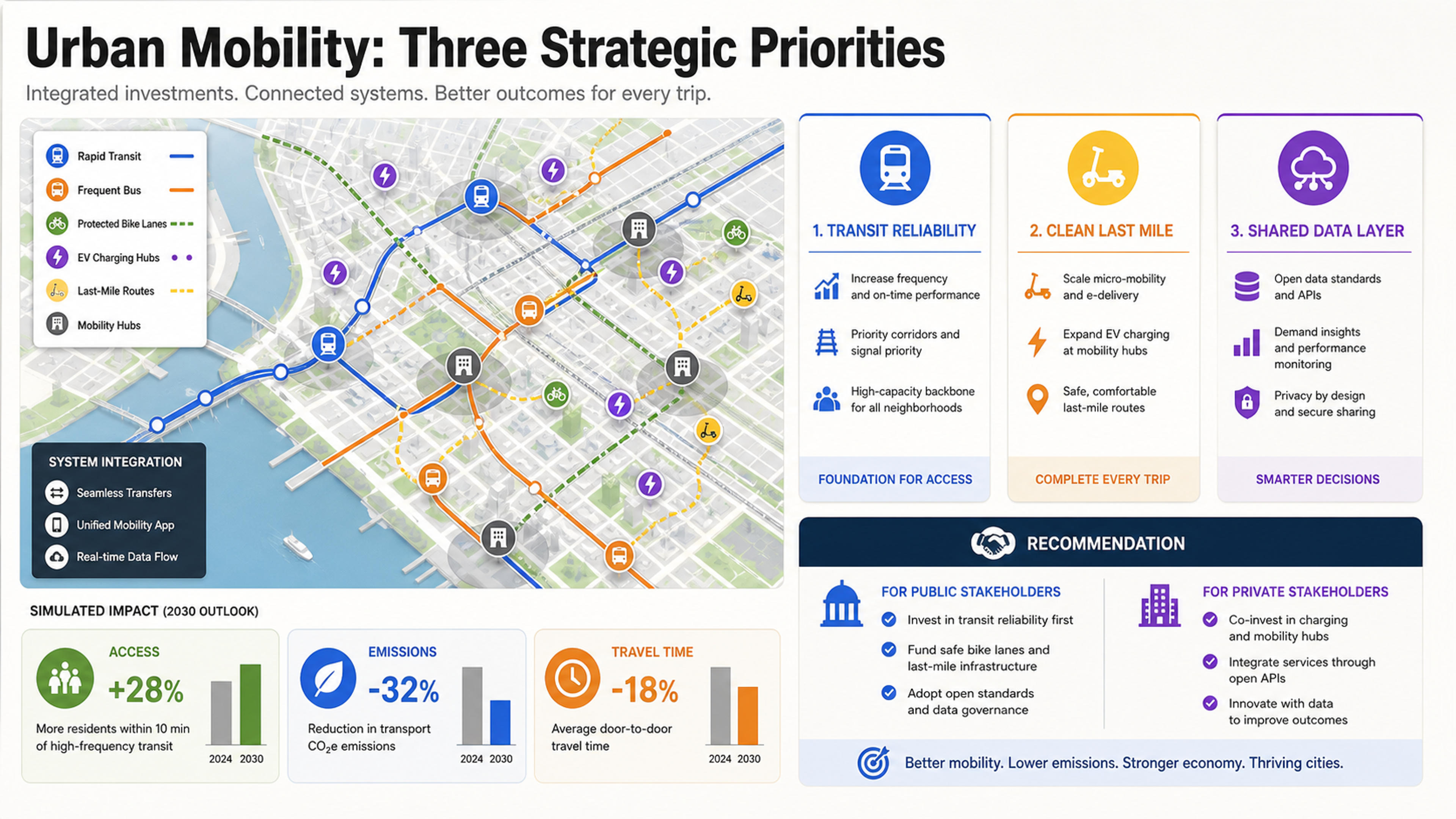
A complete strategy slide with a city-mobility system map, three investment priorities, simulated impact metrics, and a clear recommendation for public and private stakeholders.
SlidesPilot does more than distribute text across slides. It interprets the goal, builds a narrative, and chooses a presentation structure that helps an audience understand the topic.
Start with a one-line idea, a detailed assignment, meeting notes, a creative brief, or a prepared outline. Add the audience and desired outcome so the generation has a clear purpose.
SlidesPilot develops an opening, supporting sections, key messages, and a useful close. Each slide has a role in the larger story instead of feeling like an isolated page.
The generated presentation combines concise content with layouts, imagery, charts, diagrams, and other visual structures that fit the subject and audience.
Turn a short request into a coherent deck by giving the AI enough direction to make strong narrative and visual choices.
Enter the topic and add the real purpose: a client recommendation, class lesson, product strategy, conference talk, team update, or another outcome. A specific goal gives the generated story a strong center.
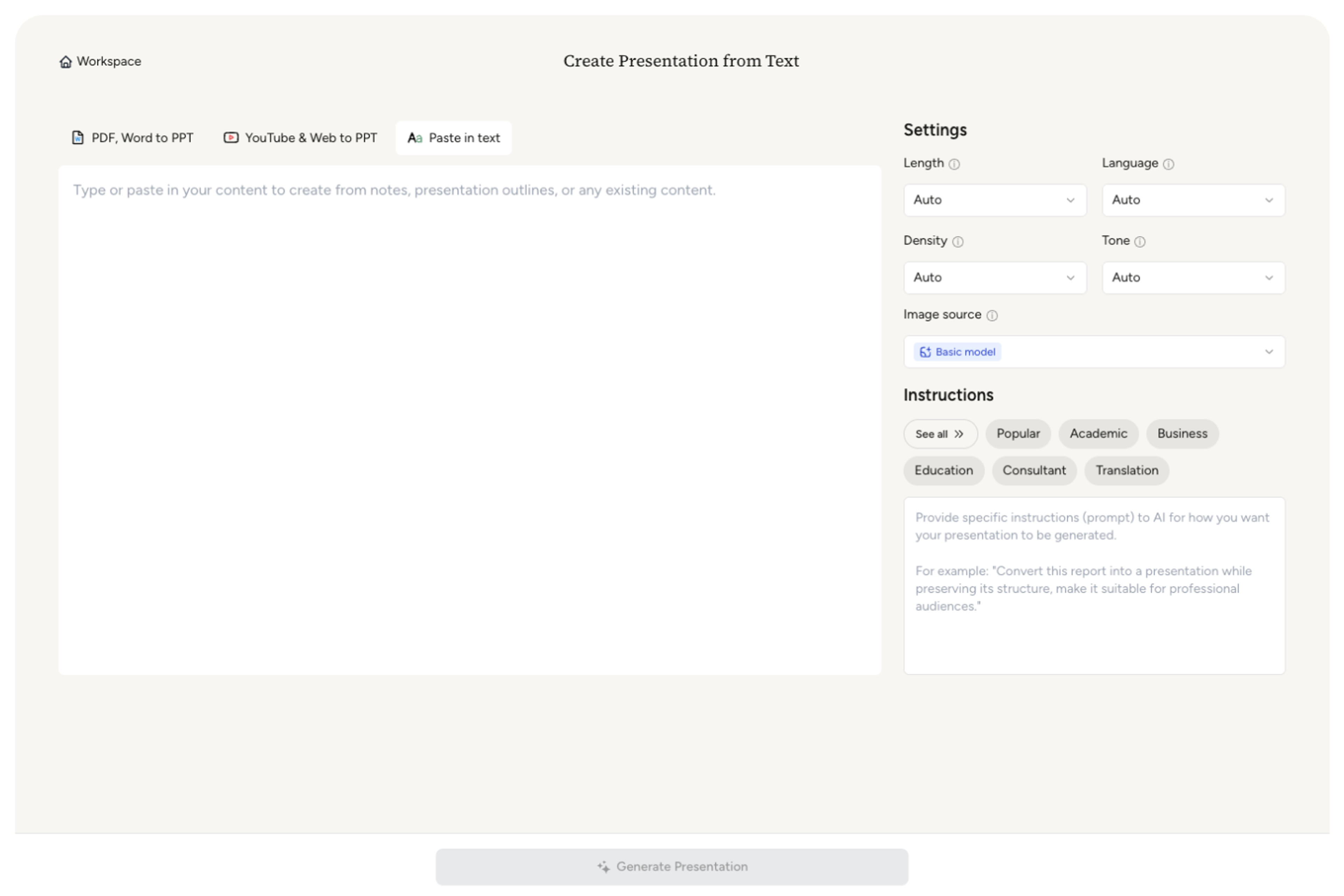
Tell SlidesPilot who the presentation is for, what they already know, how formal or persuasive the voice should be, and how much detail belongs in the deck.

Add required sections, evidence, examples, questions, or recommendations. If you already have notes or an outline, paste them so the generated sequence reflects the ideas that matter most.

SlidesPilot turns the request into a slide-by-slide narrative with presentation-ready copy and a coherent visual direction. The deck is designed as a connected story rather than a collection of repeated layouts.
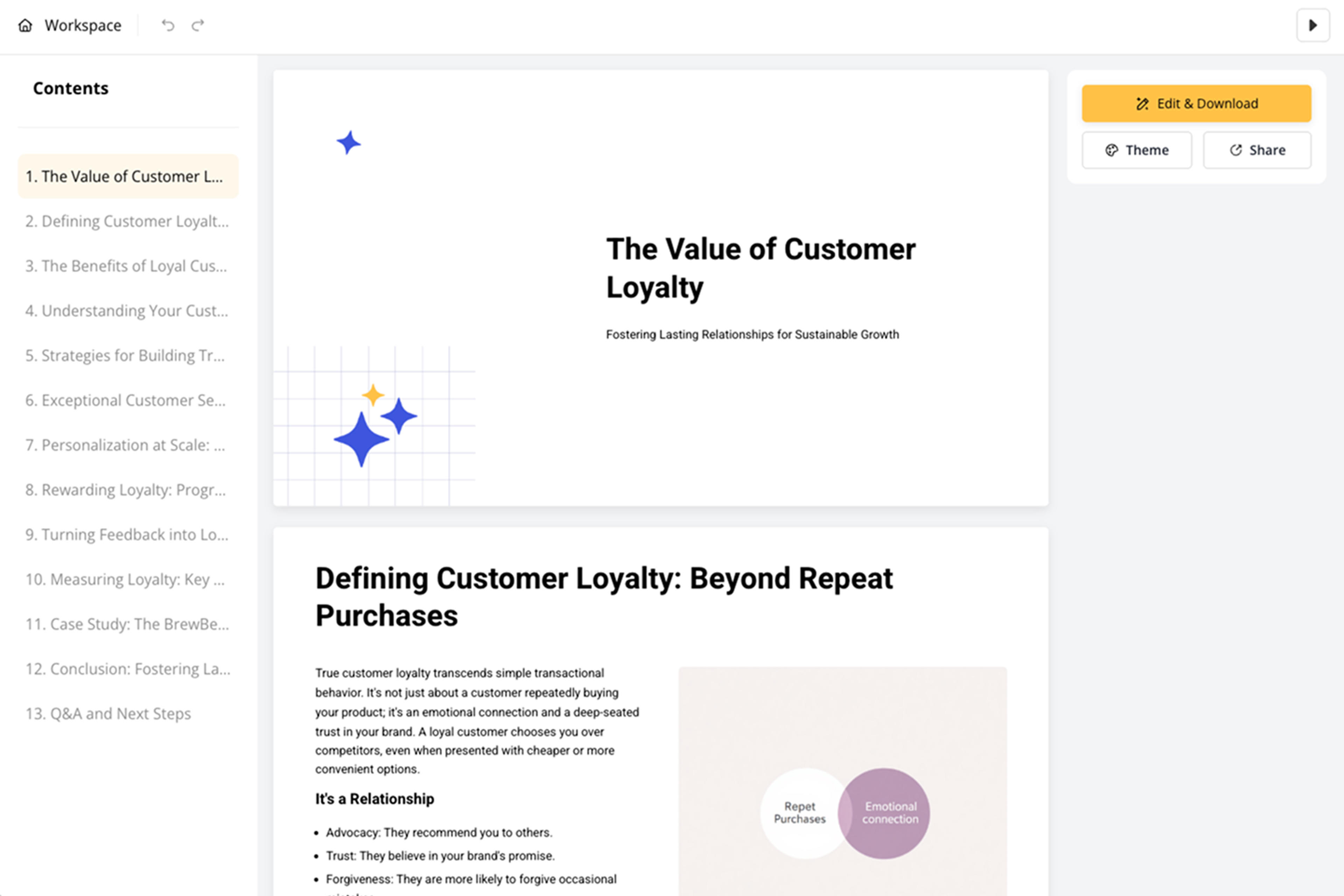
Read the opening, section transitions, key claims, and conclusion as one narrative. Make any final adjustments, then share, present, or export the completed deck.

Every generated deck combines narrative decisions, slide-level content, and a visual system suited to the presentation goal.
Shape the storyline for executives, clients, students, researchers, customers, or internal teams so the level of explanation matches the room.
Move from context to insight, evidence, recommendation, or action through sections that build on one another and give the presentation a clear arc.
Generate headlines and supporting content written for on-screen communication, with the main point of each slide easy to identify at a glance.
Use charts, diagrams, timelines, comparisons, process flows, and imagery when they make the topic easier to understand and remember.
Carry one theme, color system, layout rhythm, and level of visual detail through the deck so the slides feel intentionally connected.
Receive the full presentation as an editable first version that can be reviewed, adapted, shared, and exported for the way you plan to present.
Answers about generating presentation ideas, storylines, slides, and visuals with SlidesPilot.
An AI presentation generator turns a topic, brief, notes, or outline into a complete slide narrative. SlidesPilot plans the sections, writes presentation-ready content, and creates a coherent visual direction so you can start with a full deck instead of a blank page.
Yes. Enter the topic and add the audience, goal, tone, and desired length. SlidesPilot can expand that direction into a structured presentation with an opening, supporting sections, key messages, and a conclusion.
Yes. Enter a broad theme or an unexpected topic and SlidesPilot will generate a complete presentation direction. Add an audience or tone when you want the random idea to become a more purposeful talk, lesson, pitch, or creative exercise.
Include the subject, who will see the deck, what they should understand or decide, and any sections or examples that must appear. You can also specify tone, length, depth, and visual direction.
Yes. Paste notes, a brief, or an outline to preserve your core ideas while SlidesPilot develops the sequence, fills the gaps, and turns the material into presentation-ready slides.
SlidesPilot selects layouts and visual structures based on each slide's communication job. A deck can use comparisons, timelines, charts, diagrams, image-led moments, and focused text layouts while maintaining one consistent design system.
Yes. Set the length, content density, audience, and tone before generation. You can create anything from a concise decision brief to a detailed lesson, proposal, or conference presentation.
Yes. The result is fully editable in SlidesPilot. Update the content, reorder slides, change layouts, apply a theme, and refine any part of the deck before sharing or export.
Yes. Sign up free with no credit card required and use your included credits to generate a presentation from your own topic or brief.
Use these focused SlidesPilot tools before or after generating the complete deck.
Refine the generated deck with a block-based editor and AI presentation agent.
Condense long material into the core ideas before building the presentation.
Explore the branches of a topic and identify the ideas that belong in the story.
Visualize milestones, history, and future plans as a clear chronological sequence.
Create a focused visual explanation for a concept, process, comparison, or dataset.
Give an existing deck a cleaner, more polished visual direction.
Describe the topic, audience, and outcome. SlidesPilot will turn your direction into a structured story and a finished visual first draft.