

Free YouTube Subtitle Translator

Paste a YouTube link and translate its subtitles into English or another language for free.

Follow the ideas across languages

An insightful interview or a useful lesson can come from anywhere. Bring its spoken explanation into a language you can read comfortably, with the transcript as your starting point.

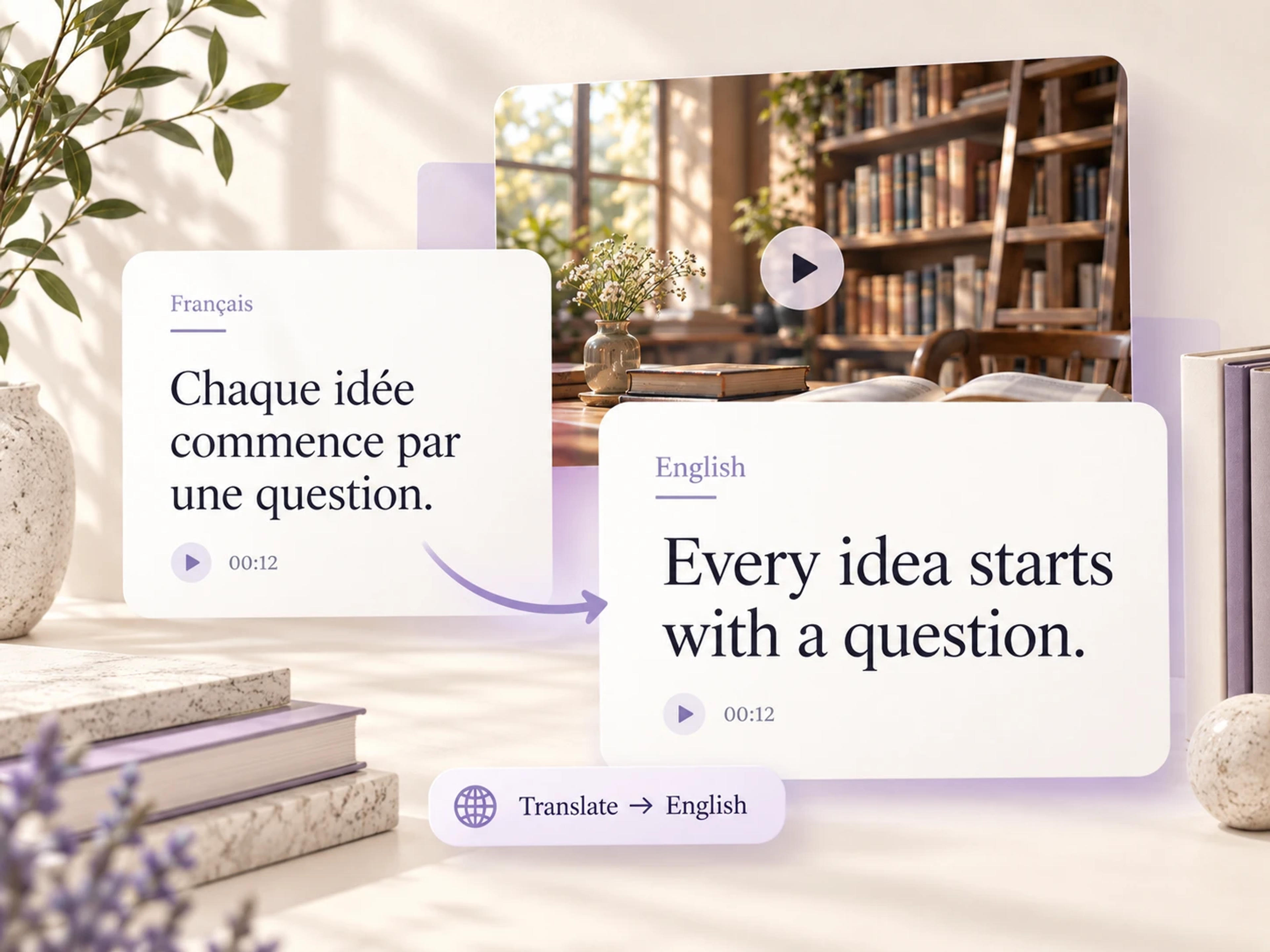
French subtitle Chaque idée commence par une question translated to Every idea starts with a question in English

Translate YouTube subtitles into English

Open a video’s transcript and choose English from the Translate menu. You can read the explanation as text, spend more time on a difficult passage, and follow the details around a new idea. It is a useful way to engage with a foreign-language lecture, interview, or tutorial when English is the language you use for study or work.
Choose the language that makes the meaning clear

Use the language selector to read the transcript in another supported language, including Arabic, Chinese, Filipino, French, German, or Hindi. The task stays simple: begin with the video, choose the language, and read the translated words. You get a text-based way to understand material beyond your usual language sources.

Understand the explanation, wherever it comes from

Use translated subtitles to get closer to the material you care about: a lesson, a first-hand perspective, or a practical explanation.

Study a lecture from another language

Translate the transcript of a recorded lecture into English and read through the reasoning at your own pace. You can spend time on an unfamiliar concept and connect the explanation to what you are learning in class. The translated text gives you another way into a subject taught by speakers around the world.

Read an interview in more depth

A translated interview lets you follow the context around an answer, including the examples and explanations that make the speaker’s perspective interesting. Read the conversation as a document while developing your research questions or exploring a topic through first-hand accounts.

Learn from an international tutorial

Found a useful tutorial in another language? Translate its transcript and read the spoken explanation while working through the task. A written translation helps you understand what the instructor is describing, while the video supplies the visual demonstration.

Explore sources for a research project

Use transcript translation to understand talks and discussions from beyond your usual English-language sources. Read the speaker’s explanation, identify the parts relevant to your question, and develop a richer view of the topic. The focus stays on the meaning of the material you chose.

Support your language learning

Choose a language you understand to clarify the meaning of a video you are studying. Reading the translated transcript can help you follow the topic and see how ideas connect across a longer passage. Return to the video with a clearer understanding of what the conversation is about.

Understand a talk before a team discussion

Read a translated transcript of a conference talk or specialist interview before discussing the subject with colleagues. You can follow the detail in a familiar language and arrive with a clearer understanding of the explanation, examples, and questions raised by the speaker.

How to translate YouTube subtitles into English

Choose the video first, then the language you want to read. SlidesPilot keeps the translation inside the transcript workflow.

  1. Paste the YouTube video link

    Open the transcript for the lecture, interview, tutorial, or talk you want to understand. The text view gives you a place to read the video’s spoken material before choosing the translation language.

  2. Select Translate, then English

    Open Translate in the transcript toolbar and choose English. You can also select another supported language from the same menu when a different reading language suits your task.

  3. Read the translated transcript

    Work through the translated words at your own pace. Use the text to understand the explanation, revisit a passage, or prepare for a discussion about the video. Keep the focus on the material you came to learn.

A clearer way into videos from other languages

Translated transcripts make international lessons, interviews, and explanations easier to follow.

Emma

Master’s Student

“I found a lecture that was closely related to my research topic, but the speaker was teaching in French. Translating the YouTube subtitles into English gave me a text I could work through carefully. I could follow the explanation around each concept and understand why the examples mattered to the argument.”

Rafael

Independent Researcher

“Some of the most relevant interviews for my project were in languages I do not read comfortably. The YouTube subtitle translator helped me understand the conversations in English. Reading the transcript as a whole was especially useful because the context around an answer often mattered as much as the answer itself.”

Hannah

Language Learner

“I watch interviews in the language I am learning, and sometimes I want a clearer understanding of a longer passage. I choose English in the transcript’s Translate menu and read the meaning before returning to the video. It helps me follow the conversation with a much better sense of where the speaker is going.”

Amir

Product Designer

“I came across a detailed tutorial with a visual demonstration I wanted to learn from. Translating its transcript let me understand the spoken instructions as I worked through the example. Having the explanation in a language I use every day made the tutorial much more useful to me.”

Clara

Learning and Development Specialist

“I use conference talks to explore new approaches to training, including speakers outside the English-language circuit. Reading a translated YouTube transcript helps me understand the examples before I discuss the talk with colleagues. It opens up useful perspectives that I would otherwise find harder to follow.”

YouTube subtitle translation: your questions answered

Paste the YouTube link into SlidesPilot and open the transcript. In the toolbar, select Translate and choose English. You can then read the translated text at your own pace. This is useful for understanding a foreign-language lecture, interview, or tutorial through a written version of its spoken explanation.

Yes. SlidesPilot’s YouTube subtitle translator is free to use. Open a video’s transcript, choose a target language from Translate, and read the result. You can use it to understand educational videos, follow international interviews, or explore material in a language that is more comfortable for your study or work.

Start with the video’s transcript and select English in the Translate menu. SlidesPilot translates the spoken material into readable text, giving you an English version of the explanation to work through. You can focus on a particular passage or read the conversation from beginning to end to understand its broader context.

The Translate menu includes English, Arabic, Simplified Chinese, Traditional Chinese, Filipino, French, German, and Hindi, among the supported options. Open the selector to choose the language you want to read. The same transcript workflow lets you approach the video through a language that fits your learning or work.

Yes. The translation workflow starts from the video’s transcript: its spoken content presented as text. Choose a target language to read that material in translation. Whether you are looking for a YouTube transcript translator or a way to understand foreign-language subtitles, the result is a readable text version of the video’s explanation.

Yes. Translate the lecture’s transcript into the language you want to read, then work through the explanation alongside your study material. The text gives you room to pause around a definition, revisit an example, and follow a longer line of reasoning. It is particularly useful when a course topic draws on international sources.

Yes. Use an interview transcript to understand how the conversation develops, or translate a tutorial to follow the instructor’s spoken explanation. Reading the text makes it easier to spend time on a specific passage. You can then return to the recording for the speaker’s delivery or the visual demonstration.

You get a translated text version of the video’s spoken material in the transcript workspace. The result is designed for reading and understanding: follow the explanation, revisit an interesting passage, and explore the subject in your chosen language. Start with a YouTube link and use Translate to choose the language for that reading experience.

YOUR NEXT STEP

Bring the key ideas into focus

Ready to revisit the video’s main ideas? Use the YouTube Summarizer to turn the video into a concise overview of the main ideas and takeaways.

Summarize a YouTube Video
  • Key points in one place
  • A shorter reading view
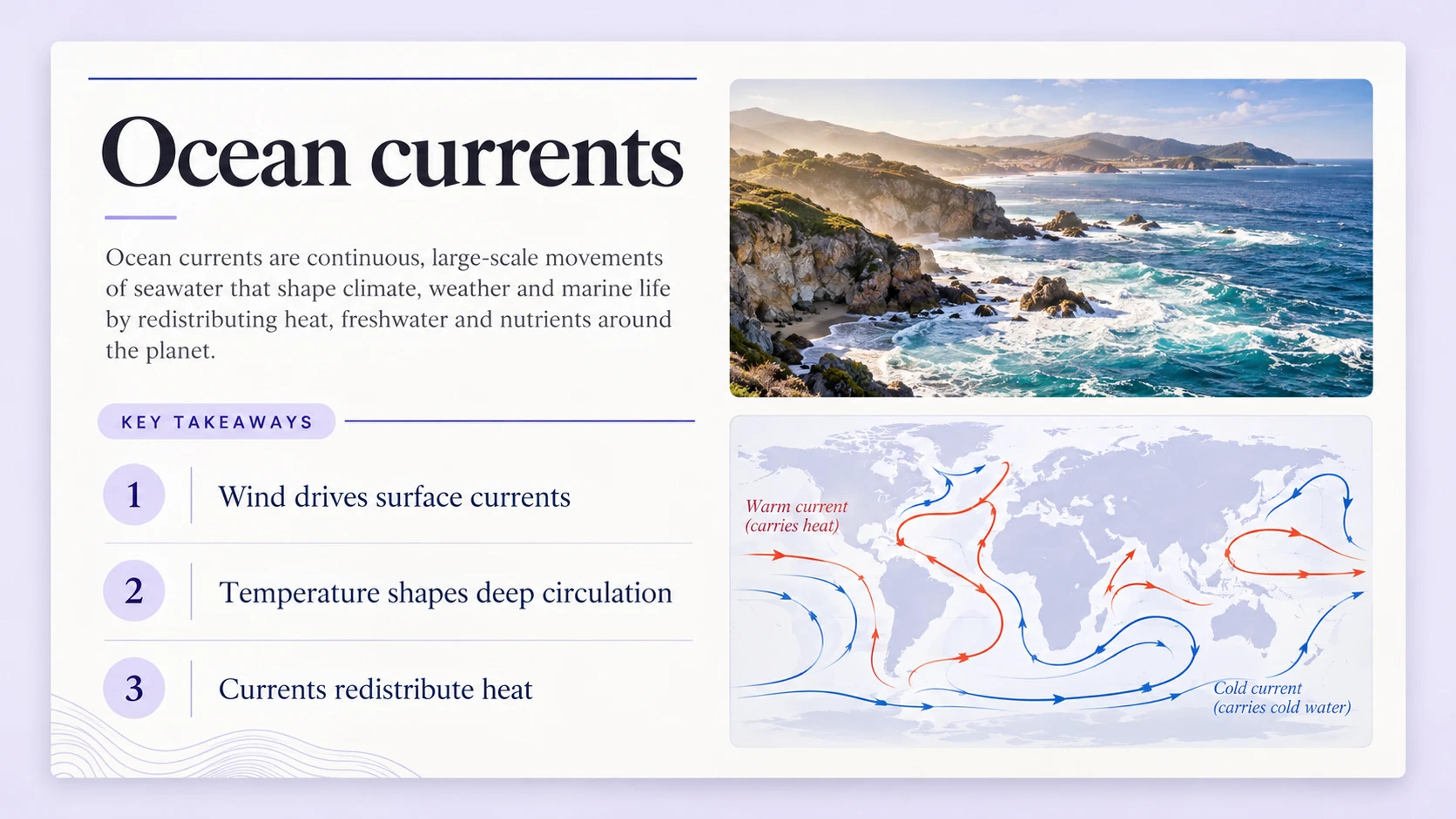
Example ocean currents summary with three key takeaways and an ocean illustration

A focused overview for your next read.

TAKE THE IDEAS FURTHER

Give those ideas a beautiful presentation

Turn the same video into a polished slide deck with YouTube to PPT. Shape the story for a lesson or meeting, then make the slides your own.

Turn a YouTube Video into PPT
  • Beautiful slide designs
  • Fully editable PowerPoint
YOUR SOURCE
VIDEO
YOUTUBE

A lesson worth sharing

The ideas from your video
AIOrganize + design
YOUR PRESENTATION
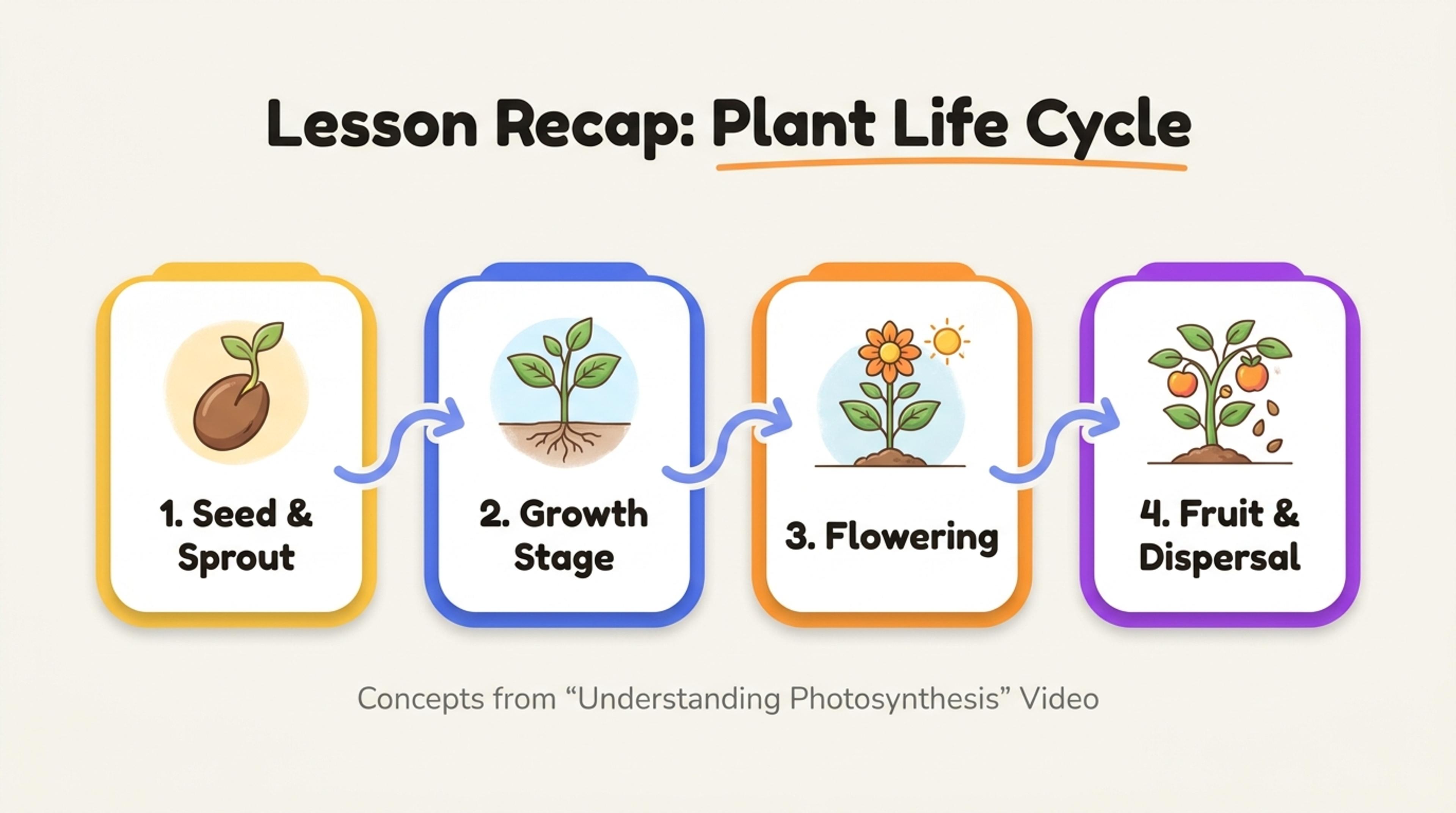
Example video lesson transformed into a designed presentation
A beautiful, editable slide deck

From a useful video to a presentation of your own.

Make the next video easier to understand

A useful explanation can come from any language. Start with a YouTube link, choose your reading language, and explore the ideas through a translated transcript.

Free to useStart with a YouTube link
Translate My YouTube Subtitles