


Summarize Three Ways
Paste text, add a YouTube or webpage URL, or upload a document and continue through one focused summary workflow.
Paste text, add a YouTube or webpage link, or upload a document to create a beautiful, structured summary connected to the source.
Add a PDF, Word document, or PowerPoint file to create a polished summary.
Move from any source to a concise, beautifully structured summary with the context that makes every insight useful.
Paste text, add a YouTube or webpage URL, or upload a document and continue through one focused summary workflow.
Source correspondence shows where summarized ideas come from, so important points stay connected to their original context.
Headings, key points, grouped ideas, and concise explanations turn dense source material into an inviting reading experience.
SlidesPilot connects themes across the source to produce a coherent summary of arguments, evidence, decisions, and conclusions.
Focus the result on an executive brief, study notes, research findings, meeting preparation, or action items.
Continue with the polished summary in Word or PDF and use it across research, learning, planning, and communication.
The SlidesPilot AI Summarizer turns documents, text, YouTube videos, and web pages into clear, source-grounded summaries you can explore and use right away.
SlidesPilot analyzes the complete source and brings its central message, strongest supporting points, meaningful examples, findings, decisions, and conclusions into one coherent AI summary.
Whole-source understanding: Connect ideas across long documents, pasted text, YouTube videos, and web pages.
Key point extraction: Surface the information that carries the most meaning for the reader.
Clear summary structure: Organize insights with readable headings, grouped themes, and concise explanations.

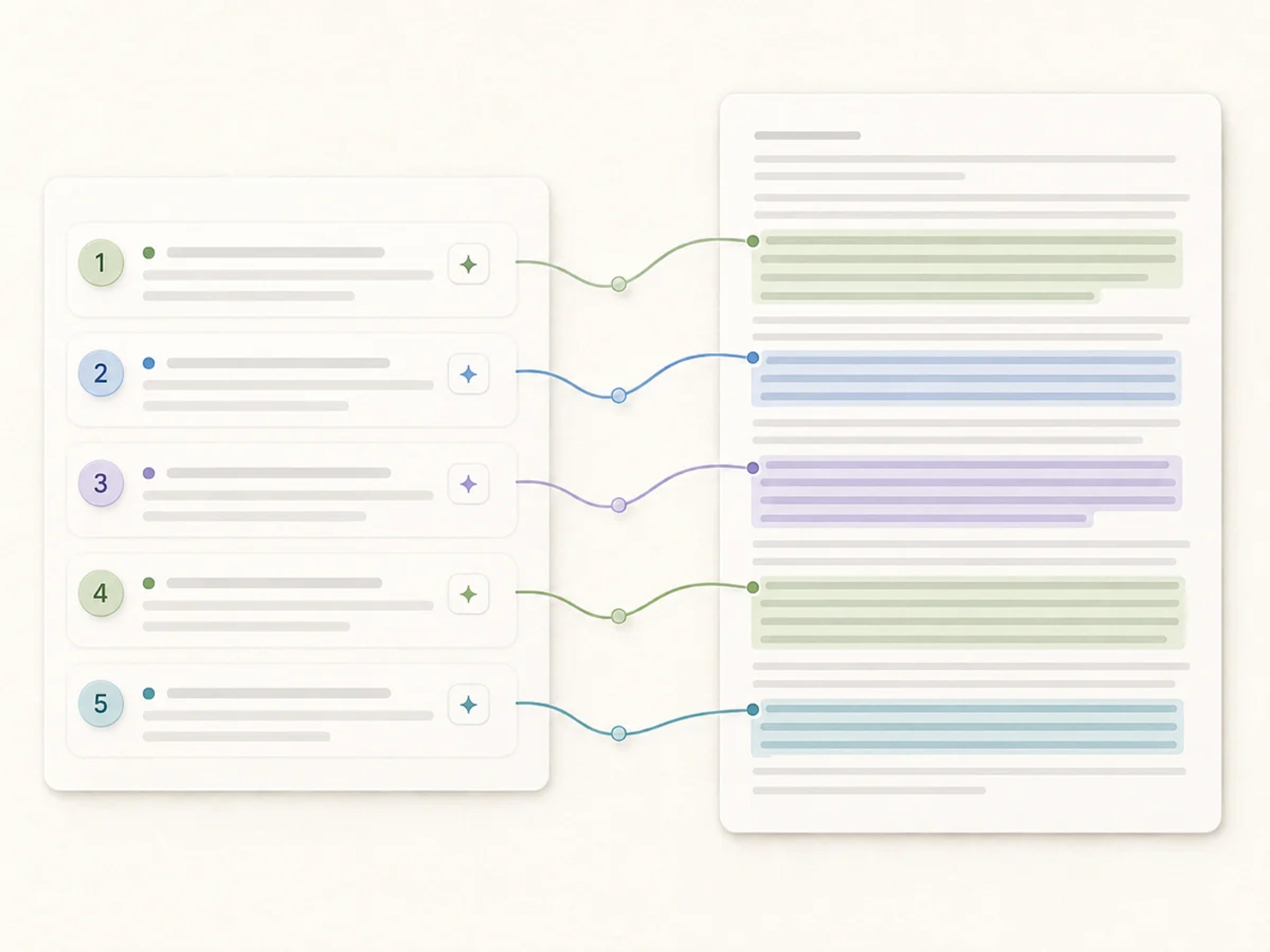
Source correspondence connects important summary points with the relevant place in the original document, text, YouTube video, or web page, making the result easier to understand and explore.
Source-linked insights: See how each important takeaway connects to its supporting context.
Faster source navigation: Move from the summary to the part of the source that matters.
Grounded reading experience: Keep evidence, examples, and explanations close to the ideas they support.
Shape the AI-generated summary around the work you need to complete, from study and research to decision-making, meeting preparation, content planning, and knowledge sharing.
Study and research: Create review notes, topic briefs, and organized findings from long sources.
Business decisions: Bring priorities, evidence, risks, and recommended actions into focus.
Reusable knowledge: Turn one source into a practical brief for writing, planning, or collaboration.

Create a source-grounded AI summary in three steps.
Paste text, add a YouTube or webpage link, or upload a PDF, Word document, or PowerPoint file.
SlidesPilot understands the complete source and organizes its key ideas, evidence, findings, and takeaways into a polished result.
Read the summary in a clear visual structure and use source correspondence to connect each important point with its origin.
SlidesPilot brings source understanding, useful structure, and a polished reading experience into one summarizer.
Turn pasted notes, essays, transcripts, reports, and long-form text into organized key points and concise explanations.
Transform video content into structured notes, main ideas, examples, and takeaways that are easy to scan.
Paste an article or webpage URL and create a focused reading brief with arguments, evidence, and conclusions.
Summarize PDFs, Word documents, PowerPoint files, research papers, reports, and other text-rich files.
Keep summary points tied to the source so every important insight comes with useful context.
A strong visual hierarchy makes long-source summaries inviting to scan, understand, and use across your workflow.
Use one AI summarizer across learning, research, analysis, planning, and communication.
Learn how SlidesPilot turns text, links, videos, and documents into clear AI summaries.
An AI summarizer understands a source and condenses its main ideas, supporting points, findings, and conclusions into a clear, organized summary.
Summarize pasted text, YouTube videos, web pages, PDFs, Word documents, PowerPoint files, research papers, reports, and other text-rich sources.
Yes. Paste long text, notes, an essay, a transcript, or a draft and create a concise summary with organized key points.
Yes. Paste a YouTube video URL or webpage URL and SlidesPilot creates a structured written summary of the source.
Summary points include source markers that connect the generated content with the corresponding place in the original source.
Yes. Guide the result toward an executive brief, study notes, research findings, meeting preparation, key decisions, or action items.
Yes. SlidesPilot supports files up to 50MB, 750,000 words, or 1,000 pages for substantial summarization workflows.
Yes. You can start using the AI Summarizer for free after signing up, with no credit card required.
Download the finished summary as a Word document for continued editing or as a PDF for easy sharing.
Yes. Refine the wording, emphasis, and structure so the finished summary matches your audience and purpose.
Start with the source you have and create a summary designed around the way you want to understand it.
Paste a YouTube link and turn the video into a clear, beautifully structured summary with key points connected to the source.
Paste an article URL, add the text, or upload a PDF or Word document to create a clear summary with key arguments, evidence, and source-linked takeaways.
Summarize any document instantly with AI
Instantly extract key insights and create structured summaries from PDFs
Turn an entire book into a clear summary of its most important ideas
Instantly extract key insights and simplify complex academic documents
Add text, a link, or a document and let SlidesPilot organize the most important ideas with source correspondence built in.