Merge PowerPoint Online

Bring your presentations together in one move. Our free PowerPoint merger combines PPT and PPTX files into a single editable deck, keeping the slide designs your team created.

Bring Your PowerPoints Together

Drag & drop your PowerPoint here or

Up to 5 files · 50 MB eachPPT & PPTX formats

Separate decks. One clear story.

Your PowerPoint combiner for a complete presentation.

Combine the PowerPoints you already have

Bring your company overview, product deck, and client proposal into one presentation. SlidesPilot’s PPT merger joins multiple source files in one workflow, giving your next pitch, department review, or training session a single editable deck to work from.

  • PPT and PPTX together: Combine PowerPoint files across both supported formats.

  • Multiple decks in one workflow: Add up to five presentations and build one complete file.

  • Ready for your final edits: Download a single PPTX and shape the final narrative in PowerPoint.
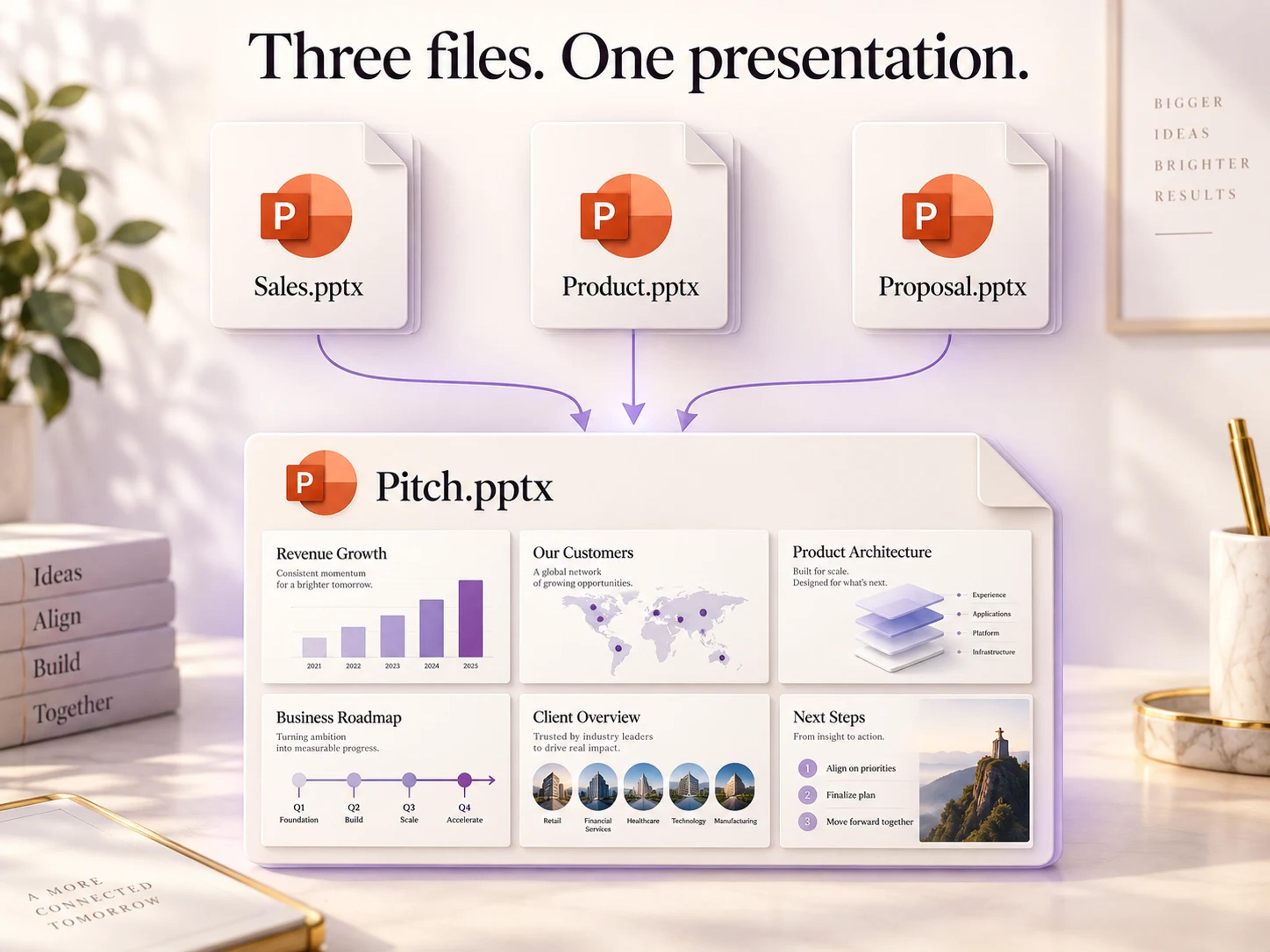
Three PowerPoint source files join into one pitch presentation with six separate source slides retained.

Keep the work behind every slide.

Bring presentations together with their original character.

  • Original formatting, editable output

    Your source slides carry their own layouts, backgrounds, colors, and images into the combined PowerPoint. Keep each team’s design work and continue editing text and slide elements in one PPTX.

Two source presentations with different navy and peach designs combine into four individual slides that retain their original layouts.

Separate contributions. Shared success.

Maya

Account Manager

Our pitch draws on a company overview, a product deck, and a proposal. Bringing those PowerPoints together gives me one editable presentation for the client meeting.

Oliver

Training Lead

Each workshop module already has its own slides. Combining the decks into one PowerPoint makes it easier to prepare a complete session and finish the flow.

Priya

Project Manager

Different teams contribute their own presentations. Keeping the original slide designs in the combined deck preserves the work they have already done.

Daniel

Student Team Lead

Everyone in our group prepares a section of the project. A single merged PPTX gives us one file to arrange, edit, and present together.

Sofia

Marketing Operations Manager

We have useful material in both PPT and PPTX files. Joining them into one editable deck makes existing presentations easier to reuse for the next review.

Liam

Business Analyst

A department review brings several decks into the same meeting. I want one PowerPoint with the source layouts and images intact, ready for the final edits.

From separate files to one deck

  1. Add your source decks

    Choose two or more PPT or PPTX files in the upload area. Use Add more PowerPoints to include another presentation.

  2. Continue to the merger

    With your files selected, click Merge PowerPoints Free to enter the tool and bring the presentations together.

  3. Finish with one PowerPoint

    Download your merged PPTX, arrange the final flow in PowerPoint, and take one complete deck into your meeting.

PowerPoint merging, answered

Select both presentations in SlidesPilot’s upload area, then continue to the free PPT merger. Merge the files and download one editable PPTX containing your source slides.

Yes. SlidesPilot’s online PowerPoint merger is free to use. Bring your decks together and save a single editable presentation.

SlidesPilot carries the source slides’ layouts, backgrounds, colors, and images into the combined file. Use the PowerPoint merger to bring decks together while retaining the designs already created.

Yes. Add PPT and PPTX files in the same workflow. SlidesPilot combines the supported source presentations into one PPTX you can open and edit in Microsoft PowerPoint.

Select two to five PowerPoint presentations per merge, with each file up to 50 MB. Add more files or remove a selection directly in the upload area before continuing.

Yes. The merged presentation is an editable PPTX. Open it in PowerPoint to adjust text and slide elements, move slides into your preferred sequence, and complete your presentation.

Yes. Export each deck as a PowerPoint PPTX, then choose the exported files in SlidesPilot. Bring the presentations together and download one editable PowerPoint.

Yes. Use SlidesPilot’s online PPT merger from your browser on Mac or Windows. Choose your source files, continue to the merger, and save one combined deck to your device.

Bring your next presentation together.

Your source decks. Their original designs. One editable PowerPoint.

Combine my PowerPoints