


Edit slide by slide, block by block
Every slide is made from flexible content blocks. Reorder sections, move a chart, replace an image, reshape a text block, or change the layout without rebuilding the deck from scratch.
Build a complete presentation, then shape every slide in a flexible block-based editor. Rearrange ideas, rewrite content, adjust layouts, and ask the AI presentation agent to refine one block, one slide, or the entire deck.
Drag & drop your file here or
Explore complete content slides across business, research, marketing, training, and product work, including frameworks, charts, roadmaps, and simulated data.
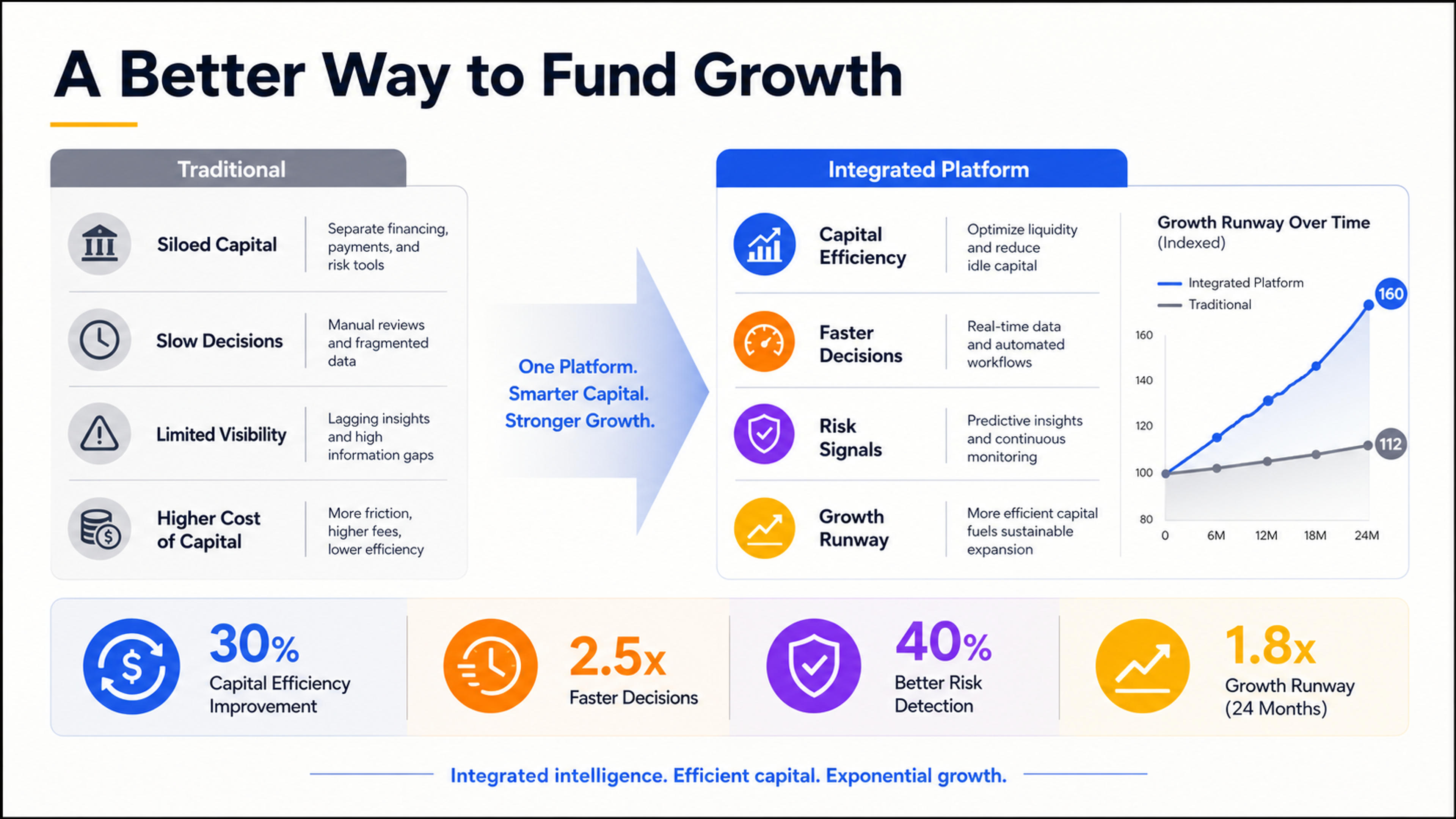
A complete fintech investor-pitch content slide comparing a traditional model with an integrated platform, using a strategic framework, value drivers, and simulated growth indicators.
A strong deck rarely appears in one click. SlidesPilot gives you a complete starting point and an editing system designed for the decisions that follow: what to keep, what to move, what to rewrite, and how every slide should look.
Every slide is made from flexible content blocks. Reorder sections, move a chart, replace an image, reshape a text block, or change the layout without rebuilding the deck from scratch.
Ask the agent to sharpen a headline, condense a section, improve the narrative, redesign a slide, or apply a change across the full presentation while you stay in control.
Move from source material to first draft, editing, theme updates, sharing, and export in the same workflow. Your structure and design evolve together instead of splitting across disconnected tools.
Create the first version quickly, then use the block editor and AI agent to turn it into a presentation that feels deliberately made for your audience.
Start with a topic, paste your notes, upload a document or existing deck, or add a link. SlidesPilot uses the material you already have to establish the purpose, key ideas, and likely presentation flow.

Describe who will see the deck, what they should understand or decide, the tone you want, and the level of detail to include. These choices guide both the narrative and the slide design.

SlidesPilot organizes the material into a coherent sequence and builds presentation-ready slides with titles, supporting content, layouts, and visuals. The result opens as an editable deck, not a flattened preview.

Rearrange blocks, switch layouts, rewrite text, add or remove content, and adjust the visual emphasis. Because the editor is block based, you can make precise changes without fighting a rigid template.
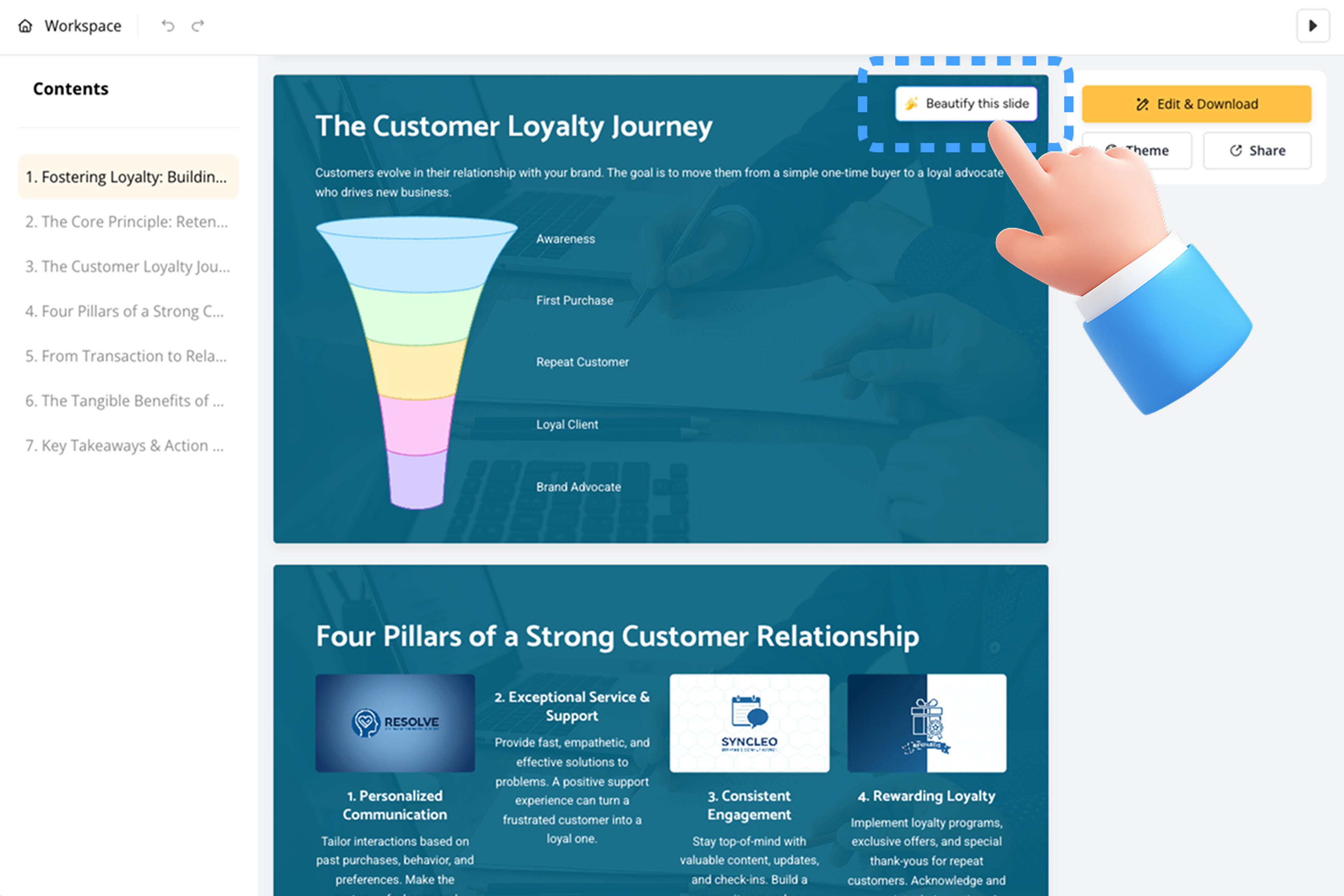
Ask the presentation agent to improve one element, one slide, or the complete story. Apply your theme, review the final flow, then share online or export the editable presentation in the format your audience needs.

SlidesPilot combines fast creation with the editing depth needed for real client, classroom, research, and business work.
Treat titles, text, images, charts, diagrams, and supporting elements as editable building blocks that can be rearranged as the message develops.
Focus the AI agent on the slide in front of you when the structure is right but the wording, hierarchy, layout, or visual direction needs improvement.
Strengthen consistency across the presentation by asking the agent to improve the narrative, tone, structure, or design beyond one isolated slide.
Change layouts and apply a coherent theme so the deck feels unified while individual slides keep the structure that best communicates their message.
Use presentation-native visuals to explain comparisons, processes, timelines, and data, then refine the surrounding message inside the same deck.
Present online, share a review link, export to PPTX, continue in Google Slides, or create PDF and image versions when the deck is ready.
Answers about making, editing, refining, and exporting presentations with SlidesPilot.
SlidesPilot combines creation and editing in one workspace. It can build the first draft from a topic or source, then lets you work slide by slide with flexible content blocks and an AI presentation agent that can improve content, structure, layout, and design.
A block-based editor treats the parts of a slide—such as titles, text, images, charts, and diagrams—as flexible components. You can rearrange, rewrite, replace, or restyle those components while keeping the presentation easy to evolve.
Give the agent a direct instruction such as strengthening the headline, shortening a section, clarifying the argument, improving a layout, or making the full deck more consistent. You can focus the change on one block, one slide, or the entire presentation.
Yes. Upload an existing deck and use it as the starting point for a new editable workflow. You can refine the structure, update content, improve individual slides, and adapt the presentation for a new audience or purpose.
Yes. SlidesPilot supports topic prompts, pasted text, documents, links, and existing presentation files. Choose the source that contains the strongest material, then guide the audience, goal, tone, and level of detail.
Yes. Switch layouts, edit visual blocks, adjust the theme, replace imagery, and refine individual slides. The first draft is the beginning of the making process, not a locked final result.
Yes. Share the presentation for review, keep a reusable master deck, and adapt content blocks for different clients, classes, meetings, or campaigns while maintaining a consistent foundation.
Yes. You can sign up free with no credit card required and use your included credits to create and edit a presentation in SlidesPilot.
You can export an editable PPTX, continue in Google Slides, download PDF or PNG versions, share online, or present directly from your SlidesPilot workspace.
Choose a focused SlidesPilot workflow for the next job in your presentation process.
Generate a complete first draft from a topic, brief, notes, or outline.
Redesign and polish an existing presentation while keeping the core message.
Condense long source material before shaping it into a presentation.
Create a clear visual timeline for plans, histories, launches, and roadmaps.
Organize a complex idea into branches before you finalize the slide story.
Turn concepts, processes, and information into presentation-ready visuals.
Create the first draft, shape the story with flexible blocks, and direct the AI agent until the presentation is ready for your audience.