
Lead with Decisions
SlidesPilot pulls decisions, approvals, changes, and unresolved questions out of the meeting record. The deck helps stakeholders understand outcomes first, then the context behind them.
Transform meeting notes into professional PowerPoint presentations
Preview how SlidesPilot can turn your source material into a clearer deck before you export or share the result.
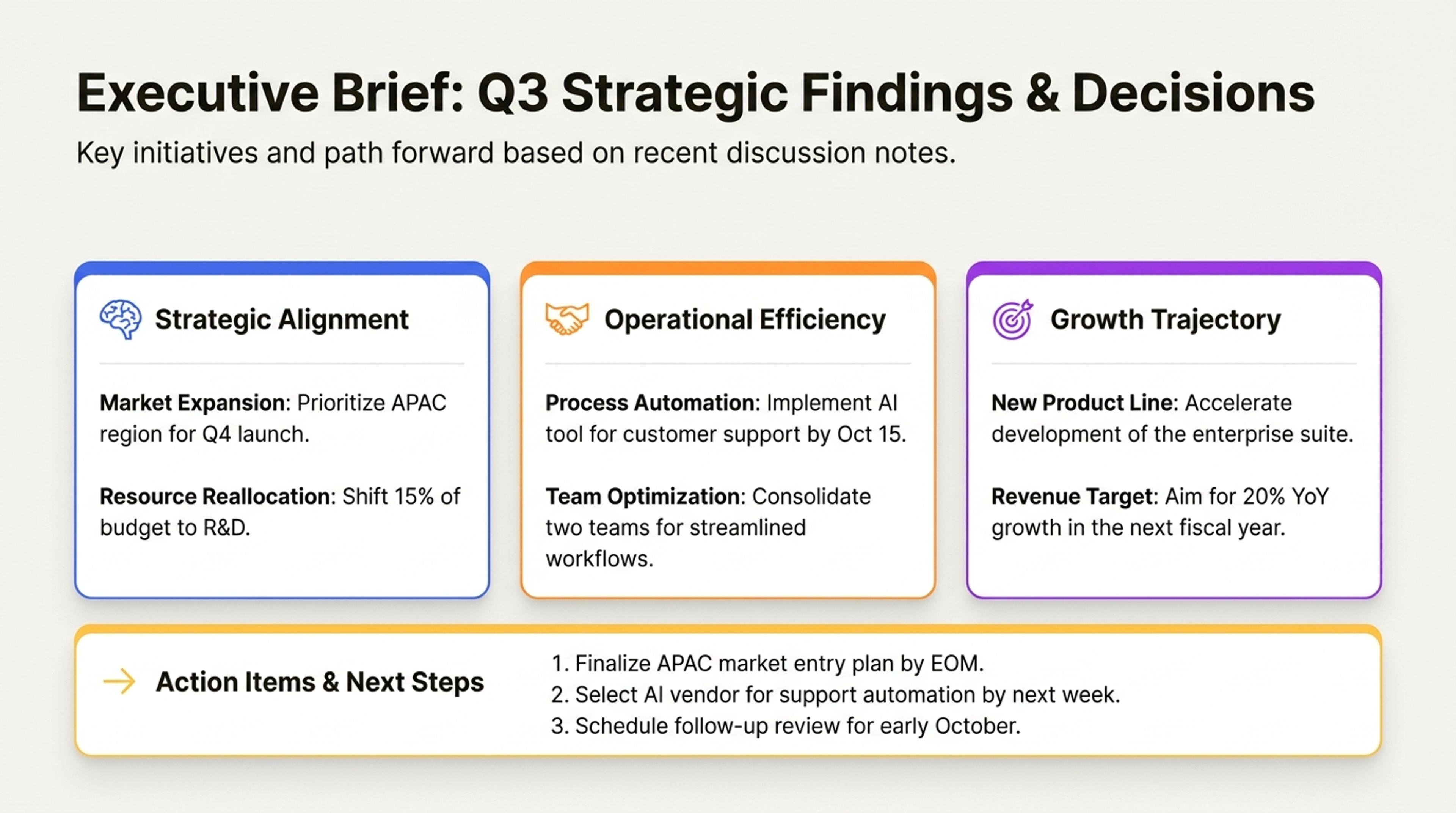
Turn pasted notes or prompts into an executive brief with the most important findings first.
Turn meeting minutes into an action-focused presentation that highlights decisions, owners, blockers, priorities, timelines, and what happens next.
SlidesPilot pulls decisions, approvals, changes, and unresolved questions out of the meeting record. The deck helps stakeholders understand outcomes first, then the context behind them.
Owners, deadlines, dependencies, blockers, and follow-up tasks can become dedicated slides. This makes the presentation useful for project check-ins, client updates, and executive recaps.
The generated deck reframes raw minutes into a concise story for people who were not in the room. Teams can align quickly without forwarding a long transcript or note dump.
Paste the meeting minutes with agenda, attendee notes, decisions, action items, owners, dates, blockers, and follow-up context. Add the audience, such as executives, clients, project teams, or internal stakeholders.
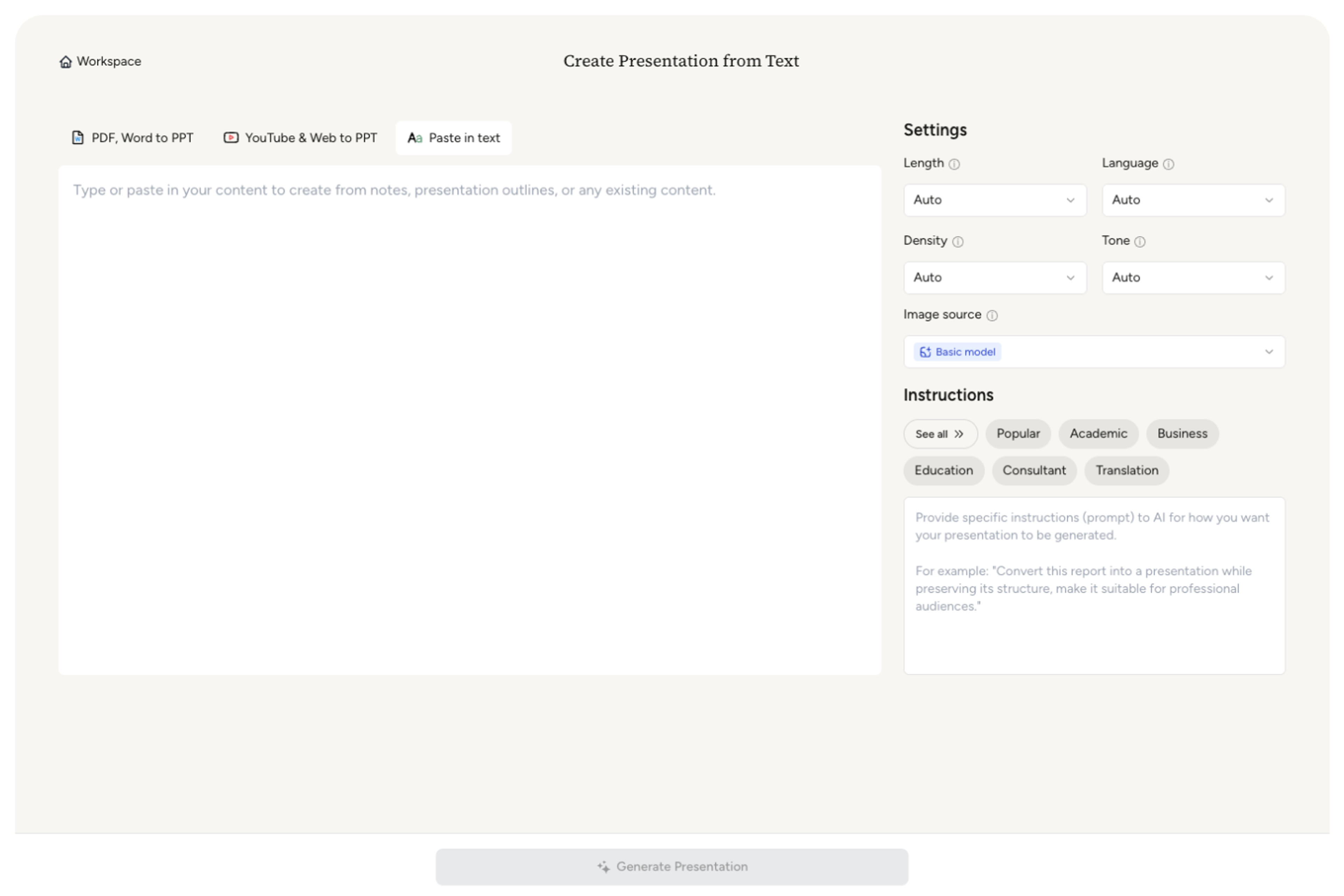
SlidesPilot separates discussion history from outcomes. It identifies what was decided, what changed, who owns the next step, which blockers matter, and which context should be kept for alignment.

Group the content into a presentation flow: meeting objective, progress update, key decisions, open issues, action items, and next steps. A product meeting can become a roadmap-update deck with owners and deadlines clearly visible.

Generate a meeting recap deck that turns minutes into a structured update. The slides can include decision summaries, owner tables, priority sections, blocker slides, and follow-up commitments.

Refine audience tone, owner labels, deadlines, slide order, and detail level before export. The deck can support weekly reviews, client readouts, steering committees, or cross-functional follow-up.

Meeting Minutes to PPT is about turning records into alignment. SlidesPilot focuses on decisions, responsibilities, and next steps so the deck drives follow-through.

Decisions and commitments are lifted above chronological discussion notes. This gives the presentation an outcome-led structure that busy stakeholders can scan quickly.

Owners, dates, dependencies, and blockers can become explicit slide elements. This makes responsibilities visible and keeps the recap useful after the meeting.

Agenda items and discussion themes are grouped into sections that match the audience. Internal teams, clients, and executives can each receive the right level of context.

The editable deck supports follow-up meetings, project governance, client communication, and leadership updates. Users can tune wording and next steps before sharing.
Yes. Paste the meeting minutes and SlidesPilot can create a recap deck with decisions, action items, owners, blockers, priorities, and next steps organized for the intended audience.
Include the agenda, meeting objective, attendees, decisions, discussion points, action items, owners, deadlines, blockers, and follow-up notes. The richer the minutes, the more useful the recap deck becomes.
Yes. Action items, owner names, dates, and dependencies can be turned into clear slide sections or tables. This makes the presentation useful for follow-up and accountability.
Yes. Set the audience as client-facing and SlidesPilot can emphasize decisions, progress, commitments, and next steps while keeping the presentation concise and professional.
A meeting notes summarizer creates a written recap. Meeting Minutes to PPT creates a slide deck for stakeholder updates, project reviews, client meetings, or leadership communication.
Yes. You can adjust owner names, deadlines, wording, slide order, priorities, and action-item detail before exporting the editable presentation.
Use Meeting Minutes to PPT when meeting records need to become a stakeholder update deck. Choose proposal, report, or summarizer workflows when the next task is approval, analysis, or a written recap.
Transform detailed reports into executive PowerPoint presentations
Transform detailed project proposals into winning PowerPoint presentations
Turn notes, paragraphs, and ideas into a clear, editable PowerPoint presentation.
Paste text, add a YouTube or webpage link, or upload a document to create a beautiful, structured summary connected to the source.
Transform plain PowerPoint presentations into professional designs using AI
Use AI Presentation Generator when that workflow better matches your source or output.
Transform your work into a presentation, instantly. ⭐ #1 AI PowerPoint Generator | Trusted by 3 million users worldwide