
Paste rough content
Start with gpt image 2, notes, outlines, or requirements without first formatting them as slides.
Build stunning PPTs with perfect text rendering powered by OpenAI
Preview how SlidesPilot can turn your source material into a clearer deck before you export or share the result.
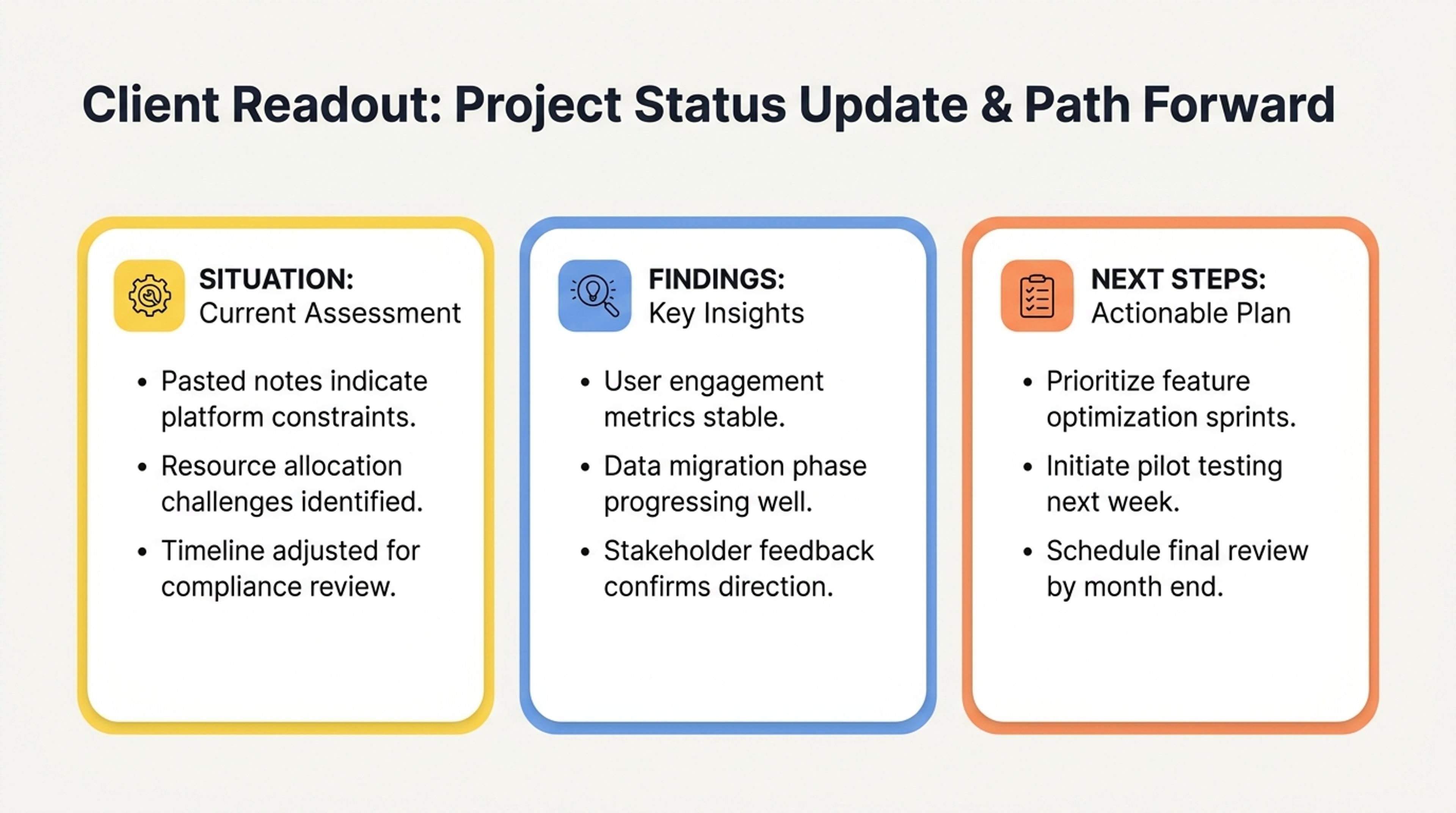
Turn pasted notes or prompts into a client readout that surfaces the situation, findings, and next steps first.
Text pages should show how rough notes or pasted content become a structured presentation.
Start with gpt image 2, notes, outlines, or requirements without first formatting them as slides.
Let AI group related points, create slide sections, and make the flow easier for an audience to follow.
Use the generated deck as a working draft that you can revise, polish, and export.
Simply copy text from any source and paste it into our AI converter—no formatting needed.
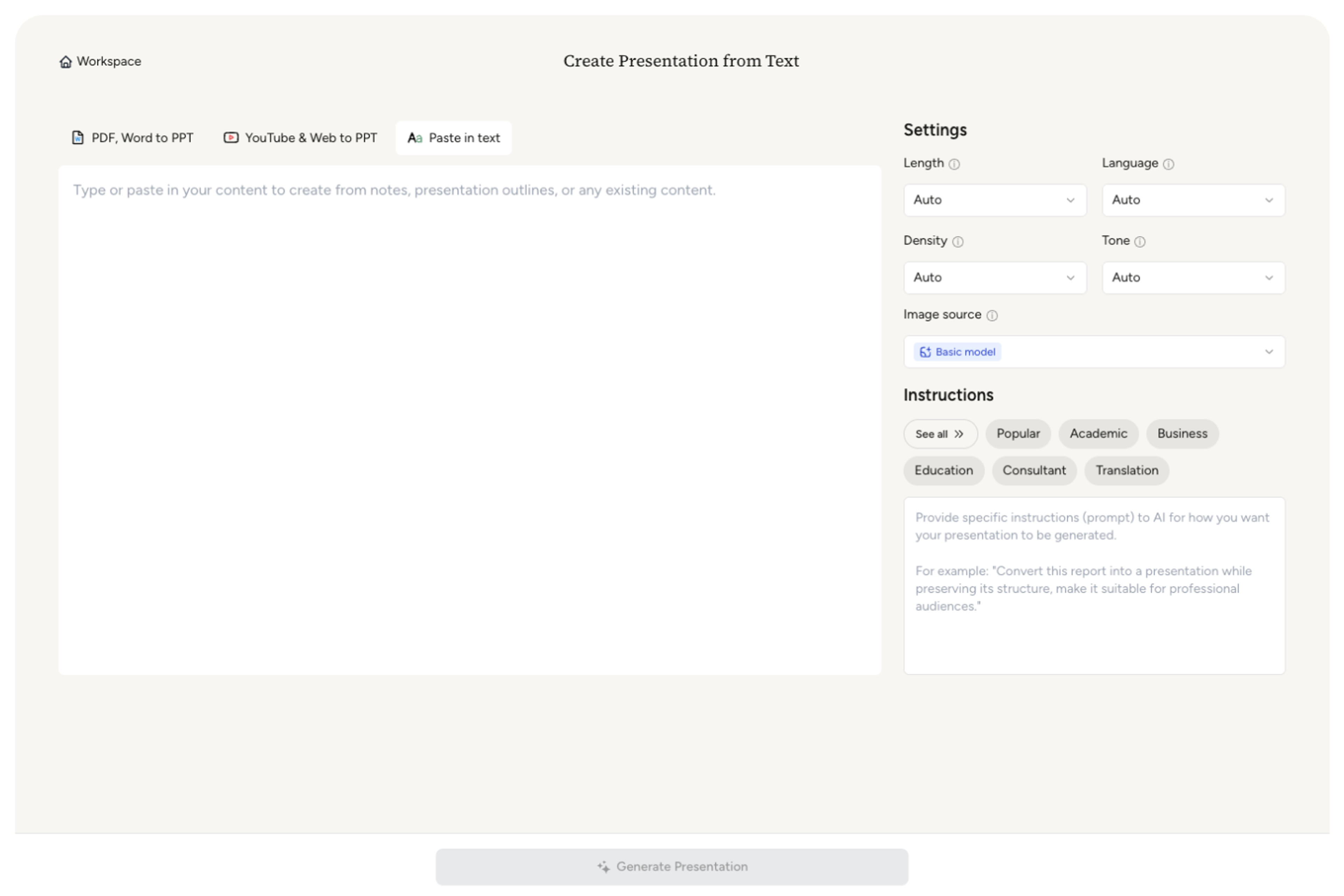
Customize the length, density, and tone, then select a prompt from our pre-built Prompt Library or provide your own instructions to guide the AI.
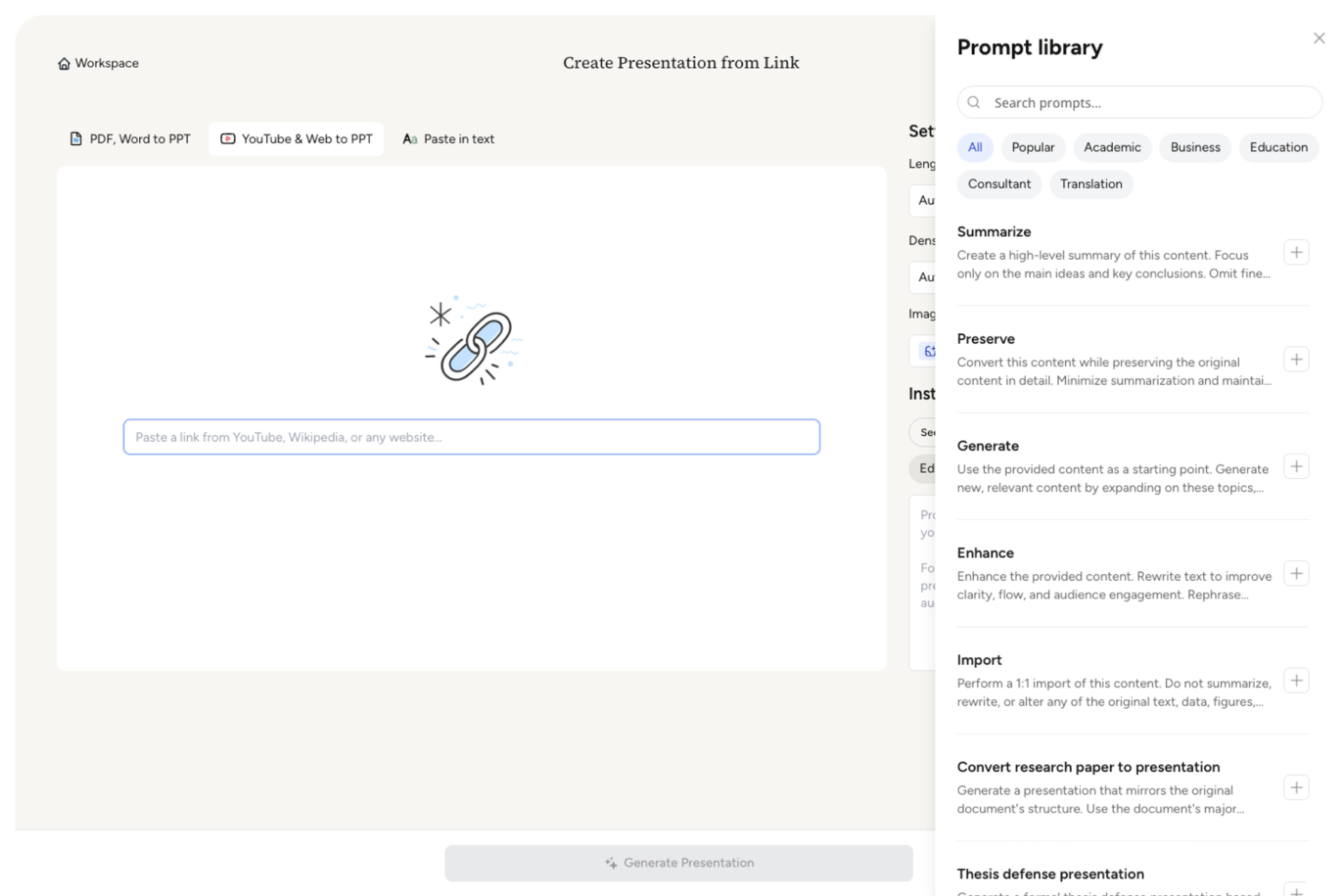
Choose from a wide selection of professionally designed themes that perfectly match your presentation style.
Relax as AI crafts your content into a polished, professional presentation with clear organization, engaging messaging, and beautiful design.
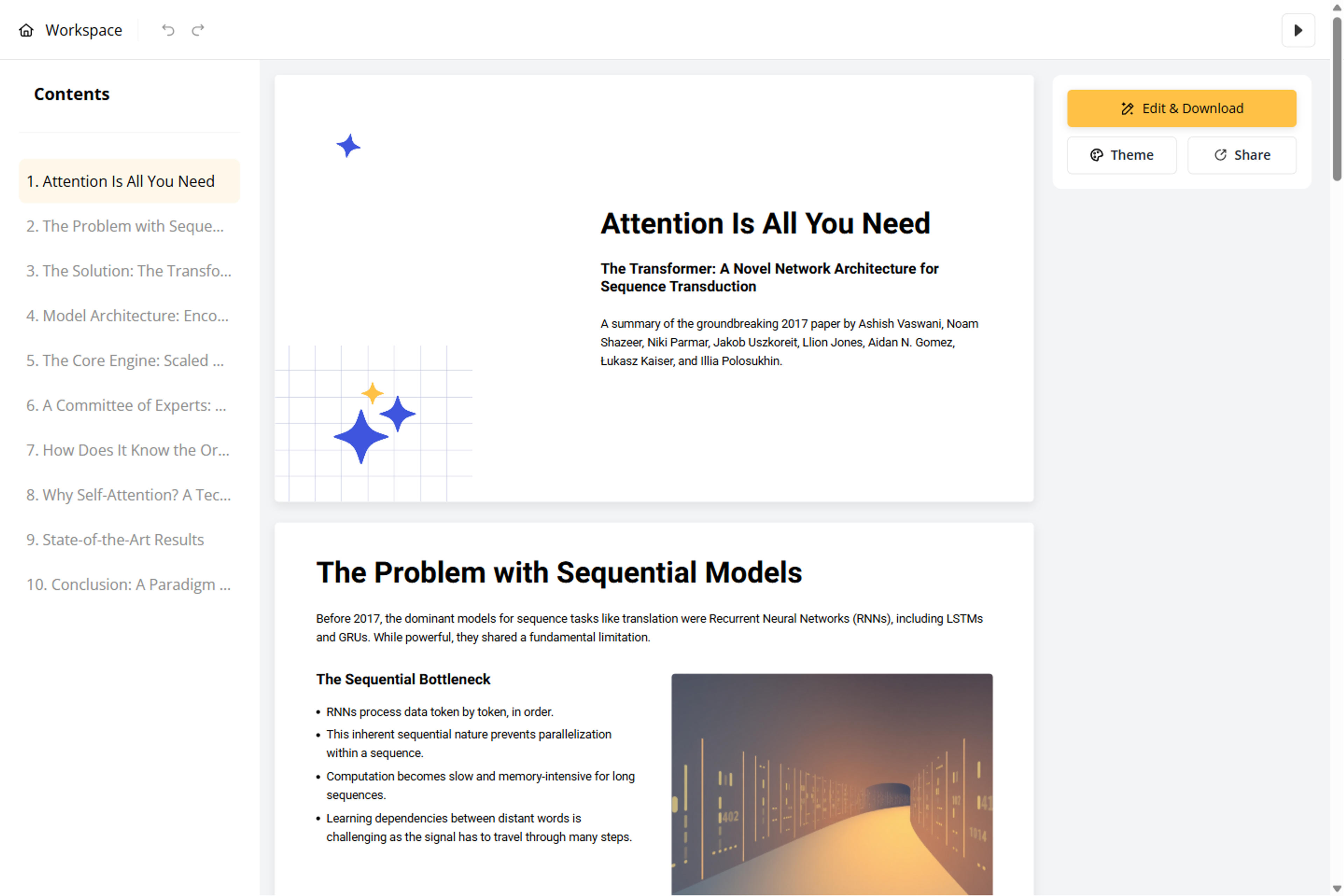
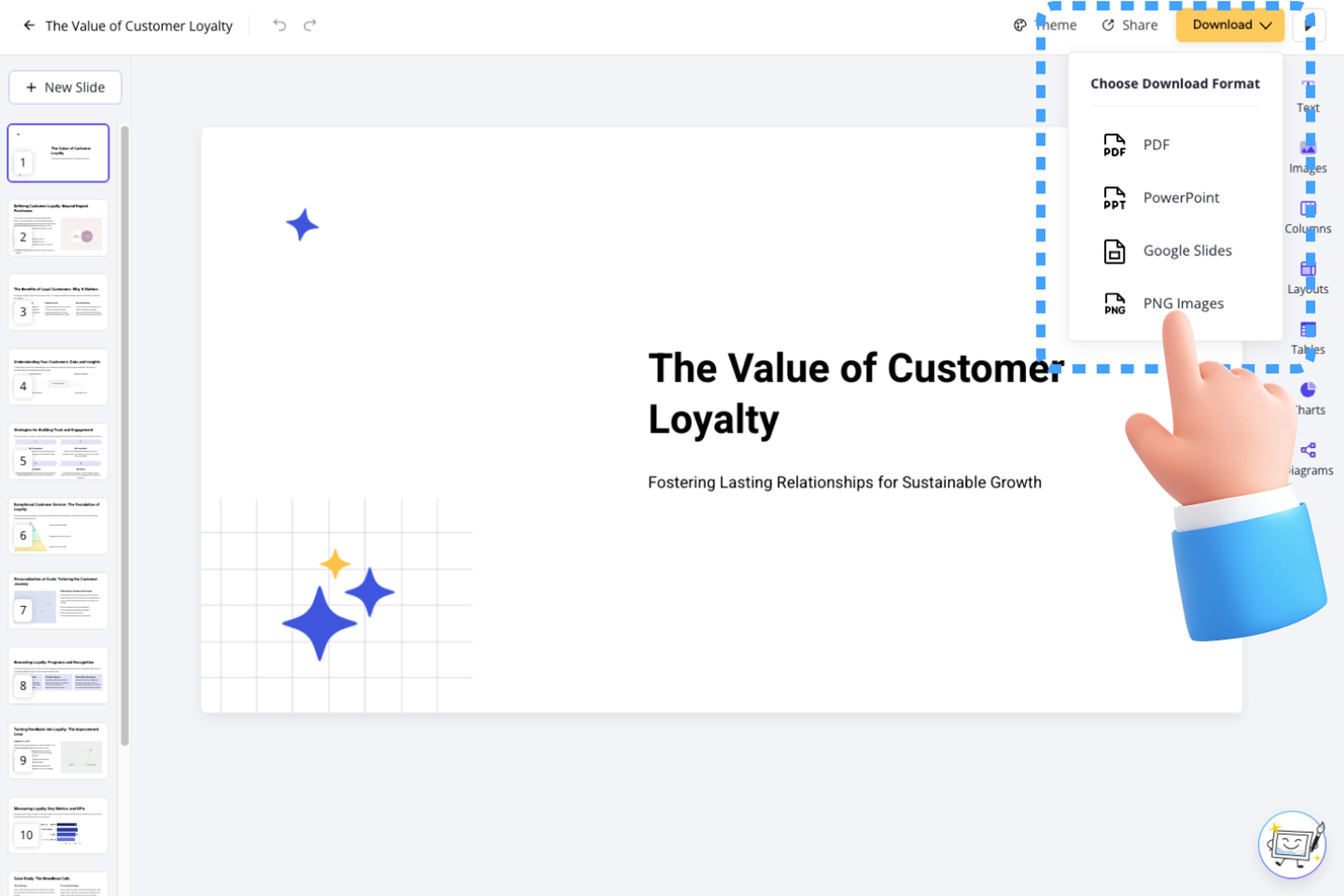
Customize your presentation using our Block-Based Editor, or export it as PPT, Google Slides, PDF, or PNG.
Say goodbye to starting from scratch, blank pages, endless copy-pasting, and manual design work. Our advanced AI engine instantly transforms your content into polished presentations.

Our intelligent AI understands your document structure and instantly converts it into professional presentations.

Edit presentations effortlessly by chatting with our AI agent, which handles structure, layout, content, and design based on your requirements.

Our speed-focused editor lets you add, drag, and drop elements effortlessly. Create beautiful presentations without design expertise.

Use built-in or custom themes to ensure consistent fonts, colors, backgrounds, and logos across all presentations.

Powered by Nano Banana Pro, get high-quality, royalty-free visuals that match your content.

AI automatically generates tables and charts, making complex data clear and professional.

AI automatically generates well-designed, informative diagrams that perfectly fit your content.

Download as a fully editable PPTX file—edit anywhere while maintaining your workflow.

Share online (compatible with desktop and mobile), export as PDF, PNG, or editable PowerPoint and Google Slides.
It uses your topic, source material, and instructions to generate a structured presentation with written content and visual slides powered by the selected image model.
Start with a topic, prompt, document, notes, or other source material, then tell SlidesPilot about the audience, purpose, length, and visual direction.
The selected model helps generate slide visuals and visual compositions. SlidesPilot still uses the source and presentation instructions to organize the deck's narrative and written content.
Yes. Specify the audience, tone, slide count, structure, visual style, topics to emphasize, and details that must stay grounded in the source.
Yes. Review and refine the text, structure, theme, visual direction, and slide order before you share or export the presentation.
Yes. Download the finished deck as an editable PPTX and continue working in Microsoft PowerPoint when needed.
Yes. You can try SlidesPilot after signing up, with no credit card required. Usage limits depend on your current plan.
Your uploaded source and generated presentation remain private to your account unless you choose to share the result.
Turn notes, paragraphs, and ideas into a clear, editable PowerPoint presentation.
Convert PDF slides to editable PowerPoint online. Keep the original design and make text and slide elements editable. Free to use.
Turn Word documents into clear, structured, editable PowerPoint presentations with AI.
Transform YouTube videos into editable PowerPoint presentations
Paste a content-rich link and turn the online source into a clear, editable PowerPoint presentation.
Paste text, add a YouTube or webpage link, or upload a document to create a beautiful, structured summary connected to the source.
Transform your work into a presentation, instantly. ⭐ #1 AI PowerPoint Generator | Trusted by 3 million users worldwide