


Explain thinking without a wall of text
Turn notes about judgment, learning, bias, creativity, or decision-making into a visual people can discuss.
Map thinking patterns, learning concepts, mental models, and decision factors in a brain-shaped presentation visual.

Drag & drop your file here or
A brain shape diagram is useful when the topic is about thinking, learning, memory, judgment, creativity, or behavior, and a standard box diagram feels too mechanical.
Use this format when the audience needs to see how ideas, habits, signals, or mental processes connect.
Turn notes about judgment, learning, bias, creativity, or decision-making into a visual people can discuss.
Use the brain shape to organize factors such as memory, attention, motivation, evidence, and reflection.
Create a slide that works for lessons, coaching sessions, workshops, research talks, and manager training.
Give AI the concept and audience, then edit the sections so the visual teaches the idea clearly.
Describe the concept you want to explain, such as a decision model, learning habit, mindset, or cognitive process.
Add notes, examples, or training material so the generated sections reflect your actual lesson or workshop.
Rename the brain sections, remove vague labels, and keep the visual focused on what the audience should remember.
Show thinking, memory, behavior, and creative strategy as presentation-ready brain-shaped visuals.
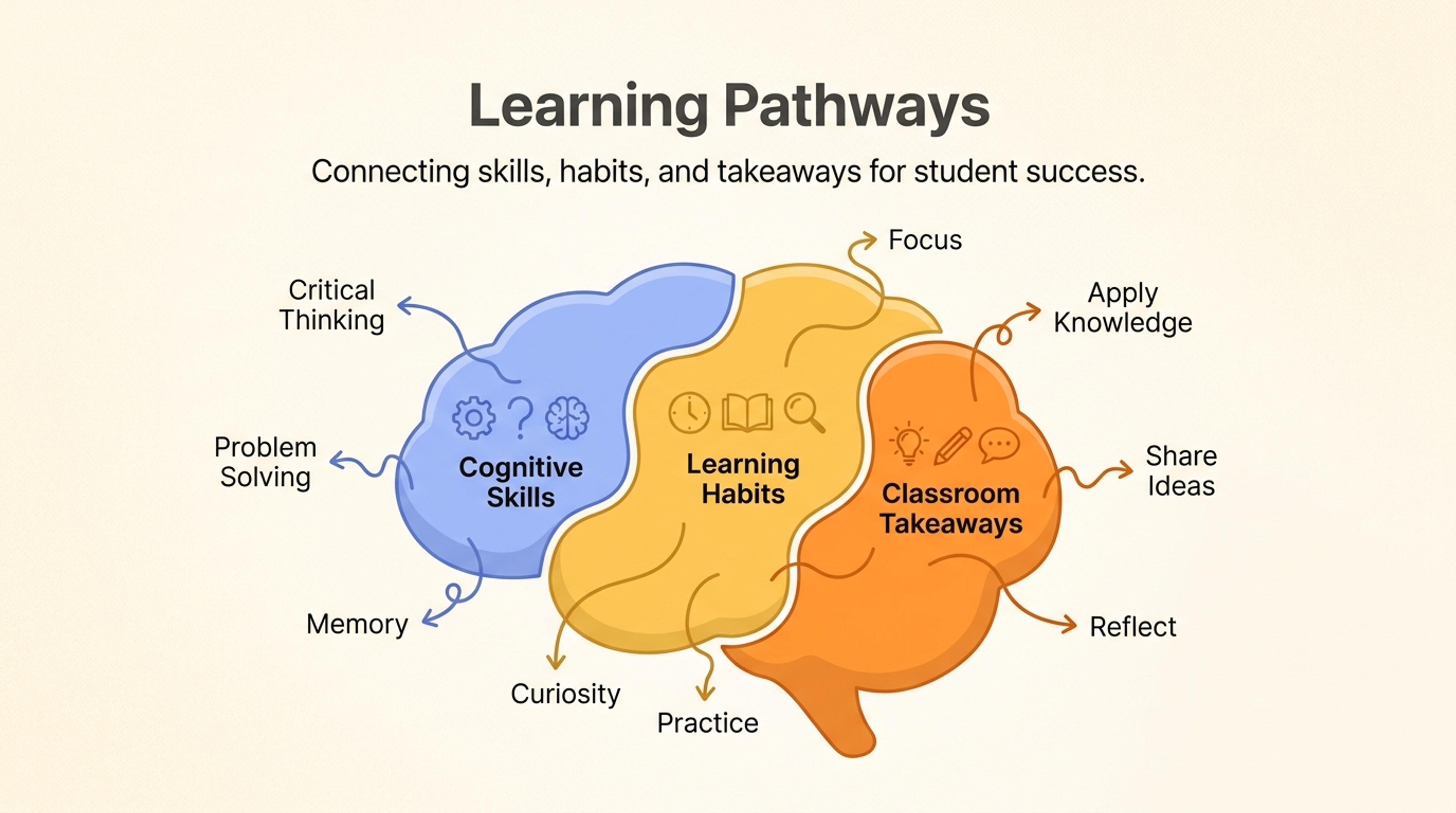
A brain-shaped slide that organizes cognitive skills, learning habits, and classroom takeaways into connected regions.
Use it when the topic relates to thinking, learning, perception, memory, creativity, or decision-making. It gives abstract mental concepts a more memorable visual frame.
Yes. Brain shape diagrams work well for training slides because they can group behaviors, habits, prompts, or mental models in one visual.
Yes. The generated labels are editable, so you can replace generic terms with the language used in your class, workshop, or team.
No. It can support neuroscience or psychology lessons, but it also works for product thinking, leadership training, coaching, and ideation sessions.
Mention the audience, the concept, and the sections you expect. If you have examples or source notes, include them so the diagram is grounded.
Use these formats when a brain diagram needs to become a concept map, science visual, or comparison slide.
Turn topics, notes, documents, and links into editable visuals for slide decks, lessons, reports, and planning conversations.
Explain DNA concepts, paired research tracks, or two connected strands of work with an editable double helix visual.
Organize scattered notes, research themes, brainstorms, and lesson topics into a clear editable mind map.
Turn events, milestones, roadmap phases, project plans, and historical sequences into a slide-ready timeline.
Compare overlap, differences, shared traits, and strategic fit with an editable Venn diagram for slides.
Describe the concept, lesson, or decision model and turn it into an editable brain-shaped visual.