

20 Funny Presentation Topics for Class and Work, with Ready-to-Use Slide Ideas
20 easy-to-understand topics with short outlines and something useful for your audience to take away.

20 easy-to-understand topics with short outlines and something useful for your audience to take away.
A funny presentation can make a familiar problem easier to discuss. For class, that might be a group project where everyone thought someone else was making the slides. At work, it might be a meeting that ends with another meeting.
Choose a situation people recognize, explain what goes wrong, and finish with a useful solution. The humor gets their attention; the solution gives them something to use.
Here are 10 presentation topics for class and 10 for work. Each includes what to cover, who it suits, a useful result, and a four-slide outline you can follow.
These ideas suit short classroom talks about studying, teamwork, communication, and presentation skills. Pick one that fits your assignment. Use your own experience or a made-up example to introduce the problem, then show a practical way to handle it.
Audience: High school and college students working on group assignments.
What to cover: Everyone says their part is nearly finished, but the night before the deadline, there is still no complete presentation. Explain how a group can divide the work and check progress before the last evening.
Useful result: A task list with four columns: task, person responsible, due date, and link to the finished work.
Four-slide outline:
Audience: Students giving a talk about study habits or time management.
What to cover: You sit down to write an essay, then decide the desk, folders, and pencil collection need urgent attention. Talk about the difference between getting ready to work and starting the assignment.
Useful result: A ten-minute starting plan: open the assignment, write a rough first paragraph, and note the next step.
Four-slide outline:
Audience: High school and college students researching a project.
What to cover: Opening more pages does not automatically produce organized research. Show how to save the useful point from a source before moving to the next page.
Useful result: A simple research note containing the source title, link, relevant point, and where it belongs in the assignment.
Four-slide outline:
Audience: Students discussing reading and note-taking.
What to cover: A completely yellow page looks busy but does not show which ideas you selected. Demonstrate how to read a short passage with a question in mind and summarize the answer.
Useful result: One selected passage, one sentence explaining it, and one question to revisit.
Four-slide outline:
Audience: Students preparing an oral presentation.
What to cover: It is easy to spend rehearsal worrying about every “um.” Make the talk about preparing a clear opening, using short notes, and allowing a pause when you need one. Use an exaggerated example rather than pretending the title is a measured count.
Useful result: A speaking card with an opening sentence, three key points, and a closing sentence.
Four-slide outline:
Audience: Students planning essays, projects, or presentations.
What to cover: A distant deadline can make a large assignment feel easy to postpone. Explain how to work backward from the submission date and give the smaller jobs their own dates.
Useful result: A project schedule with dates for research, a rough draft, revision, and the final check.
Four-slide outline:
Audience: Computing, English, or communication classes.
What to cover: An instruction can sound clear to the person writing it while leaving the reader guessing. Use a simple paper-folding task to show why steps need a starting position, a clear action, and an expected result.
Useful result: A short set of instructions someone else can follow without extra explanation.
Four-slide outline:
Audience: Math, media literacy, or consumer education classes.
What to cover: A large discount label can be more noticeable than the price or quantity. Use made-up prices to compare two offers and explain how to check the cost of what you actually need.
Useful result: A comparison table showing pack price, quantity, price per item, and total spending.
Four-slide outline:
Audience: Students discussing how to organize a study session.
What to cover: A study session can turn into a collection of small interruptions. Walk through a fictional session and suggest a simple agreement about phones, breaks, and the task to finish.
Useful result: A study-session plan with one task, a chosen stopping time, and a break.
Four-slide outline:
Audience: Students making slides for a class assignment.
What to cover: Adding every detail can make a slide difficult to follow. Start with a deliberately crowded slide and explain how to decide what belongs on screen and what you can say aloud.
Useful result: A clearer slide with one main message, a useful visual, and brief supporting text.
Four-slide outline:
Add your topic, audience, and a simple outline to create a presentation draft with SlidesPilot.
Open Generate PPTThese ideas suit internal team presentations, training sessions, and short discussions about improving everyday work. Use fictional messages and documents so the audience can focus on the problem and the proposed improvement.
Audience: Teams that share documents and presentations.
What to cover: Final.docx, Final_v2.docx, and Final_USE_THIS.docx all sound convincing. Explain how a team can make the current file and its approval status easy to find.
Useful result: One agreed file location, a naming convention, and a visible draft-or-approved status.
Four-slide outline:
Audience: Project teams and meeting organizers.
What to cover: A meeting can end without a decision because nobody agreed on its purpose. Show how to write an invitation that states the question, preparation, and expected result.
Useful result: A three-line meeting brief: what we need to decide, what to read beforehand, and what we should leave with.
Four-slide outline:
Audience: Teams that coordinate work through email or chat.
What to cover: A long message can hide a simple request. Show how to put the action first, provide the necessary context, and make the timing clear.
Useful result: A short request that says what you need, who should act, and by when.
Four-slide outline:
Audience: Teams working across schedules or time zones.
What to cover: One person expects a file Friday morning; another plans to finish Friday evening. Explain how to agree on both the delivery time and what will be delivered.
Useful result: A deadline message that names the deliverable, date, time, and time zone when needed.
Four-slide outline:
Audience: Project leads and team members giving status updates.
What to cover: “Making good progress” sounds positive but leaves the reader wondering what changed. Explain how to report completed work, the next step, and a problem that needs attention.
Useful result: A short update with three headings: completed, next, and help needed.
Four-slide outline:
Audience: Teams agreeing on communication and response expectations.
What to cover: A stream of pings can mix urgent requests with routine updates. Propose a shared way to tell the difference and explain where each type of message belongs.
Useful result: A small team agreement listing the channel and expected response for urgent requests, normal questions, and announcements.
Four-slide outline:
Audience: Teams reviewing slides, writing, or design work.
What to cover: Feedback such as “make it better” gives the recipient another guessing task. Explain how to identify the problem, describe the intended result, and suggest a specific change.
Useful result: A feedback sentence such as “The main number is hard to find. Please put it in the heading and remove the competing callouts.”
Four-slide outline:
Audience: Teams creating onboarding materials or explaining work to newcomers.
What to cover: A new employee may hear a sentence full of familiar letters and unfamiliar meanings. Explain how to introduce necessary terms without making the newcomer decode every line.
Useful result: A short glossary with each term, its plain-language meaning, and one example of its use.
Four-slide outline:
Audience: Teams discussing task planning and workload.
What to cover: A day full of activity can still leave the important task incomplete. Compare a vague to-do list with a list that describes a visible result for each job.
Useful result: A daily plan with clear finish conditions, such as “send the revised proposal for review” instead of “work on proposal.”
Four-slide outline:
Audience: Teams passing work between people or departments.
What to cover: Sending a link with “over to you” does not explain whether the recipient should review, approve, or continue the work. Show what a useful handoff needs to include.
Useful result: A handoff note stating what is ready, where to find it, what to do next, and when a response is needed.
Four-slide outline:
Choose a topic you can explain through one clear example. For a short talk, use the four-slide outline: introduce the problem, show why it matters, explain an improvement, and leave the audience with something they can use.
Keep the humor in the familiar situation. You do not need a joke on every slide. A folder containing three “final” files or a group chat full of “almost done” messages already gives the audience something to recognize.
Make the final slide practical. Show the task list, rewritten message, project schedule, or checklist you want people to try. They should be able to understand it without needing another presentation.
To build the deck, open Generate PPT in SlidesPilot and enter your topic, audience, and chosen outline. SlidesPilot can use a topic or outline to create a structured presentation draft.
You can use this short prompt:
Create a four-slide presentation about [topic] for [audience].
Use a friendly, lightly funny tone and plain language.
Slide 1: Introduce the familiar problem.
Slide 2: Show one made-up example of what goes wrong.
Slide 3: Explain a practical improvement.
Slide 4: Provide a [checklist / task list / rewritten message / schedule]
that the audience can use.
Keep each slide focused on one point.
In Settings, set Tone to Friendly for a conversational style that suits a lightly funny presentation.
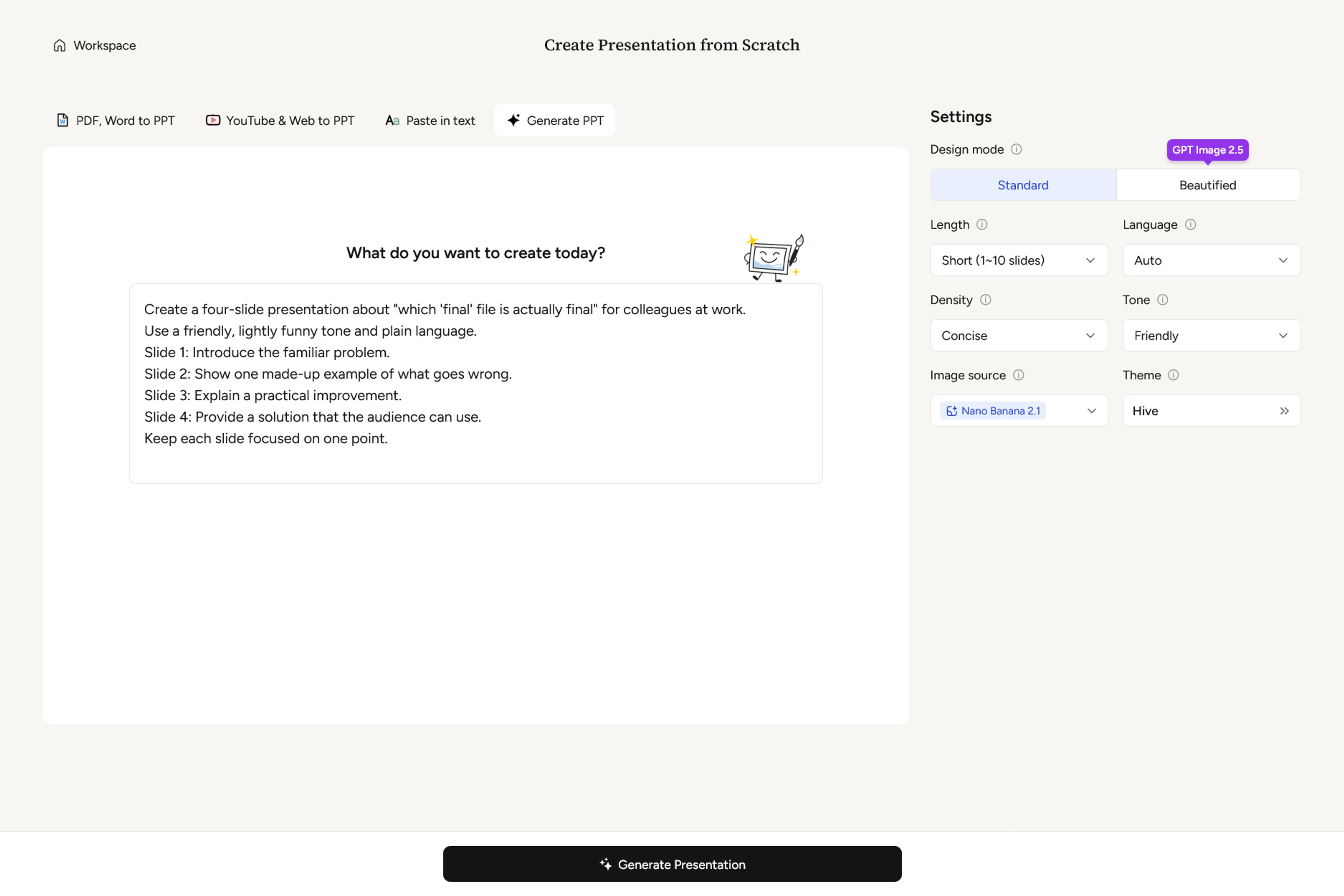
Click Generate Presentation, and your deck would be ready within a minute or two.
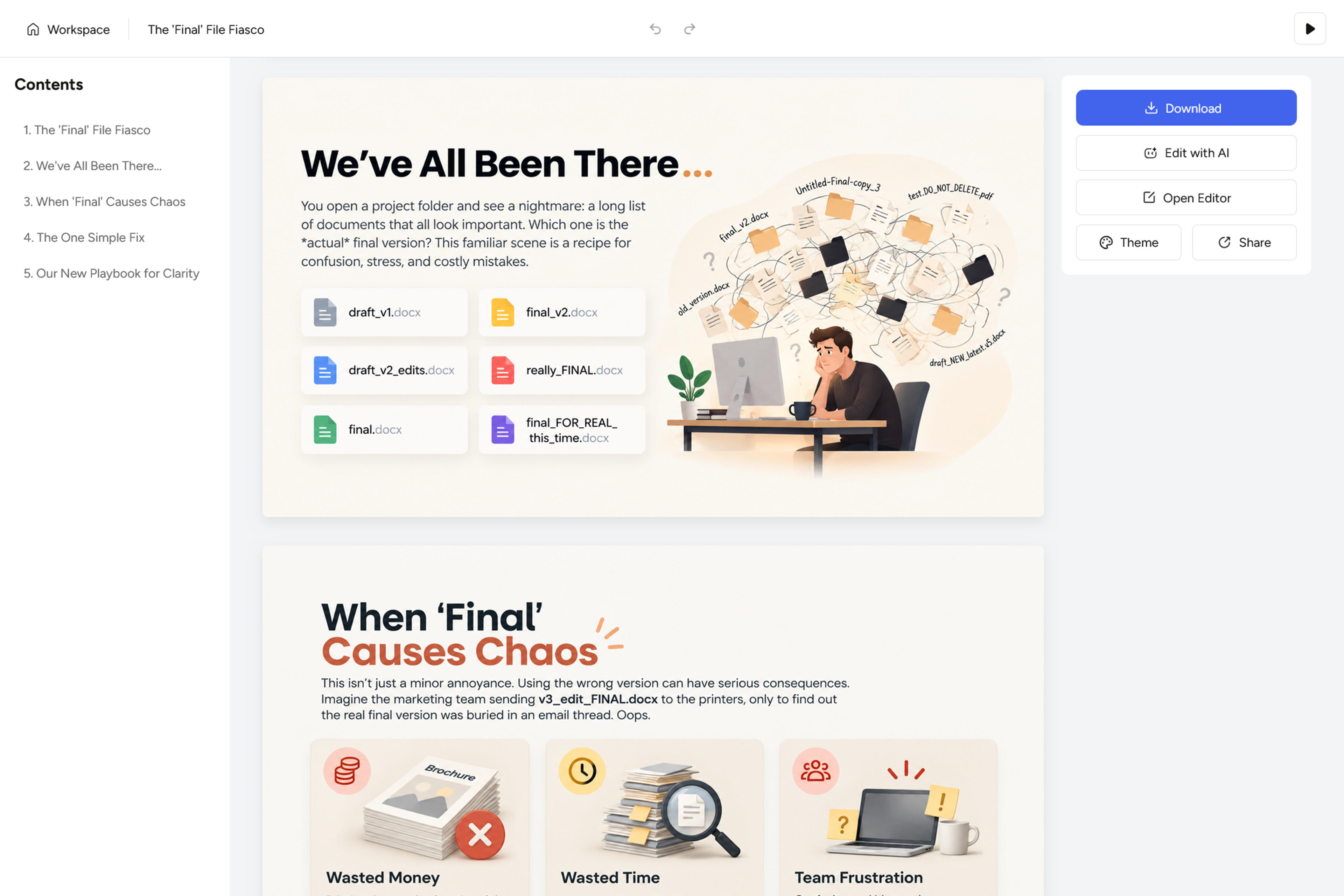
Add your topic, audience, and a simple outline to create a presentation draft with SlidesPilot.