

Mind Map Examples: How to Organize Ideas and Create Your Own
Turn scattered notes into a useful structure with six worked examples, copyable branch labels, and a practical guide to creating your own mind map.
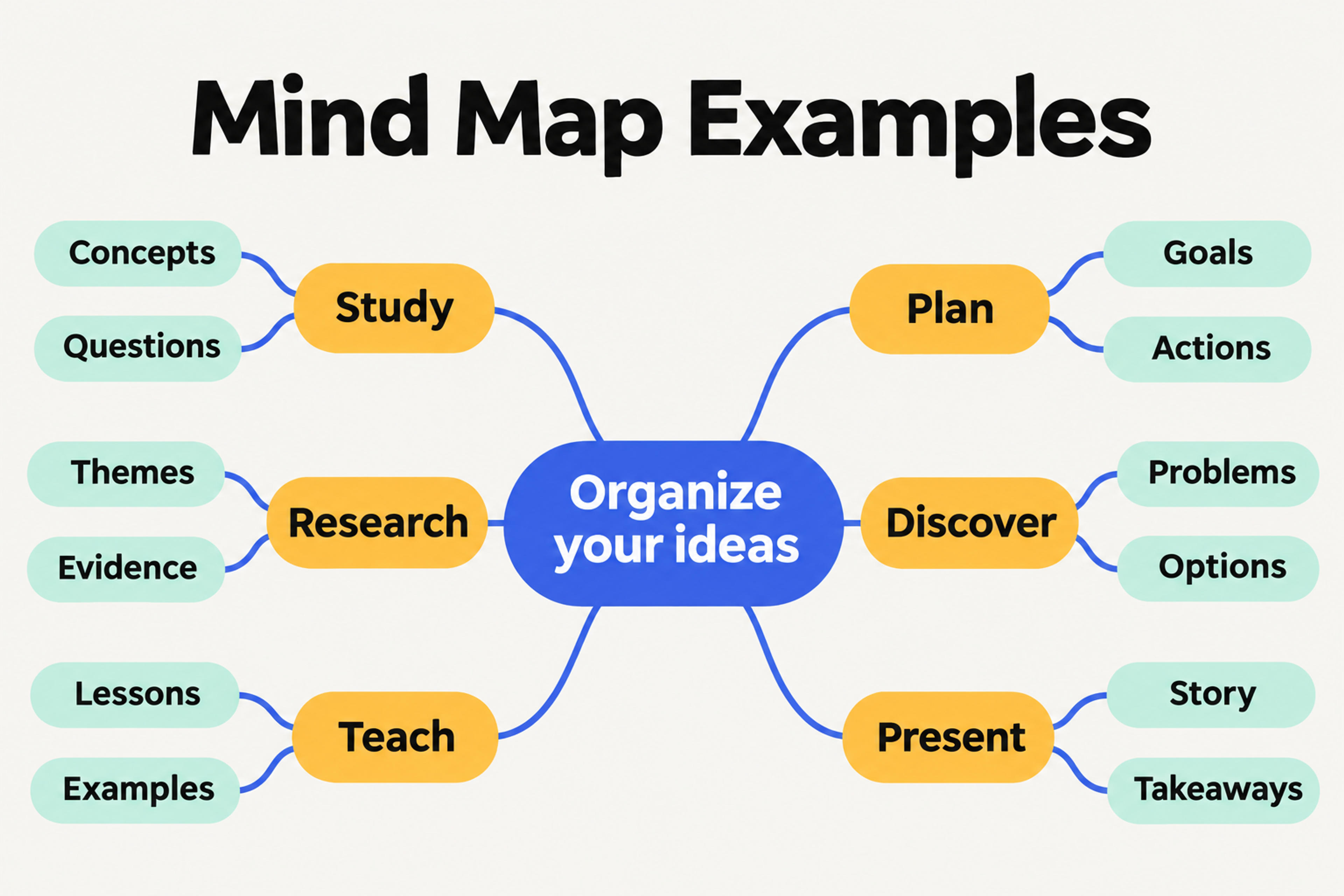
Turn scattered notes into a useful structure with six worked examples, copyable branch labels, and a practical guide to creating your own mind map.
A mind map organizes ideas around one central topic, with branches for related themes and smaller branches for details. These mind map examples show how to turn study notes, research, lesson plans, and brainstorms into a structure you can use.
Start with the example closest to your task. You can reuse the branch labels below, replace the details with your own material, and build the map on paper or with an AI mind map generator.
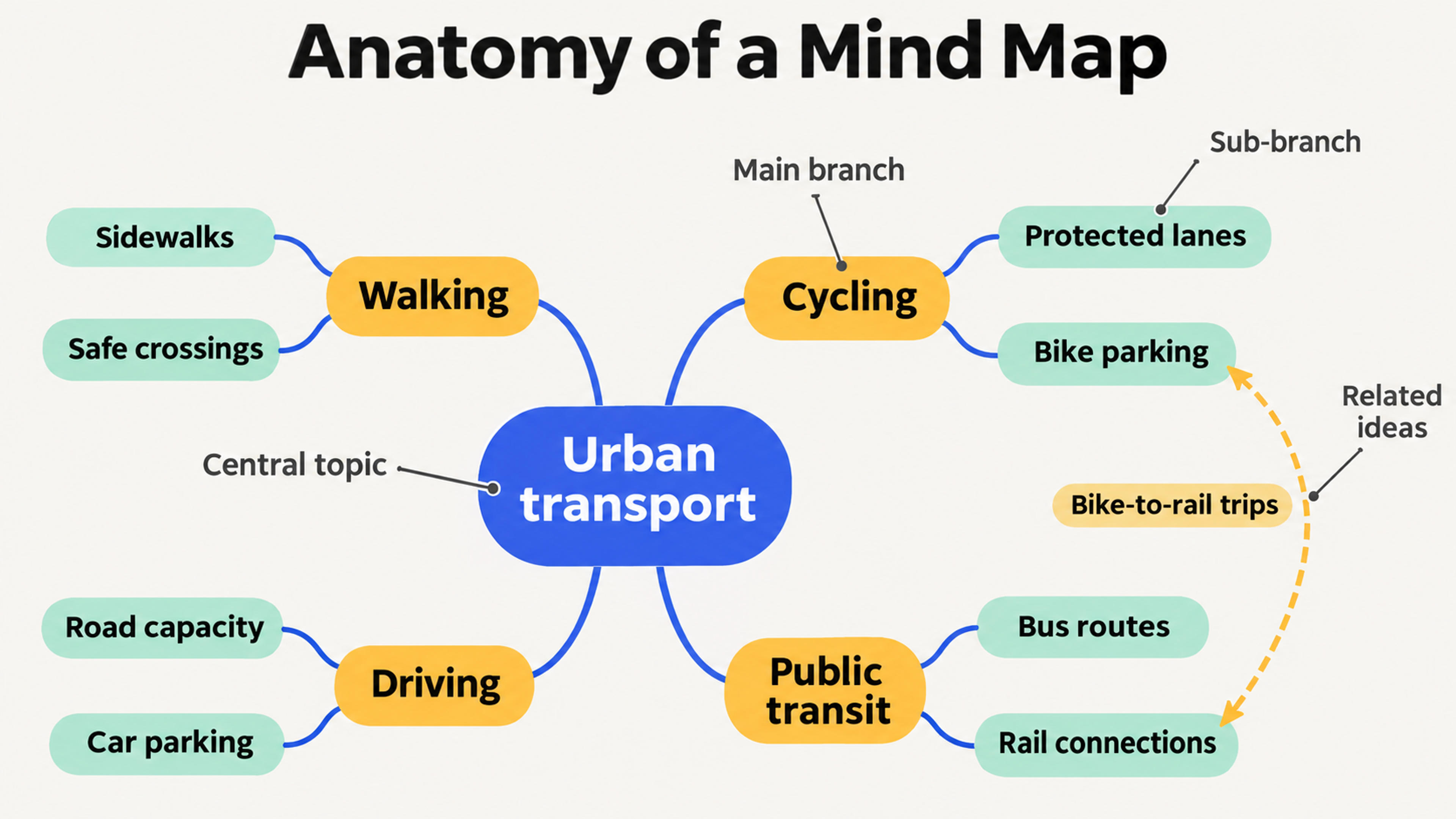
A mind map shows which ideas belong together. The central topic names the subject, the main branches divide it into useful categories, and the sub-branches hold examples, questions, evidence, or actions.
For a map about a class presentation, the center might say Urban transport. Main branches could include Walking, Cycling, Public transit, and Driving. Under Cycling, you might add Protected lanes, Bike parking, and Cost. Each level answers a more specific question about the level above it.
Color can distinguish the main branches, but the labels do most of the explanatory work. Someone should be able to follow the structure even in a plain-text outline.
The examples below use illustrative notes and original branch structures. Each includes a grouping decision and a next action so you can see how the map helps with the work that follows.
Suppose your notes on photosynthesis jump between light, chlorophyll, carbon dioxide, glucose, and limiting factors. A useful study map separates the overall process from the conditions that affect it.
Central topic: Photosynthesis
| Main branch | Sub-branches to add |
|---|---|
| Inputs | Light energy, water, carbon dioxide |
| Location | Chloroplasts, chlorophyll |
| Products | Glucose, oxygen |
| Rate | Light intensity, carbon dioxide availability, temperature |
| Check your understanding | Explain the word equation; interpret a limiting-factor graph |
Keep Inputs and Rate separate. Carbon dioxide appears in both because it has two different roles in your explanation: a substance used in the process and a factor that can limit the rate. A short cross-link can make that relationship visible.
Leave full textbook paragraphs in your notes. The map needs the terms that help you reconstruct the explanation.
Next action: Hide one branch, explain it from memory, then check it against your course material. The map gives you a route through the topic; the questions give you something to do with it.
Paste your ideas into SlidesPilot, generate a first draft, and refine the branches for your presentation.
Create a Mind Map with AIResearch notes often mix a paper's findings with its methods, limitations, and your own questions. Before writing a literature review, separate those types of information.
Imagine you are reviewing research on remote work and team communication. Your notes mention meeting frequency, asynchronous updates, role differences, and gaps in the evidence.
Central topic: Remote work and team communication
| Main branch | Sub-branches to add |
|---|---|
| Themes | Coordination, informal learning, meeting load |
| Methods | Surveys, interviews, observational studies |
| Context | Team size, role, remote or hybrid arrangement |
| Disagreements | Different definitions, conflicting findings |
| Open questions | New starters, long-term patterns, unanswered comparisons |
Place each finding under a theme and attach its paper reference in your accompanying notes. Keep your interpretation distinct from what the paper reports. That makes it easier to trace a claim when you begin writing.
If your map has one large branch for every paper, regroup the material by question or theme. A literature review needs to connect studies as well as describe them.
Next action: Choose the themes that answer your research question and turn them into section headings. For a seminar or research readout, those themes can also guide a research presentation.
A lesson map helps you see the relationship between what students already know, what you want to teach, and how you will check their understanding.
For a lesson on the water cycle, your rough notes might include evaporation, rain, puddles drying, condensation on a cold glass, and a diagram activity.
Central topic: Explaining the water cycle
| Main branch | Sub-branches to add |
|---|---|
| Starting knowledge | Changes of state, familiar weather observations |
| Core ideas | Evaporation, condensation, precipitation, collection |
| Everyday examples | Drying puddles, droplets on a cold glass |
| Misconceptions to address | Water disappears; clouds are water vapor |
| Understanding checks | Explain a diagram; follow one drop through the cycle |
Put activities beside the idea they teach. For example, connect the cold-glass observation to condensation. That connection explains why the activity belongs in the lesson.
Move equipment lists and timings into a separate lesson plan so the map stays focused on learning.
Next action: Decide the teaching sequence. You might begin with a familiar observation, explain the process, and finish with a diagram students describe in their own words.
A campaign brainstorm can fill with disconnected suggestions: a launch email, a short video, a customer story, a webinar. Grouping ideas around the campaign's goal helps you decide which ones belong.
Central topic: Introduce a new project-planning workshop
| Main branch | Sub-branches to add |
|---|---|
| Audience | First-time team leads, project coordinators |
| Problems | Unclear ownership, missed handoffs, shifting priorities |
| Message | Leave with a practical plan for your next project |
| Channels | Email, professional communities, short video |
| Evidence to prepare | Sample exercise, facilitator background, workshop agenda |
Connect each channel idea to a message or audience need. A short video could demonstrate the planning exercise; an email could explain who the workshop is for.
Merge branches such as Promotion, Marketing, and Outreach if they contain the same kinds of ideas. Separate labels should represent separate decisions.
Next action: Choose one audience, one message, and an initial set of activities. Move dates and owners into an execution plan after you have chosen the direction.
Early project discussions often mix observations with proposed solutions. A discovery map gives each a place so a feature suggestion does not quietly become an established requirement.
Suppose a team wants to understand why people struggle to complete a workshop registration form. Start with the problem rather than naming a proposed redesign as the center.
Central topic: Making workshop registration clearer
| Main branch | Sub-branches to add |
|---|---|
| Observations | Questions people ask, confusing wording, reported obstacles |
| User goals | Choose the right session, understand requirements, confirm a place |
| Assumptions | What the team thinks is causing confusion |
| Options | Clearer labels, fewer decisions, a registration summary |
| Validation questions | Which wording is misunderstood? What information is missing? |
Keep observations and assumptions on separate branches. If nobody has examined a particular obstacle, place it under assumptions until there is evidence to support it.
Detailed design specifications can wait. At this stage, the map should help the team choose what to investigate.
Next action: Pick the most consequential unanswered question and decide how to answer it through a focused review or research activity.
A presentation map gathers the pieces of an explanation before you choose their speaking order. Give it a center that names the audience's question.
Imagine you need to propose a peer-mentoring program at a university.
Central topic: Should we pilot a peer-mentoring program?
| Main branch | Sub-branches to add |
|---|---|
| Need | The transition challenge the program would address |
| Proposal | Who joins, what mentors do, how the pilot runs |
| Evidence needed | Relevant research, feedback, comparable initiatives |
| Practical questions | Recruitment, training, supervision, resources |
| Decision | Pilot scope, evaluation criteria, next approval |
Keep a branch labeled Evidence needed until you have the sources. A useful outline can show an unanswered question without pretending it has been resolved.
Once the map is clear, choose a sequence: explain the need, present the proposal, support it with evidence, address practical questions, and ask for a decision. One branch can become several slides, while a small detail may belong in speaker notes.
Next action: Write a one-sentence message for each slide before choosing its visual layout. You can use Text to PPT to build a presentation from the resulting outline.
Choose a question specific enough to guide the map. Research is broad; What explains these studies' different findings? gives you a reason to group the material.
Write down ideas, examples, questions, or facts that relate to the topic. Use short phrases at this stage. You are gathering material before deciding where every item belongs.
Look for clusters. In a lesson map, a cluster might answer “What should students understand?” In a project map, another might answer “What do we still need to find out?”
Name each cluster with a label that explains its contents. Replace Other with something more specific, such as Open questions, if that is what the notes contain.
Main branches should sit at a comparable level. Audience, Message, and Channels work as campaign categories. Email subject line belongs under a channel because it is a more specific detail.
Add another level only when it explains a useful distinction. A one-item branch can often be merged into its parent.
Use a cross-link when two branches share a meaningful relationship. In the study example, the link between carbon dioxide as an input and as a limiting factor helps explain the science.
Then remove duplicate categories. A map with Problems, Pain points, and Challenges may be repeating the same grouping three times.
Use the map to begin a concrete task: answer revision questions, write section headings, choose a campaign direction, or outline a presentation. If you need to show dates, responsibilities, or a fixed sequence, carry the relevant ideas into a format designed for that job.
Use a mind map to explore and group ideas around a central topic. Use a concept map when you need to explain specific relationships among concepts, often with labeled connections.
| Your task | Useful starting format |
|---|---|
| Gather ideas for a campaign | Mind map |
| Organize themes from reading notes | Mind map |
| Explain how several scientific concepts affect one another | Concept map with labeled relationships |
| Show the order of a procedure | Flowchart or process diagram |
| Show when milestones happen | Timeline |
For example, a water-cycle mind map can group the ideas you need for a lesson. A concept map can make a relationship explicit: Cooling causes condensation. A cycle diagram can then show how water moves through the processes. Choose the structure around what you want the reader to understand.
Research gives a reason to explore mind mapping as a study strategy, with benefits that depend on the setting and task.
A 2002 study of 50 medical students found a 10% baseline-adjusted advantage in factual recall after one week for the mind-map group. Its 95% confidence interval ranged from −1% to 22%, so that estimate also allows for no benefit.
A systematic review published in 2025 included six randomized trials in preclinical medical education. Four reported higher assessment scores and two found no significant differences. The review covered both mind maps and concept maps, so those findings cannot all be assigned to mind mapping alone.
For a study mind map, build in a task that lets you check your understanding: explain a branch without looking, connect it to an example, or answer a question from your course material. A finished diagram gives you a structure to work with; explaining it reveals what you understand.
SlidesPilot's AI mind map generator turns notes and ideas into a draft map for presentation work. Give it the central topic, the audience, and the material you want organized.
You can adapt this prompt to the campaign example:
Create a mind map for a project-planning workshop campaign. Audience: our marketing team. Group these notes into audience, problems, message, channels, and evidence to prepare: first-time team leads, unclear ownership, missed handoffs, practical planning exercise, email, short video, facilitator background, workshop agenda. Keep labels short and show supporting ideas beneath the relevant branch.
Refine the grouping around your purpose. Merge overlapping branches, replace vague labels, and add the examples that make the topic specific to your work. For a presentation, choose the part of the map your audience needs to discuss and carry the remaining detail into supporting notes.
A central topic, main branches, and sub-branches form the basic structure. Short labels explain the ideas; colors and cross-links can make categories and relationships easier to follow.
Begin with enough branches to represent the topic's major categories. If two branches contain the same kinds of information, merge them. If one becomes difficult to scan, split it into clearer groups or make a separate map for that subject.
Yes. Copy a central topic and its branch labels from an example, then replace the details with your own notes. Change the categories whenever your material calls for a different structure.
Yes. Provide a topic and supporting notes to generate a first structure, then shape the branches around the explanation or decision you need. The prompt above gives you a starting point in SlidesPilot.
Use a simple map as an overview slide, or turn its main themes into a sequence of slides. Keep the branch labels short enough to read at presentation size. The presentation-planning example above shows how to move from an audience question to a speaking order.
Choose one of these mind map examples, replace the sample material with your own notes, and give the map a clear next job: study, write, plan, or present.
Bring your study notes, research themes, or brainstorm ideas into SlidesPilot and shape them into a clear map for your deck.
