

What Is a One-Pager? Examples and Design Templates
Turn a long brief into one clear page with a worked example and three layouts you can copy.
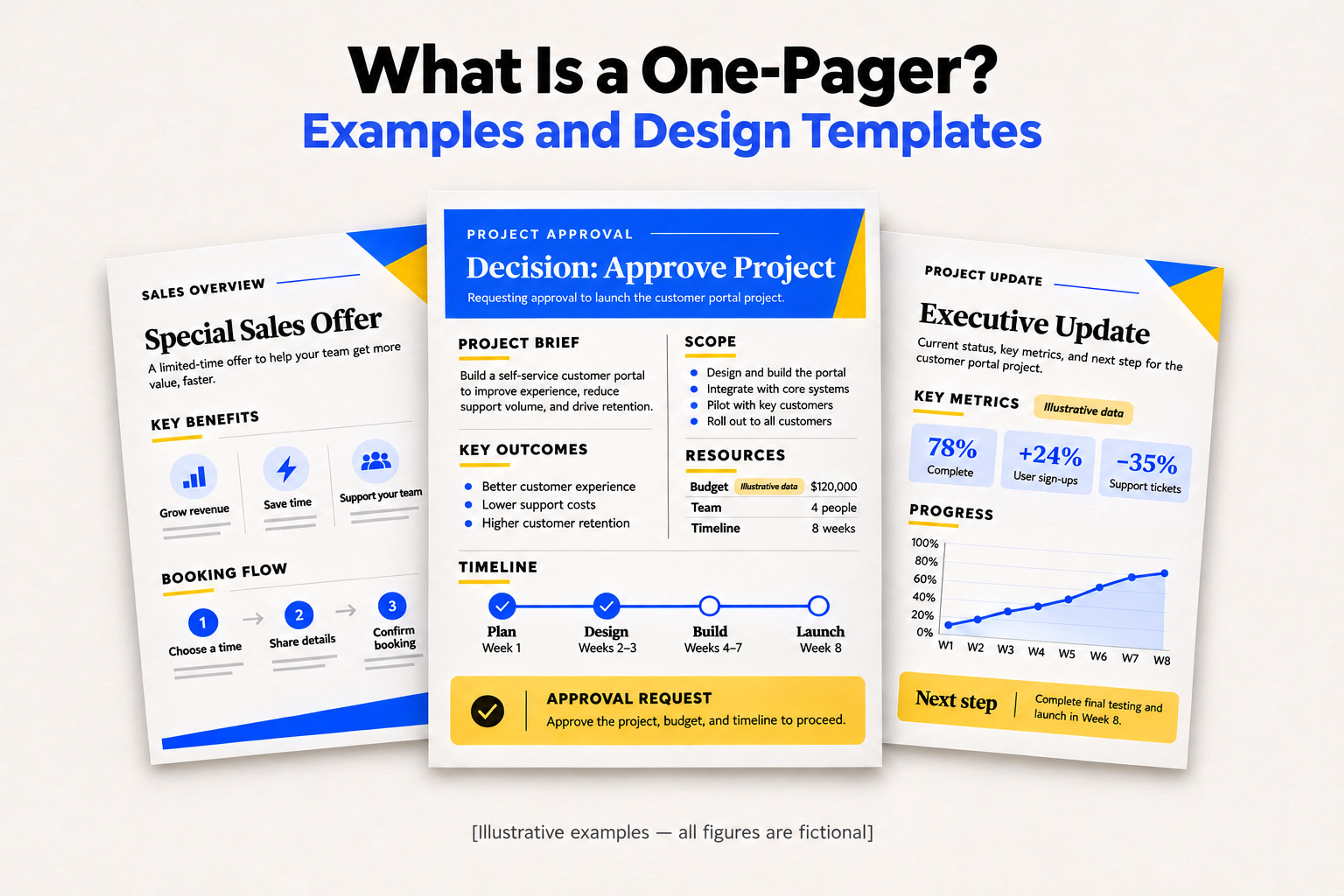
Turn a long brief into one clear page with a worked example and three layouts you can copy.
A one-pager is a single-page document that gives a specific reader the essential facts about a project, product, or proposal and makes the next step clear. A project one-pager might ask a manager to approve a pilot. A sales one-pager might help a buyer decide whether to book a demo.
Start with the decision you want the reader to make. Then choose a layout that puts the information they need for that decision where they’ll see it first.
Imagine a support team asking its operations director to approve a small pilot. Here’s what could go on the page.
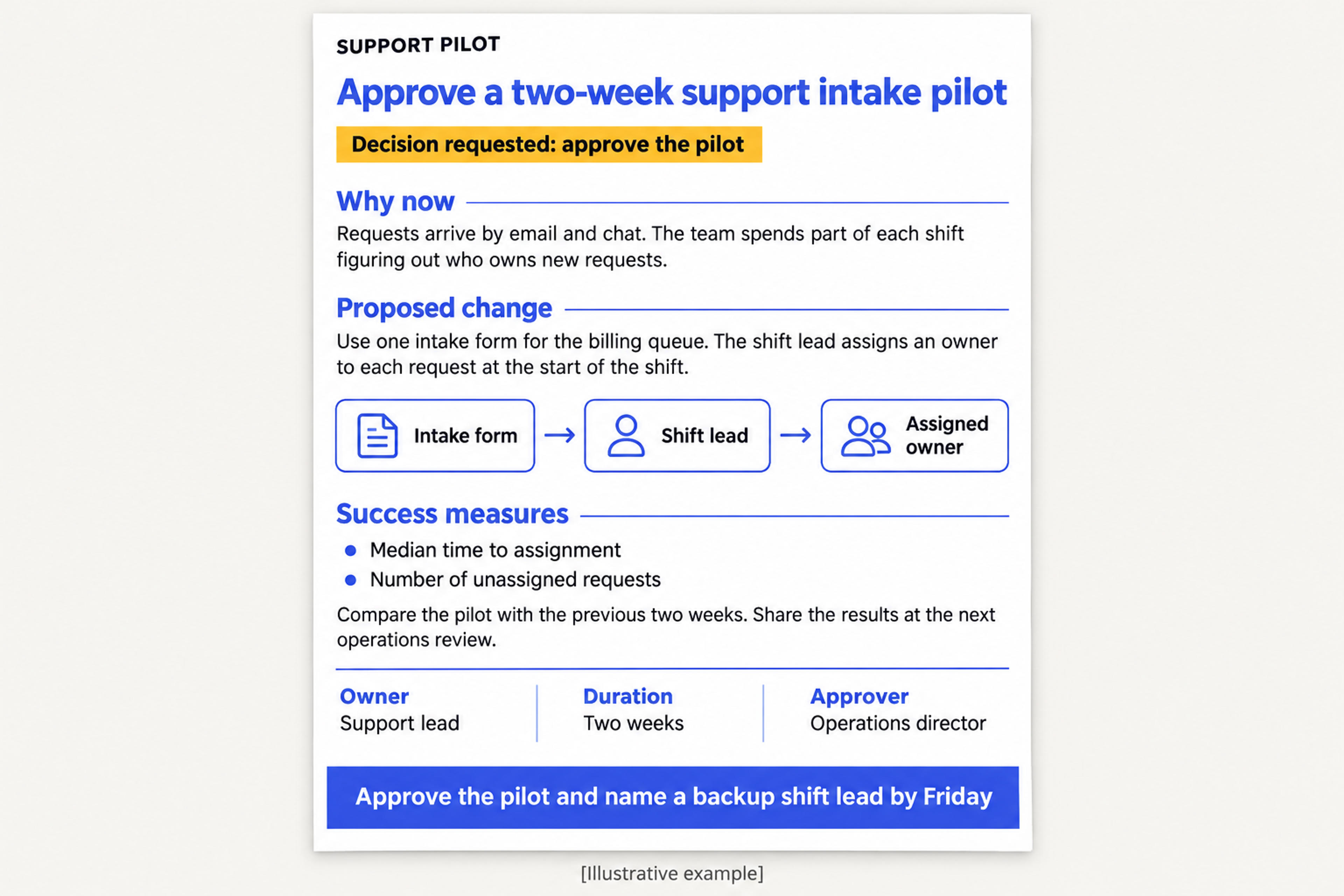
Decision requested — approve a two-week support intake pilot
Why now. Requests arrive by email and chat. The team spends part of each shift figuring out who owns new requests.
What changes. The billing queue will use one intake form. The shift lead will assign an owner to each request at the start of the shift.
How we’ll judge the pilot. Compare median time to assignment and the number of unassigned requests with the previous two weeks. The support lead will share the results at the next operations review.
Owner and next step. The support lead will run the pilot. The operations director can approve the pilot and name a backup shift lead by Friday.
This example puts the decision in the headline, the proposed change in the middle, and the person responsible at the bottom. Background details about queue history and form fields can go in a linked project brief.
Give each block a distinct job. Use the headline to state the offer, decision, or finding. Add a sentence of context that explains why it matters to this reader. Use the main section for the few details that affect their decision. End with a next step that names the action and, when relevant, the person and deadline.
Copy this starting structure into a document:
[Decision, offer, or main finding]
Upload your source document to SlidesPilot for a concise, structured summary.
Summarise My DocumentChoose a layout based on what the reader needs to find first. Use the sample wording as a starting point and replace it with details from your own project.
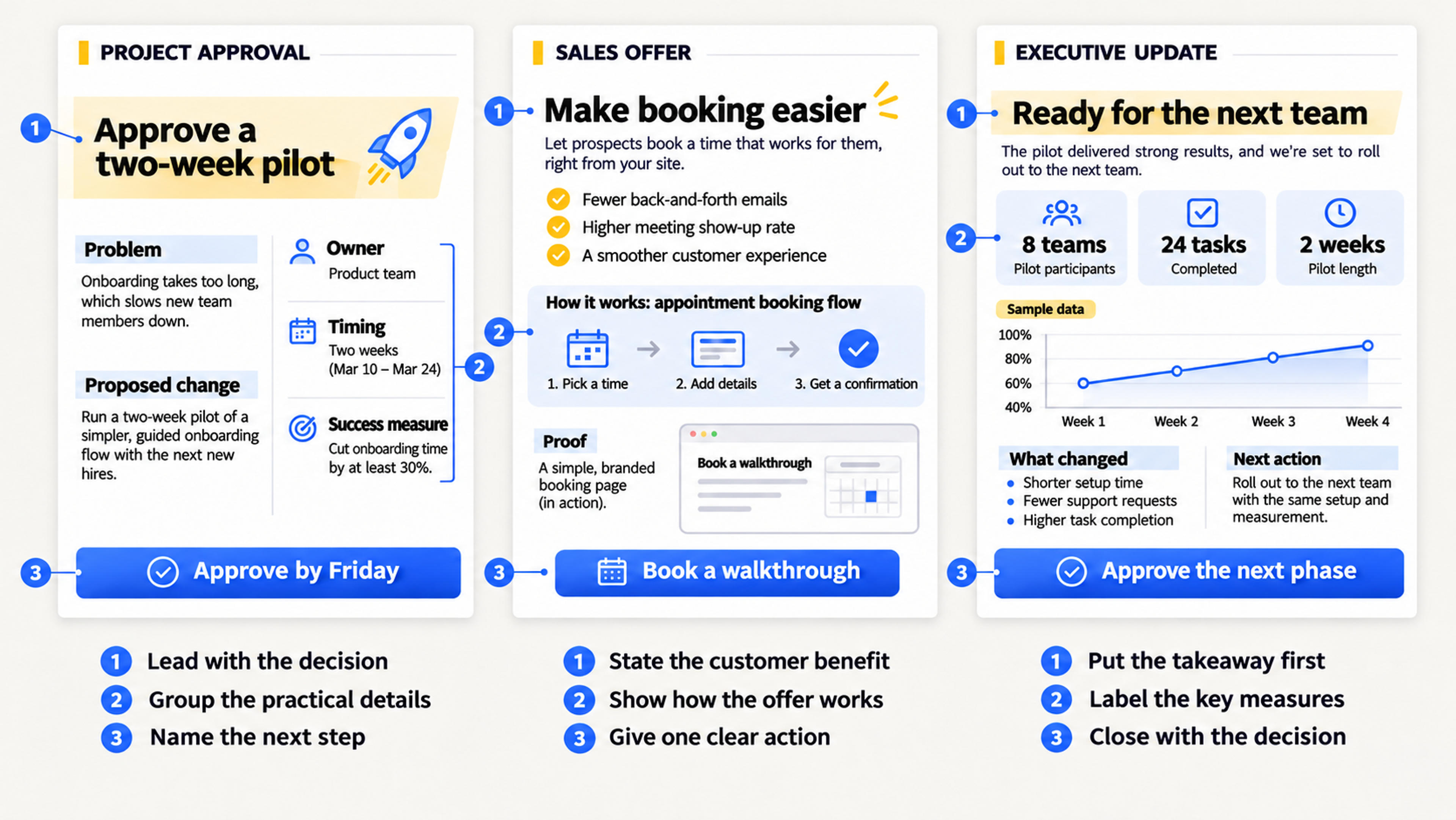
Use a full-width headline for the decision. Put Problem and Proposed change on the left. Put Owner, Timing, and Success measure on the right. Close with a full-width approval request.
For the support pilot above, the right column could read Owner Support lead · Timing Two weeks · Measure Median time to assignment. The reader can find the practical details without scanning the explanation.
Lead with the outcome the buyer wants. Add a short description of how the offer works, then use a small proof block for a relevant result, example, or screenshot. End with a single action such as Book a walkthrough.
For a scheduling service, the headline could be “Let customers book a repair without calling the shop.” The main section could show a customer choosing a slot and the shop receiving the appointment. A screenshot of the booking flow gives the buyer something concrete to inspect.
Put the main takeaway at the top, followed by a row of two or three measures. Use the remaining space to explain what changed, why it matters, and what happens next. If a decision is due, give it its own closing line.
For a rollout update, the top line could read “The pilot is ready to expand to a second team.” Under it, show the relevant adoption and support measures with their reporting period. Use the closing line to name the team that needs to approve the expansion.
It should fit on one readable page at the size you plan to share or print. Let the audience and the material determine the word count. A comparison chart will use the space differently from a written project brief.
A one-pager describes the format. An executive summary describes the job of condensing a longer source for a decision-maker. An executive summary can be a one-pager when the key findings and decision fit on one page.
Summarize a report, proposal, or project brief in SlidesPilot, then use one of the layouts above to shape your page.