

Convert Medical Reports to PPT with AI

Transform clinical documents into professional PowerPoint presentations

Drag & drop your file here or

50MB Maximum File Size
PDF, Word or PPT Formats

Medical report presentations for clearer review

Turn medical report material into structured slides for explanation, education, or team review, with clinical judgment kept in the loop.

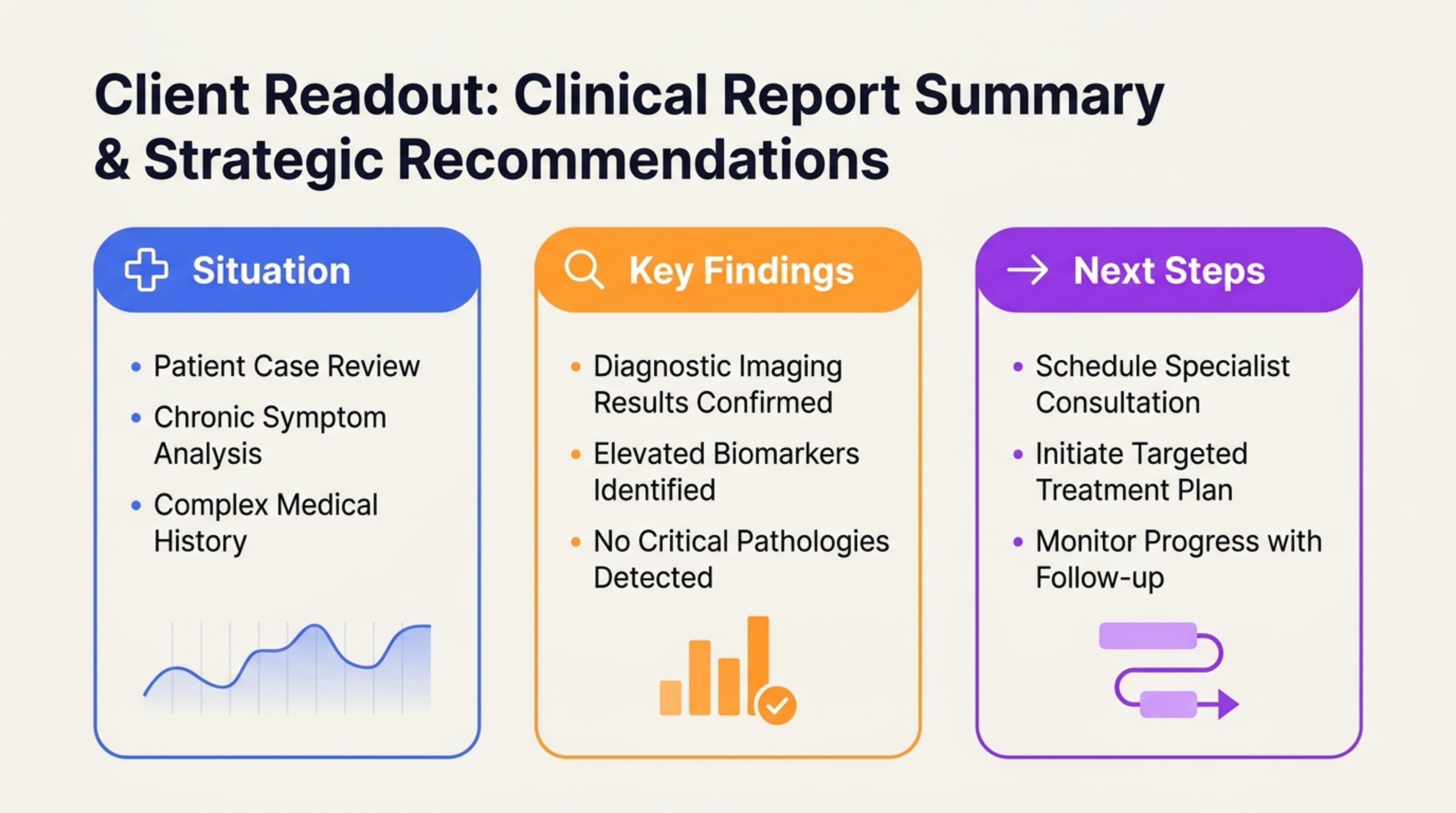
Case Summary presentation example created with SlidesPilot

Case Summary

Organize background, findings, and follow-up questions into slides for a clearer review discussion.

Present Medical Report Findings with Clarity

Transform medical reports, lab summaries, imaging notes, and healthcare documents into a presentation that organizes findings, trends, context, and discussion points for the right audience.

Organize the Complete Report Story

SlidesPilot connects report context, findings, measurements, dates, terminology, and stated follow-up into one coherent presentation narrative. The deck helps the audience understand the report as a structured briefing rather than a dense document.


Make Findings Easier to Discuss

Key observations, value trends, timelines, and section summaries can receive clear slide emphasis. This helps clinical teams, educators, researchers, and operations groups discuss the information with the right level of detail.

Adapt the Deck to the Audience

Set the presentation for a case review, research readout, classroom explanation, internal update, or patient-support conversation. SlidesPilot shapes wording, evidence depth, and section order around that use case.

How to Turn a Medical Report into a Presentation

Upload the complete medical report

Upload the complete medical report or healthcare document, including tables, dated observations, measurements, conclusions, and follow-up notes. Add the intended audience so SlidesPilot knows whether to create a clinical, educational, research, or operational deck.

Upload the complete medical report

Choose the presentation audience

Choose the presentation goal: case discussion, lab trend review, patient education support, research update, or stakeholder briefing. This context determines how technical the language should be and which findings deserve the strongest slide emphasis.

Choose the presentation audience

Shape the findings narrative

SlidesPilot organizes the report by context, finding groups, dates, values, terminology, and stated next steps. A lab report, for example, can become slides for case context, marker groups, trend direction, and discussion-ready implications.

Shape the findings narrative

Generate the medical report deck

Generate a medical report presentation with an opening summary, key findings, timeline or measurement sections, explanation slides, and audience-specific takeaways. The deck is built for discussion, teaching, or review rather than raw report reproduction.

Generate the medical report deck

Refine and export

Refine terminology, slide depth, charts, labels, and supporting evidence before export. Teams can adapt the editable PowerPoint for healthcare professionals, research collaborators, internal leaders, or educational audiences.

Refine and export

AI Understanding for Medical Report Presentations

Medical report presentations need clear structure, context, and audience control. SlidesPilot helps turn dense healthcare documents into briefing decks that make findings, trends, and discussion points easier to follow.

Report Section Understanding

Findings, measurements, report history, assessment text, and follow-up details are treated as connected parts of the same source. This gives the deck a coherent narrative from context to conclusion.

Measurement and Timeline Mapping

Dated observations, lab values, repeated findings, and trend notes can become timeline or comparison slides. This makes change over time easier to explain in meetings and teaching settings.

Terminology in Context

Technical terms stay connected to the surrounding report context. SlidesPilot helps present terminology with enough explanation for the selected audience without losing the professional meaning.

Discussion-Ready Output

Dense source material becomes a focused presentation for clinical reviews, healthcare research meetings, educational sessions, and operations briefings. Every slide remains editable for team standards and audience needs.

Trusted by Healthcare Professionals

Preparing for the weekly morbidity and mortality conference used to take my entire Sunday evening. Now, I upload the anonymized case reports to SlidesPilot, and it generates a structured presentation in minutes. The AI captures the clinical timeline perfectly, saving me hours of administrative work.

Dr. Marcus Thorne

Chief of Surgery

I manage data for multiple clinical trials and often need to present progress to stakeholders. This tool converts my heavy PDF reports into clean, visual slides. It handles the medical jargon surprisingly well and structures the data logic exactly how I need it for board reviews.

Elena Rodriguez

Clinical Research Coordinator

We generate massive quarterly efficiency reports that nobody reads because they are too dense. I used SlidesPilot to convert these documents into a PPT deck for our department meeting. It turned dry text into actionable bullet points and charts. It’s a game-changer for internal communication.

Thomas Wei

Hospital Administrator

During the outbreak tracking, I needed to summarize rapid situation reports for the press team daily. SlidesPilot's AI summarizer is incredible—it pulls out the key statistics and trends from my Word docs and formats them into a presentation immediately. It allows us to communicate vital info faster.

Dr. Sarah Jenkins

Public Health Analyst

Updating training protocols for the nursing staff usually involves turning 50-page manuals into slide decks. With this AI tool, I can upload the new protocol PDF and get a training presentation instantly. It keeps the team updated without pulling me away from patient care duties.

Rachel O'Connor

Nursing Director

I often receive technical white papers from our R&D team that I need to present to surgeons. This converter transforms those technical documents into persuasive sales presentations. It highlights the benefits and specs clearly, making my pitch preparation effortless.

David Becker

Medical Device Sales Rep

Medical Report to PPT FAQs

You can create presentations from clinical summaries, lab reports, imaging notes, research findings, discharge summaries, operational healthcare reports, and other structured medical documents. SlidesPilot organizes the material into a deck designed for explanation and discussion.

Yes. Dated observations, measurements, marker changes, findings, and stated follow-up can be grouped into timeline or trend sections. This helps the presentation show progression, comparison, and key moments clearly.

Yes. You can emphasize specific report sections, findings, values, terminology, timelines, or discussion points. SlidesPilot uses that direction to shape the deck around the purpose of the meeting, lesson, or briefing.

Yes. Set the audience and desired depth to create a case review, research readout, educational deck, or healthcare operations briefing. The structure can highlight context, evidence, implications, and next-step discussion points.

SlidesPilot keeps terminology connected to the surrounding report context and organizes explanations in a readable slide sequence. You can keep professional language for expert audiences or simplify supporting explanations for education and stakeholder review.

Yes. Every generated slide remains editable, including wording, visual emphasis, charts, labels, evidence, section order, and presentation design. This makes it easy to align the deck with institutional language or the needs of a specific audience.

Create Slides 10× Faster

Transform your work into a presentation, instantly. ⭐ #1 AI PowerPoint Generator | Trusted by 3 million users worldwide

GET STARTED FREE


