

How to Make a Proposal Presentation from a Written Proposal
A practical guide to reshaping a written proposal into a clear, persuasive presentation for clients, executives, or internal stakeholders.
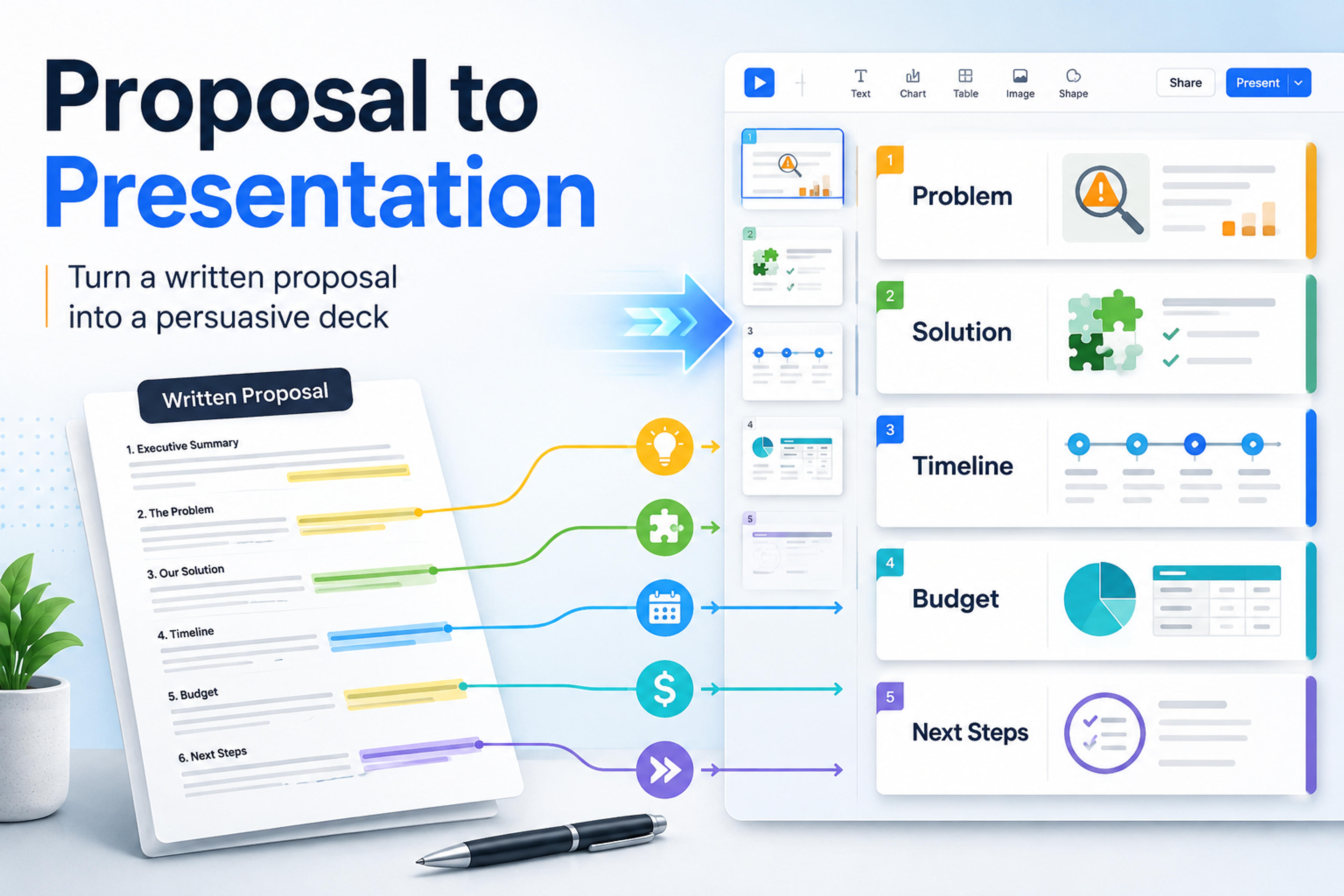
A practical guide to reshaping a written proposal into a clear, persuasive presentation for clients, executives, or internal stakeholders.
A written proposal is built for careful reading. A proposal presentation is built for a room where people need to understand the opportunity, trust the plan, and decide what to do next. To make a proposal presentation from a written proposal, keep the argument and proof, but rebuild the order around the audience's decision: problem, recommendation, evidence, scope, plan, investment, and next step.
The hardest part is not copying text into slides. It is deciding what each slide must make the audience believe before they can say yes. Use the written proposal as source material, then turn sections, paragraphs, tables, and supporting detail into a clear persuasive deck.
Before you outline slides, write one sentence that names the decision you want from the audience. A project proposal might need approval to begin discovery. A client proposal might need budget signoff. An internal proposal might need alignment on timeline, resources, or risk.
That decision changes the entire presentation. If the audience already understands the problem, do not spend five slides restating background. If they are skeptical about cost, bring the business case earlier. If they support the idea but worry about execution, make the plan and risk controls more concrete.
Use this quick decision frame:
Once those points are clear, the written proposal becomes easier to reshape. You are no longer asking, "How do I fit this document on slides?" You are asking, "What sequence helps this audience make a confident decision?"
Most proposals contain more information than a presentation can carry. Instead of moving section by section, translate each source part into a slide job. A slide job is the purpose a slide serves in the decision story.
| Written proposal section | Audience question | Slide message | Evidence to keep | Best visual form |
|---|---|---|---|---|
| Executive summary | What are you recommending? | The proposal solves a specific problem with a clear outcome | Recommendation, value, decision request | One-page proposal summary |
| Background or problem | Why does this matter now? | The current situation creates cost, risk, or missed opportunity | Pain points, baseline data, examples | Problem framing diagram or short metric stack |
| Objectives | What will success look like? | The project has measurable outcomes | Goals, success criteria, priority order | Objective cards or outcome table |
| Proposed solution | What exactly will you do? | The plan addresses the problem in a focused way | Approach, deliverables, assumptions | Solution architecture or workstream diagram |
| Scope | What is included and excluded? | The boundaries are clear | In-scope items, exclusions, dependencies | Scope table |
| Timeline | Can this be delivered? | The schedule is realistic and sequenced | Milestones, phases, decision gates | Roadmap or timeline |
| Budget or pricing | What will it cost and why? | The investment is tied to value and scope | Cost categories, options, ROI logic | Pricing table or investment breakdown |
| Risks | What could go wrong? | Key risks are known and managed | Risk, impact, mitigation | Risk matrix |
| Appendix detail | Where is the backup? | Supporting proof is available without slowing the story | Full tables, methodology, legal detail | Appendix slides |
This map keeps the presentation faithful to the source while preventing the common mistake of turning every paragraph into a bullet list. The proposal gives you the material. The audience question gives each slide its job.
A strong proposal deck usually needs 8 to 12 core slides. You can shorten it for a quick internal meeting or expand it for a formal client pitch, but the persuasion flow should stay intact.
A proposal presentation also has to work as a conversation, not only a slide sequence. RAIN Sales Training suggests treating it as a structured discussion that demonstrates the value of your solution, leaves room for Q&A, and connects the buyer's current state to the result they can achieve. The outline below pairs decision logic with proof, discussion, and next-step alignment.
Open with the proposal name, the audience, the date, and the decision you are asking for. Do not make the audience wait until the final slide to understand why they are there.
Example slide message: "Approve a six-week pilot to reduce support handoff delays."
Summarize the recommendation in plain language. Include the problem, proposed action, expected outcome, and next step. This slide should be understandable even if someone reads only one slide.
Explain why the current situation needs attention. Keep only the evidence that changes the audience's judgment: a metric, a customer quote from approved source material, a workflow pain point, or a missed opportunity.
Show what the proposal is designed to achieve. Objectives should be specific enough to guide scope and evaluation. If the written proposal has a long goals section, reduce it to the outcomes that matter most for approval.
Describe the proposed approach. Focus on what will happen, why this approach fits the problem, and what the audience gets at the end. Avoid procedural detail unless the decision depends on it.
Make boundaries visible. A proposal presentation becomes more credible when it names what is included, what is excluded, and what must be provided by the client, team, or sponsor.
Turn the project plan into phases, milestones, and decision points. A timeline slide should not list every task. It should make the path feel organized, realistic, and easy to govern.
Tie the ask to the outcome. If the written proposal includes detailed line items, summarize them by category and move full pricing detail to the appendix. Show options only when the audience is expected to choose between them.
Address the objections that could block approval. Keep this section calm and concrete: name the risk, why it is manageable, and what you will do to reduce it.
End by returning to the decision request. Restate the recommendation, show the immediate next step, and make ownership clear. The last slide should make it easy for the audience to say what happens next.
Upload the document and let SlidesPilot create a structured, editable proposal deck you can refine for the meeting.
Turn My Proposal Into SlidesThe fastest way to improve a proposal presentation is to stop treating all source content equally. A written proposal often includes background, process notes, definitions, compliance language, full assumptions, detailed pricing, and supporting analysis. A deck needs only the parts that move the decision.
Keep content that helps the audience answer one of these questions:
Compress content that is necessary but not central. Long rationale paragraphs can become slide headlines. Multiple benefits can become a single "why this approach" slide. A detailed work plan can become a three-phase roadmap.
Move content to the appendix when it supports confidence but slows the live story. This usually includes full methodologies, long requirement lists, detailed legal language, raw data tables, alternative scenarios, and detailed cost assumptions.
Cut content that belongs in the written proposal but does not help the presentation. Repeated background, generic company language, excessive definitions, and process descriptions can make the deck feel less decisive.
Proposal decks become clearer when each slide has a message headline, not a topic label. A topic label says what the slide is about. A message headline says what the audience should understand.
| Written proposal text | Weak slide title | Strong slide headline |
|---|---|---|
| "The current approval process requires duplicate review across three teams, creating delays and inconsistent handoffs." | Current Process | Duplicate reviews are delaying approvals across three teams |
| "The proposed pilot will focus on the two highest-volume request types before expanding to additional workflows." | Pilot Scope | The pilot targets the two workflows with the biggest near-term impact |
| "The timeline includes discovery, implementation, training, and measurement phases." | Timeline | A four-phase plan moves from discovery to measurable adoption |
| "The estimated budget includes platform setup, facilitation, enablement materials, and post-launch reporting." | Budget | The investment covers setup, enablement, and performance reporting |
This rewriting step is where a proposal begins to feel like a presentation. The audience can scan the slide sequence and understand the argument without reading every bullet.
A written proposal can explain complexity with paragraphs. A presentation should show relationships, tradeoffs, and flow. Use visuals when they make the decision easier.
Use a timeline when the audience cares about delivery sequence. Use a comparison table when they must choose between options. Use a process diagram when the proposal changes how work gets done. Use a simple bar or column chart when one number needs context. Use a scope matrix when boundaries could become a source of disagreement.
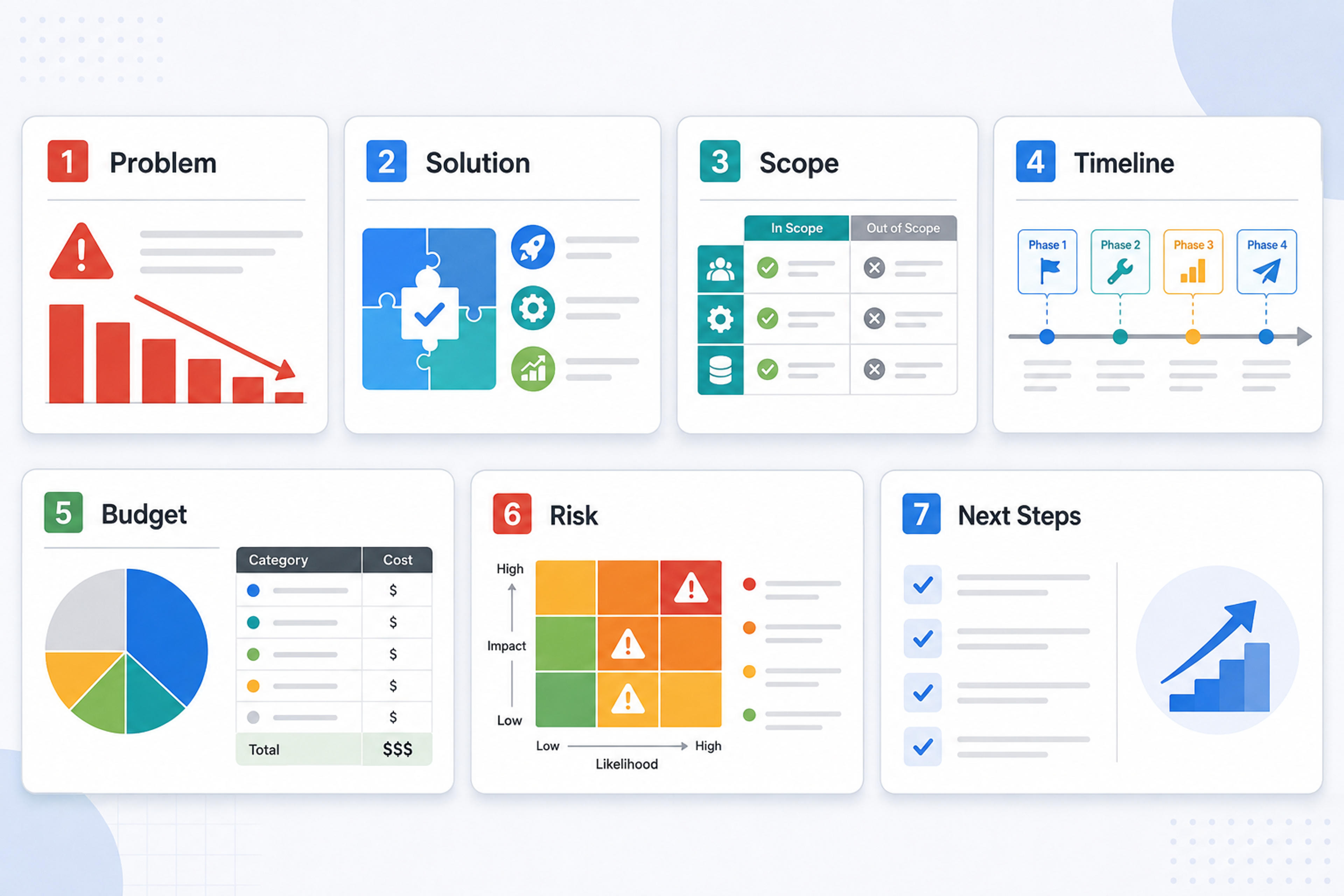
Avoid visuals that only decorate the page. Every chart, diagram, or icon row should answer a question faster than text alone.
Here is a typical paragraph from a written project proposal:
The customer success team currently manages onboarding requests through email, shared spreadsheets, and manual status updates. This creates delays when implementation managers need accurate information about kickoff timing, account requirements, and unresolved customer questions. We recommend a centralized intake and tracking workflow that gives managers one source of truth and creates a repeatable handoff process.
That paragraph can become a three-slide sequence:
| Slide | Message headline | Main content | Visual idea |
|---|---|---|---|
| 1 | Manual onboarding handoffs are slowing kickoff readiness | Email, spreadsheets, manual status checks, delayed kickoff visibility | Current-state workflow |
| 2 | A centralized intake workflow creates one source of truth | Intake form, owner assignment, status tracking, unresolved question log | Future-state workflow |
| 3 | The pilot proves the workflow before wider rollout | Two request types, six-week pilot, adoption and cycle-time review | Pilot timeline |
The presentation version does not copy the paragraph. It separates problem, recommendation, and implementation proof. That gives the audience time to understand why the change matters and how the team will make it real.
The same written proposal may need different presentations depending on who will approve it.
For executives, lead with the business issue, recommendation, investment, risk, and decision. Keep delivery detail short and put operational backup in the appendix.
For clients, make the value, scope, deliverables, timeline, team, and commercial terms easy to compare. Show that you understand their problem before showing your process.
For internal stakeholders, explain ownership, dependencies, timeline, and how the proposal changes current work. This audience often needs clarity on roles more than a polished sales story.
For technical or implementation reviewers, keep the strategic story short and give more room to assumptions, architecture, constraints, and risk controls.
Audience adaptation is one of the main reasons a proposal deck should not simply mirror the written document. The proposal holds the full case. The presentation shapes that case for a specific conversation.
Use this checklist before you share or present the deck:
Most proposal presentations work well with 8 to 12 core slides plus appendix slides. A short internal proposal may need 5 to 7 slides. A formal client or board proposal may need more, but the core story should still be easy to follow.
The presentation should summarize and reshape the proposal for a live decision. Keep the most persuasive proof in the main deck and place detailed backup in the appendix or companion document, instead of including the full written proposal.
A written proposal is designed to be read in detail. A proposal presentation is designed to be delivered, discussed, and approved. The presentation needs a clearer sequence, stronger slide headlines, less text, and more visible proof.
The first slide should include the proposal title, audience or client, date, and the decision or recommendation. If the meeting is short, make the ask visible immediately so the discussion stays focused.
Build the deck around the decision. Show the problem, recommend a specific solution, prove the plan is realistic, connect investment to value, address the likely objections, and end with a clear next step.
The best proposal presentations do not shrink a document into smaller text. They turn a written argument into a spoken decision story. Start with the approval you need, map the proposal into audience questions, rewrite paragraphs as slide messages, and move detailed backup out of the core flow. SlidesPilot turns your written proposal into a structured, editable presentation with a clear story, persuasive evidence, and a focused next step.
Turn Word documents into clear, structured, editable PowerPoint presentations with AI.
Turn an idea into a complete, structured presentation. Define the audience and goal, guide the tone and length, and let SlidesPilot build the storyline, slide plan, content, and visual direction.
Turn notes, paragraphs, and ideas into a clear, editable PowerPoint presentation.
Paste text, add a YouTube or webpage link, or upload a document to create a beautiful, structured summary connected to the source.
Transform plain PowerPoint presentations into professional designs using AI
Use SlidesPilot to turn a written proposal into a polished, editable presentation with a clear persuasive structure.


