

Sales Presentation Template: A Slide-by-Slide Guide with Examples
A practical 12-slide sales deck outline with fill-in headlines, worked examples, speaking prompts, and guidance for adapting each slide to your buyer.
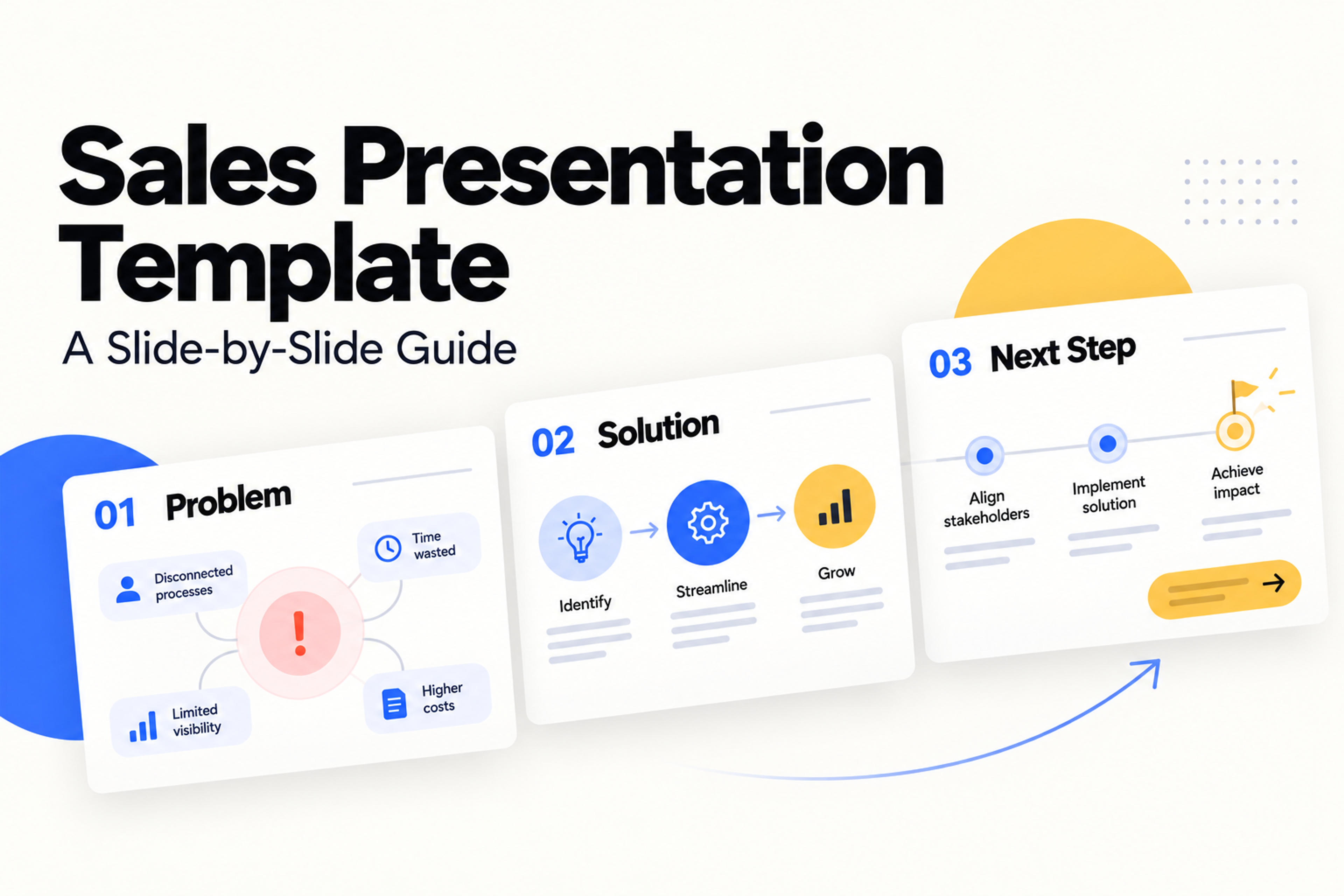
A practical 12-slide sales deck outline with fill-in headlines, worked examples, speaking prompts, and guidance for adapting each slide to your buyer.
A sales presentation template gives you a reusable sequence for explaining a buyer's problem, showing how your solution addresses it, and agreeing on the next step. The most useful template includes the message each slide needs to communicate, the evidence behind it, and a layout that makes it easy to understand.
Use the 12-slide structure below to build a sales deck for a product, service, or proposal. You'll find fill-in copy, a worked example for every slide, and a shorter version for introductory meetings.
This template is designed for a meeting with a prospect whose needs you have already discussed. Start by choosing one decision you want the meeting to produce: approving a pilot, requesting a proposal, scheduling a technical evaluation, or signing off on a defined project.
| Slide | What it covers | Buyer's question |
|---|---|---|
| 1 | Meeting purpose and desired outcome | Why are we meeting? |
| 2 | Buyer goals and current situation | Do you understand our priorities? |
| 3 | Problem and business impact | What is the current process costing us? |
| 4 | Proposed outcome and success criteria | What would improvement look like? |
| 5 | Solution overview | What are you proposing? |
| 6 | Relevant workflow or demonstration | How would our team use it? |
| 7 | Evidence and proof | What supports your claims? |
| 8 | Business case | Is the potential value worth the investment? |
| 9 | Implementation and responsibilities | What will it take to get started? |
| 10 | Pricing and scope | What exactly are we buying? |
| 11 | Decision criteria and open questions | What remains unresolved? |
| 12 | Specific next step | What happens after this meeting? |
Use this sequence as a working outline. If the buyer asks about price early, address it then. For a first discovery call, build the conversation around questions and save the full solution presentation for when you understand the need.
Write a short buyer brief with five inputs: the audience, their priority, the current process, the evidence available, and the decision you want. These inputs keep the presentation specific when you start adapting the template.
For example: "We are presenting to an operations director and two team leads. They want fewer delays in handling service requests. Requests currently arrive by email and are assigned manually. We have discovery notes and a sample workflow. We want agreement on a small pilot."
Throughout this guide, HarborDesk is a fictional service-request platform, and Ridgeway Services is its fictional prospect. All example prices, quantities, targets, and calculations are illustrative. They show how to fill in the template; they are not actual customer results or SlidesPilot offers.
Open with the buyer's organization and the job you will discuss. Give the meeting a purpose that someone can recognize immediately.
Fill-in headline: "[Desired outcome] for [buyer organization]."
Example slide copy:
A clearer service-request process for Ridgeway Services
Supporting line: "Review the proposed workflow and agree on a two-week pilot for one team."
Layout: A strong title, a short purpose statement, and the meeting date. Keep your logo secondary to the message.
Talk track: "Today I'd like to confirm the process we discussed, show how a pilot would work, and decide whether it is worth testing with your team."
Use discovery notes to show what you understand about the buyer. Include the current situation, the desired change, and a constraint that affects the decision.
Fill-in headline: "Your priority is [goal], while keeping [constraint] under control."
Example slide copy:
Layout: Three short cards labeled "Today," "Goal," and "Constraint." Add a source line naming the discovery meeting or document behind the statements.
Talk track: "Is this still the right priority, or has anything changed since we spoke?"
Leave room for the answer. A correction here should shape the rest of the presentation.
Choose one problem you can explain and quantify. Separate the underlying inputs from the calculation so the buyer can discuss the assumptions.
Fill-in headline: "[Current activity] consumes [time, cost, or capacity] each [period]."
Example slide copy:
Manual request assignment takes an estimated 25 team-hours each month.
The illustrative calculation is 500 requests per month × 3 minutes of assignment work ÷ 60 = 25 hours. Label the volume and handling time as assumptions until the buyer confirms them.
Layout: One large number beside a simple formula. Add a sentence about the practical consequence, such as less time available for resolving requests.
Talk track: "Which of these inputs matches your process, and which should we change?"
Avoid converting every inconvenience into a dollar figure. Use a measure the buyer can explain to colleagues.
Describe the improved process in terms the buyer can observe. Turn broad goals such as "better efficiency" into measures that can guide a pilot.
Fill-in headline: "Success means [observable change] within [agreed scope]."
Example slide copy:
Layout: A current-state and target-state comparison. Label targets as targets, and include how each will be measured.
Talk track: "If we can demonstrate these changes during the pilot, would that give you enough evidence to evaluate a broader rollout?"
Introduce the offer through the workflow it changes. Choose only the capabilities needed to explain the proposed outcome.
Fill-in headline: "[Solution] helps [team] achieve [outcome] through [mechanism]."
Example slide copy:
HarborDesk gives the service team one queue for capturing, assigning, and tracking requests.
Layout: A three-step diagram: "Capture request → Assign owner → Track status." Under each step, add one sentence explaining the buyer benefit.
Talk track: "The proposed change is a shared request queue with ownership and status visible throughout the process."
Keep your full feature list in the appendix. This slide should make the proposal understandable before you show the details.
Choose a realistic task and show its beginning, middle, and end. For software, use a focused demonstration. For a service, show the delivery process and the output the buyer receives.
Fill-in headline: "Here is how [specific task] would work for your team."
Example slide copy:
Layout: Three annotated screenshots or process panels. Mark a mockup as a mockup; use actual product screens when demonstrating a live capability.
Talk track: "Let's follow one request through the process. Where would this need to work differently for your team?"
Use the buyer's language for the task and roles. It makes the demonstration easier to compare with their current process.
Choose evidence that supports the outcome you are proposing. A relevant case study, documented test, product demonstration, or reference can each answer a different question.
Fill-in headline: "[Evidence] demonstrates [specific capability or outcome]."
Example slide copy for a proposal without a measured customer result:
Proposed validation: run ten sample requests through the pilot workflow.
Supporting details: "Record ownership, status visibility, and assignment time. Compare the observations with the success criteria on slide 4."
This example is a validation plan. If you have a completed customer case study, replace it with a concise account of the customer's context, the change made, the measured outcome, the period, and the source.
Layout: A claim-and-evidence panel. Put completed evidence in one area and planned validation in another so their status is clear.
Talk track: "Here is what we can demonstrate today, and here is what the pilot will measure in your environment."
Connect the proposed improvement to value using visible assumptions. Make it easy for the buyer to substitute their own numbers.
Fill-in headline: "Reducing [activity] could release [capacity or value]."
Example slide copy:
| Illustrative input | Amount |
|---|---|
| Monthly request volume | 500 requests |
| Current assignment time | 3 minutes per request |
| Target assignment time | 1 minute per request |
| Potential time released | About 16.7 hours per month |
Calculation: 500 × (3 − 1) ÷ 60 = approximately 16.7 hours. At an assumed labor value of $40 per hour, that represents approximately $667 in monthly capacity value.
Describe released time as capacity unless the buyer has a concrete plan to reduce spending. To calculate ROI, also include the proposed fees, implementation effort, training, and other relevant costs over the same period.
Layout: A short assumptions table and one takeaway. Keep the full financial model in the appendix.
Talk track: "Would this capacity be useful, and what costs should we include in the evaluation?"
Explain what happens after approval, who owns each action, and what must be ready before work starts.
Fill-in headline: "Start with [limited scope], then review [success measures]."
Example slide copy:
Layout: A timeline with a named role under each milestone. Show dependencies such as access approval or sample-data availability.
Talk track: "Can your team support these responsibilities within the proposed pilot window?"
State the price, billing period, included scope, and important exclusions together. Explain the offer in language the buyer can forward internally.
Fill-in headline: "The proposed [package or engagement] includes [scope] for [price]."
Example slide copy:
Illustrative proposal: $300 per month for one service team with up to ten users.
Included: the shared request queue and one onboarding session. Separate scope: custom integrations and any expansion beyond the pilot team.
Layout: One recommended option with its scope directly below it. If alternatives are useful, compare them using the same fields: users, deliverables, support, term, and total cost.
Talk track: "Does this scope cover the team you want to evaluate, and are there procurement requirements we should include?"
Use the actual commercial terms in a live proposal. The example above exists only to demonstrate the slide structure.
Bring unresolved requirements into the conversation. Useful topics include adoption, technical fit, procurement, implementation effort, and how the buyer will compare alternatives.
Fill-in headline: "These are the questions to resolve before [decision]."
Example slide copy:
| Decision question | Proposed action | Owner |
|---|---|---|
| Will the team use the queue consistently? | Agree on pilot participation | Ridgeway team lead |
| Does the workflow fit existing access requirements? | Review requirements before setup | Technical leads |
| What would justify expansion? | Confirm success criteria | Operations director |
Layout: A compact action table. Keep detailed technical material available in the appendix.
Talk track: "Which unresolved question could prevent the pilot from moving ahead?"
Make the requested action small enough to decide and specific enough to schedule. Include the owner, timing, and output.
Fill-in headline: "Next step: [action] with [participants] by [date]."
Example slide copy:
Schedule a 30-minute pilot-planning session with the operations director and team lead.
Expected output: "Confirm the pilot team, request categories, owners, and success measures."
Layout: One action statement and three short fields: "Who," "When," and "Deliverable." Agree on the date during the conversation.
Talk track: "Shall we schedule the planning session and use it to finalize the pilot scope?"
The deck now ends with an action the buyer can take and explain to someone else.
Give SlidesPilot your buyer brief and slide messages to create a visual first draft.
Create My Sales PresentationKeep the underlying questions and change the emphasis for the meeting. The same presentation should not carry the same detail into every conversation.
| Meeting | Recommended adaptation |
|---|---|
| Introductory conversation | Use slides 1, 2, 3, 5, 7, and 12 as a six-slide starting point; prioritize discovery questions. |
| Product evaluation | Expand slide 6 with the buyer's actual scenarios and move technical detail to the appendix. |
| Executive approval | Emphasize the outcome, business case, evidence, commercial scope, and decision. |
| Service proposal | Use slide 6 for sample deliverables and slide 9 for phases, responsibilities, and approvals. |
| Follow-up document | Add enough context and source notes for a colleague to understand each slide without the presenter. |
For a shorter meeting, remove repeated explanations before shrinking the text. A concise deck still needs a clear problem, a credible proposal, and an actionable close.
Write the takeaway before choosing the layout. "Manual assignment takes 25 hours each month" tells you to emphasize a number and its calculation. "Our platform" gives you much less direction.
Use a process diagram for slide 6, a small table for slide 8, and a timeline for slide 9. Keep colors, typography, and spacing consistent so the audience can follow the argument across different slide types.
Place a source or assumption note close to the claim it explains. For a customer result, include its period and context. For a proposed target, label it visibly. The buyer should be able to tell what has been measured and what the evaluation will test.
For a presentation delivered live, keep the slide copy brief and put explanations in your speaking notes. For a deck sent by email, use fuller takeaway headlines and add a sentence of context where needed.
Once you have filled in the buyer brief and slide messages, use SlidesPilot's AI presentation generator to turn the material into a visual first draft. Include the audience, meeting objective, required sections, and preferred level of detail in your instructions.
Use this prompt with your own facts:
Create a 12-slide sales presentation for [buyer organization].

Audience: [roles and priorities].
Offer: [product or service, in one sentence].
Meeting goal: [one specific decision or next step].
Current process and problem: [confirmed discovery findings].
Available evidence: [approved case study, demonstration, or test].
Business-case inputs: [figures, sources, periods, and assumptions].
Commercial scope: [price, term, inclusions, and exclusions].

Use this sequence:
1. Meeting purpose
2. Buyer priorities
3. Problem and impact
4. Desired outcome and success criteria
5. Solution overview
6. Relevant workflow
7. Evidence and validation
8. Business case
9. Implementation
10. Pricing and scope
11. Open decision questions
12. Next step

Write takeaway headlines and concise supporting copy.
Use a workflow diagram, a business-case table, and a rollout timeline.
Preserve the supplied facts. Label assumptions and proposed targets.
Leave placeholders for missing evidence, prices, and dates.
Keep the tone clear and professional.
If your material is already written as notes, use Text to PPT. If your starting point is a proposal document, use Word to PPT. These source-based workflows help you carry the material into a presentation you can refine.
Read the generated deck as a buyer would: check that the opening reflects their priority, the workflow addresses the stated problem, and the closing asks for the agreed decision. Add the approved evidence and commercial details where the draft has placeholders.
Include the buyer's goal, the problem and its impact, your proposed solution, a relevant workflow, evidence, the business case, implementation, pricing, and a next step. The 12-slide outline in this guide gives each of those questions a place in the deck.
Use the 12-slide template as a starting point for a solution discussion, and the six-slide version for an introductory meeting. Adjust the length around the decision, the complexity of the offer, and the time available for discussion. Keep extra demonstrations, technical detail, and detailed calculations in an appendix.
Yes. Copy the outline and fill-in headlines into either application, then add your approved copy and visuals. You can also use SlidesPilot's Text to PPT workflow to create a presentation from your notes, refine the slides, and export to PowerPoint or Google Slides.
Show the evidence you do have, such as a focused product demonstration, sample deliverable, or completed test. Then define what a pilot would measure. Keep the proposed validation separate from completed results, as in slide 7.
Adapt the goals, problem statement, example workflow, value assumptions, and next step. Use details from discovery throughout the deck. Changing the company name on the cover is only the beginning.
Start your sales presentation template with one buyer, one problem, and one decision. Fill in the slide messages, then turn that outline into the deck you will use for the conversation.
Add your buyer, offer, and next step. Create a sales deck with SlidesPilot.

