

What to Put on a Thank You Slide: Wording and Examples
Choose the right closing message, takeaway, and next step for your final slide, with six adaptable examples.
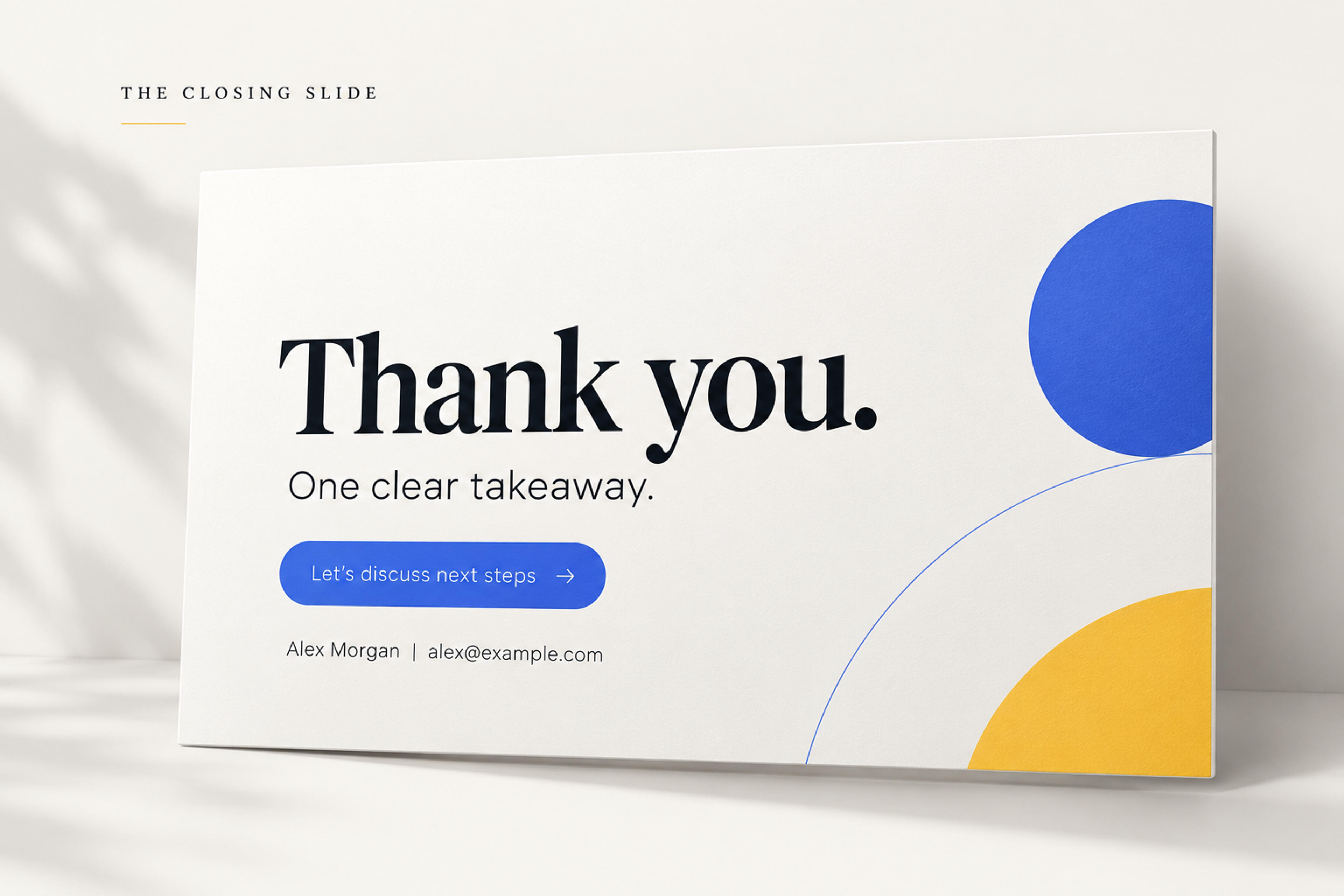
Choose the right closing message, takeaway, and next step for your final slide, with six adaptable examples.
Whether a thank you slide is necessary is a familiar debate in presentation design. We think it earns its place because it lets you acknowledge your audience, reinforce your main message, and make the next step clear. A thoughtful closing slide gives people something useful to refer to while they ask questions, note your contact details, or decide how to act on your presentation.
So, what should you put on it? Start with a brief thank-you message, one takeaway, and a way to ask questions or take the next step. Add your name and contact details when people will need to reach you afterward.
You do not need every element on every slide. A classroom presentation might end with a discussion question. A client proposal might end with a decision and a deadline. Choose the content that helps your audience continue the conversation.
Start with these five elements, then keep the ones your presentation needs.
Use a line that suits the occasion:
Keep the message short enough to read at a glance. You can express more detailed appreciation aloud.
If the audience should leave with one recommendation, finding, or idea, give it a sentence. Use something you have already explained in the presentation.
For a project proposal, that might be: Start with one pilot team before expanding. For a lesson on evaluating information: Check the source before sharing the claim.
A detailed recap belongs on a summary slide. The closing slide needs only the thought that should remain visible during the final conversation.
Decide what you want the audience to do when you finish. Make that action specific:
Choose one main action. Asking people to book a meeting, download a report, complete a survey, and follow three accounts gives them several competing tasks.
Include your name and role when the audience may follow up, forward the deck, or revisit it later. Add the contact method that fits the situation: an email address for a professional discussion, a website for resources, or a booking link for a follow-up meeting.
For a routine internal update, your team name may be enough. A public conference presentation usually needs a more explicit way to reach you.
Add a resource when it helps the audience act on the presentation. Label the destination clearly: Get the workshop worksheet tells people more than Scan me.
For an in-person talk, a QR code can provide access from a phone. In a shared deck or online meeting, include a clickable link as well. Give the audience time to open the resource before ending the session.
Use these examples as starting points. Replace the bracketed details with your own information; each line below represents a separate line on the slide.
Thank you for your time
Start with a four-week pilot in one team.
Next step: Approve the pilot scope by [date].
[Name] | [Role] | [Email]
This version keeps the recommendation and decision together. It gives the discussion a concrete focus after the presentation ends.
Let's plan your next step
Choose a workflow to explore in a follow-up demo.
Book a session: [Booking link]
[Name] | [Email]
Match the invitation to the stage of the conversation. If the audience is still exploring, a focused demo may be a more appropriate next step than a purchase request.
Thank you. Questions welcome.
[One-sentence finding from the presentation]
[Name] | [Department or institution]
[Academic email]
Keep the finding visible if it will help frame questions. Give detailed acknowledgments their own space when you need to recognize collaborators, funding, or other contributions.
Thank you for listening
Which example changed how you think about [topic]?
[Name or group name] | [Course]
A specific discussion question gives classmates a starting point. Choose a question they can answer using the material you just presented.
Thanks for taking part
Try [technique] in your next [task].
Get the practice worksheet: [Short link]
[Facilitator name]
This ending connects the session to practice. Keep any instructions brief enough that participants can understand the task without another explanation.
Thank you. Let's keep the conversation going.
[One-sentence takeaway]
Slides and resources: [Short link]
[Name] | [Website or email]
Use one resource destination for the materials you want to share. A single clearly labeled link is easier to present than a list of separate downloads.
Give the audience a clear reading order: the closing message first, the takeaway or next step second, and supporting details last.
For a simple thank you slide, center the message and place your name and contact details underneath. For a decision-focused ending, left-align the recommendation and put the requested action directly below it. If you include a QR code, give it its own space beside the text with a short destination label.
Use the same fonts, colors, and visual style as the rest of your deck. Keep the background quiet and the text easy to distinguish. Contact details need to remain readable from the audience's viewing distance, even when they are smaller than the headline.
Before presenting, view the slide in presentation mode. Read it from across the room or at the size participants will see in a video call. Remove anything that distracts from the closing message or action.
Choose the heading that matches what happens next. Thank you suits a clear farewell. Questions? signals that the audience has the floor. Next steps suits a meeting that needs an agreement or decision.
You can also combine gratitude with a discussion prompt: Thank you. What should we explore further?
If questions come before your final remarks, return to your takeaway or next-step slide afterward. Finish with the message you want people to carry away.
Avoid introducing new evidence, squeezing in your full conclusion, or adding a long list of contact methods. Keep detailed references and supporting material on their own slides.
An unrelated quote or decorative animation can also pull attention away from your ending. Use the space for content that serves this audience and this presentation.
Before you finish, check three things: Can people see what matters? Do they know what happens next? Can they find you or the resource if they need it? Those answers will tell you what deserves a place on your thank you slide.
Your closing slide is easier to write when the whole deck leads toward a clear outcome. SlidesPilot's AI presentation generator turns a topic, notes, or an outline into a structured presentation you can refine.
Include your audience, main takeaway, and desired next step in your instructions. For example: “Create a presentation proposing a four-week team pilot. End with a thank-you slide that asks for approval of the pilot scope by [date].”
Turn your topic, notes, or outline into a structured presentation with SlidesPilot. Include the takeaway and next step you want on the closing slide.