

10 Best Gemini Notebook Alternatives in 2026 (Formerly NotebookLM)
Compare ten NotebookLM alternatives by research workflow, slide creation, PowerPoint editability, and current pricing.

Compare ten NotebookLM alternatives by research workflow, slide creation, PowerPoint editability, and current pricing.
Google renamed NotebookLM to Gemini Notebook in July 2026, but the reason people search for alternatives has not changed: they want a dependable way to understand source material and turn it into something useful.
The most useful Gemini Notebook alternative is determined by that final deliverable. Perplexity adds live-web discovery, Elicit specializes in academic literature, and Open Notebook offers a self-hosted research environment. When the goal is to turn a PDF, Word file, research paper, link, or topic into an editable PowerPoint presentation, SlidesPilot is the strongest end-to-end alternative.
This guide compares ten Gemini Notebook alternatives by research workflow, presentation capability, editability, and current pricing. Pricing was checked on July 31, 2026.
| Tool | Primary focus | Presentation workflow | Starting price |
|---|---|---|---|
| SlidesPilot | Turning source documents into editable presentations | Generate, edit, and export editable PPTX | Free; Plus and Pro plans available |
| Perplexity Projects | Research that combines uploaded files with the live web | Can create presentation-style deliverables and other files | Free; paid consumer plans available; Education Pro is $10/month |
| Claude Projects | Long-form analysis and careful synthesis | Develop an outline and slide copy, then move it into a presentation tool | Free; Pro is $20/month or $17/month billed annually |
| ChatGPT Projects | Flexible, multimodal project work | Research, outline, draft, and create supporting assets | Free; Plus is $20/month |
| Microsoft 365 Copilot Notebooks | Research inside Microsoft 365 | Organize work sources before continuing in Word or PowerPoint | Available with eligible Microsoft 365 plans; Copilot pricing varies by plan |
| Elicit | Academic literature reviews | Build evidence tables and research summaries for later presentation | Free; Plus starts at $11/user/month billed annually |
| Notion AI | Collaborative team knowledge | Turn workspace knowledge into briefs and presentation outlines | Free plan with limited AI trial; Business is $20/member/month |
| Open Notebook | Self-hosted, private research | Create source-grounded notes and outputs using your own AI providers | Free and open source; hosting and model usage cost extra |
| Gamma | Fast, web-native visual stories | Generate and edit presentations in Gamma; export options include PPTX | Free; Plus, Pro, and Ultra plans available |
| Canva | Design-first presentations and brand content | Create and edit visual decks, then export to PowerPoint | Free; Canva Pro is $144/year for one person in the US |
Google changed the product name from NotebookLM to Gemini Notebook on July 16, 2026. It remains a standalone Google product built around the same core idea: add trusted sources, ask questions grounded in those sources, and generate useful formats such as reports, audio overviews, video overviews, mind maps, infographics, and slide decks.
That rename creates a short period in which both names matter. Existing users still search for NotebookLM alternatives, while new Google navigation and future product coverage increasingly use Gemini Notebook alternatives. In this article, Gemini Notebook refers to the product currently named Gemini Notebook, formerly NotebookLM.
Gemini Notebook is excellent when the notebook itself is the destination. It helps readers explore sources, uncover themes, and produce grounded summaries without starting from a blank page.
An alternative becomes more useful when the work must continue in a different format or environment. Common reasons include:
The important question is not simply, “Which tool is most like Gemini Notebook?” It is, “Which tool completes the next stage of my work?”
We compared each product across five practical criteria:
For presentation-focused readers, SlidesPilot is the clear winner because it carries source material through generation, direct editing, and editable PowerPoint export. The remaining tools are evaluated as specialized alternatives or upstream research environments.
SlidesPilot is the best Gemini Notebook alternative when the output is not another notebook or research summary, but a presentation you need to deliver.
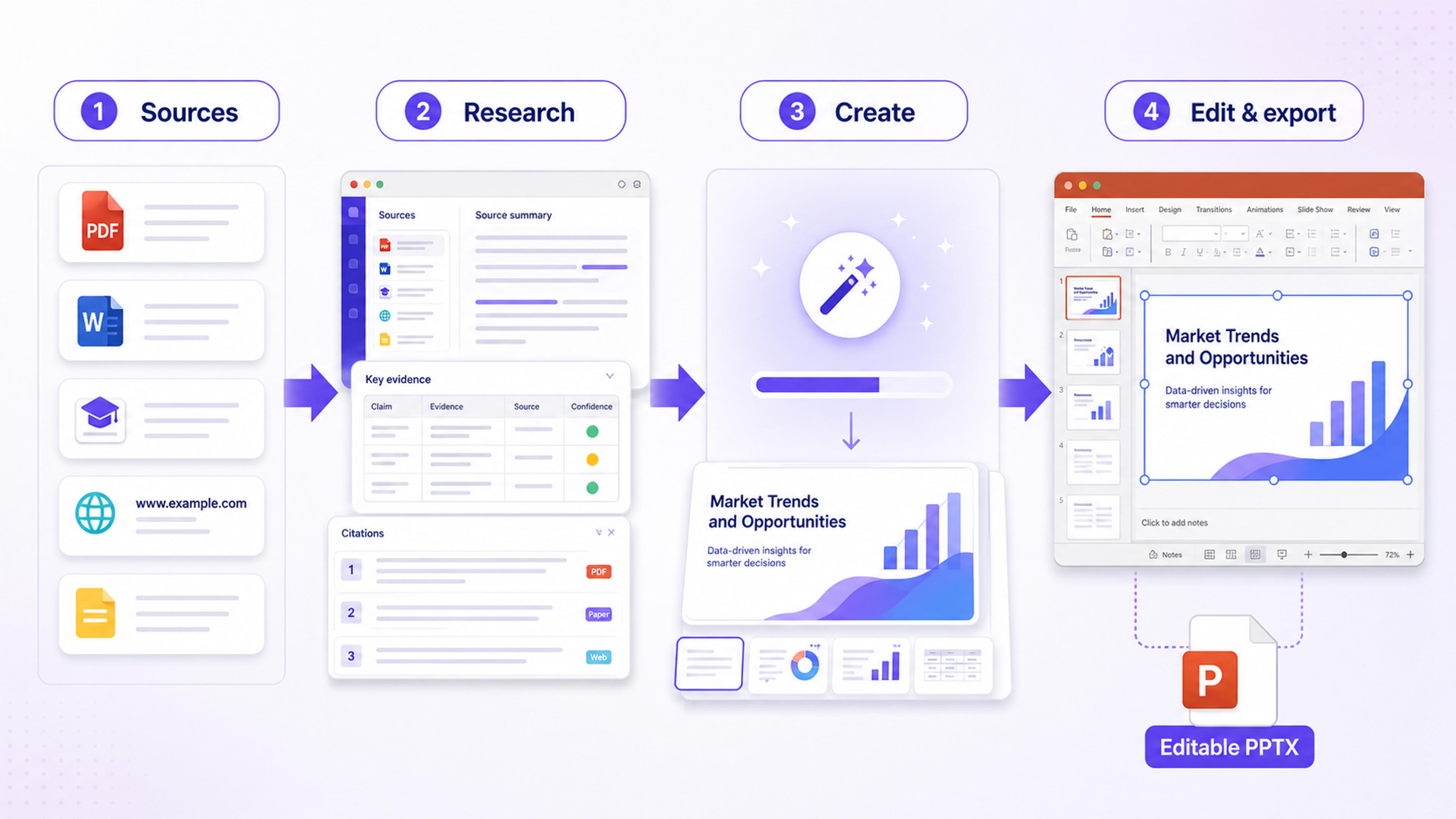
You can start with a PDF, Word document, research paper, link, pasted text, or a topic. SlidesPilot analyzes the source, organizes the story, creates the slides, and gives you a structured presentation you can continue editing. You can refine the deck in the SlidesPilot editor, export an editable PowerPoint file, or continue in Google Slides.
That makes the workflow especially useful for consultants, students, researchers, educators, sales teams, and anyone whose source material must become a client-ready or meeting-ready deck.
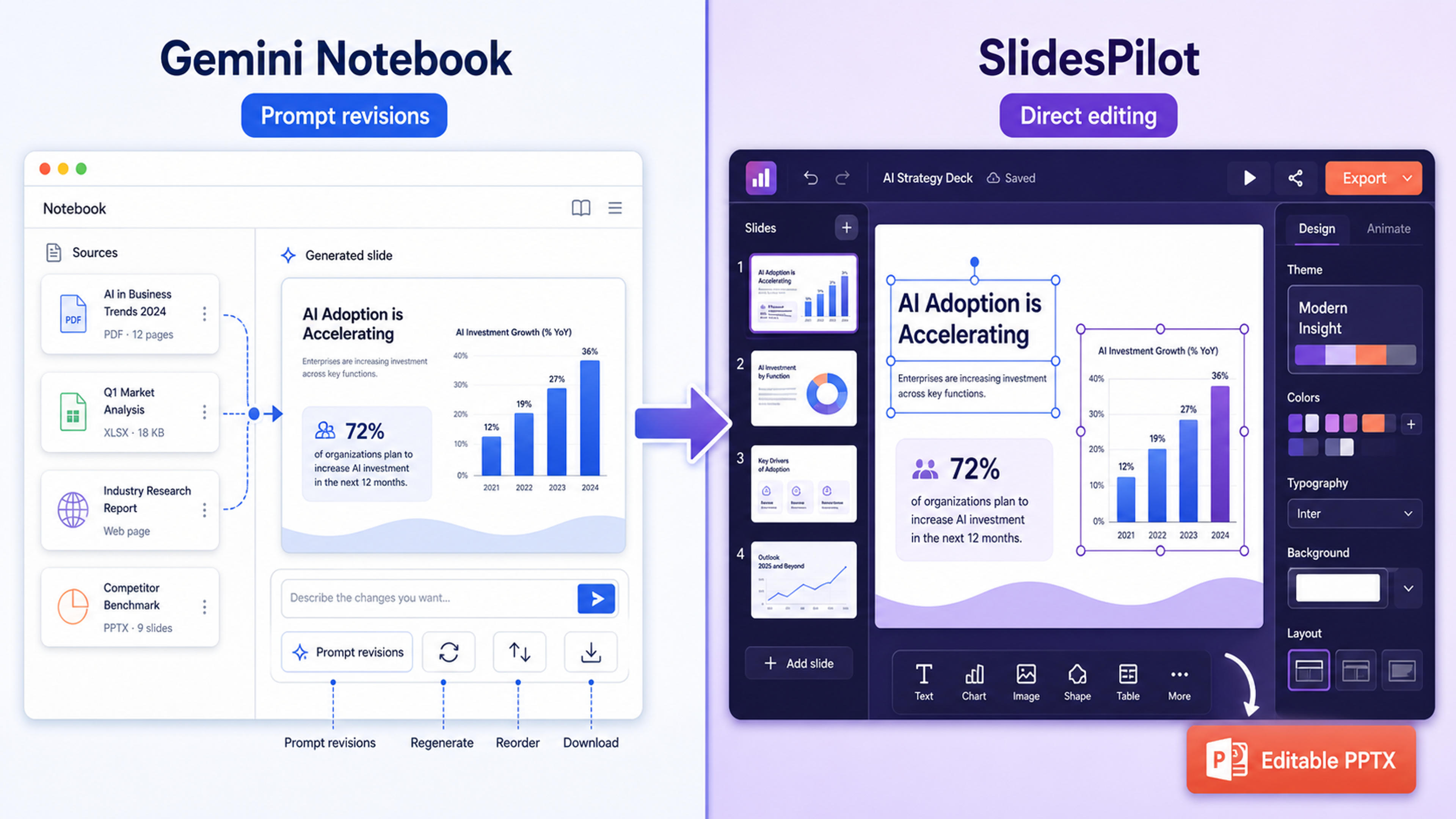
Gemini Notebook can generate a slide deck and lets users revise, delete, reorder, or regenerate slides inside its own experience. Its revision model is still primarily prompt-driven. SlidesPilot is designed around presentation production: the deck is editable in a visual editor, and the exported PPTX is intended for continued editing in PowerPoint.
If your real task is turning a PDF into PowerPoint, converting a Word document into slides, or creating a presentation from a research paper, SlidesPilot removes the handoff between research and deck creation.
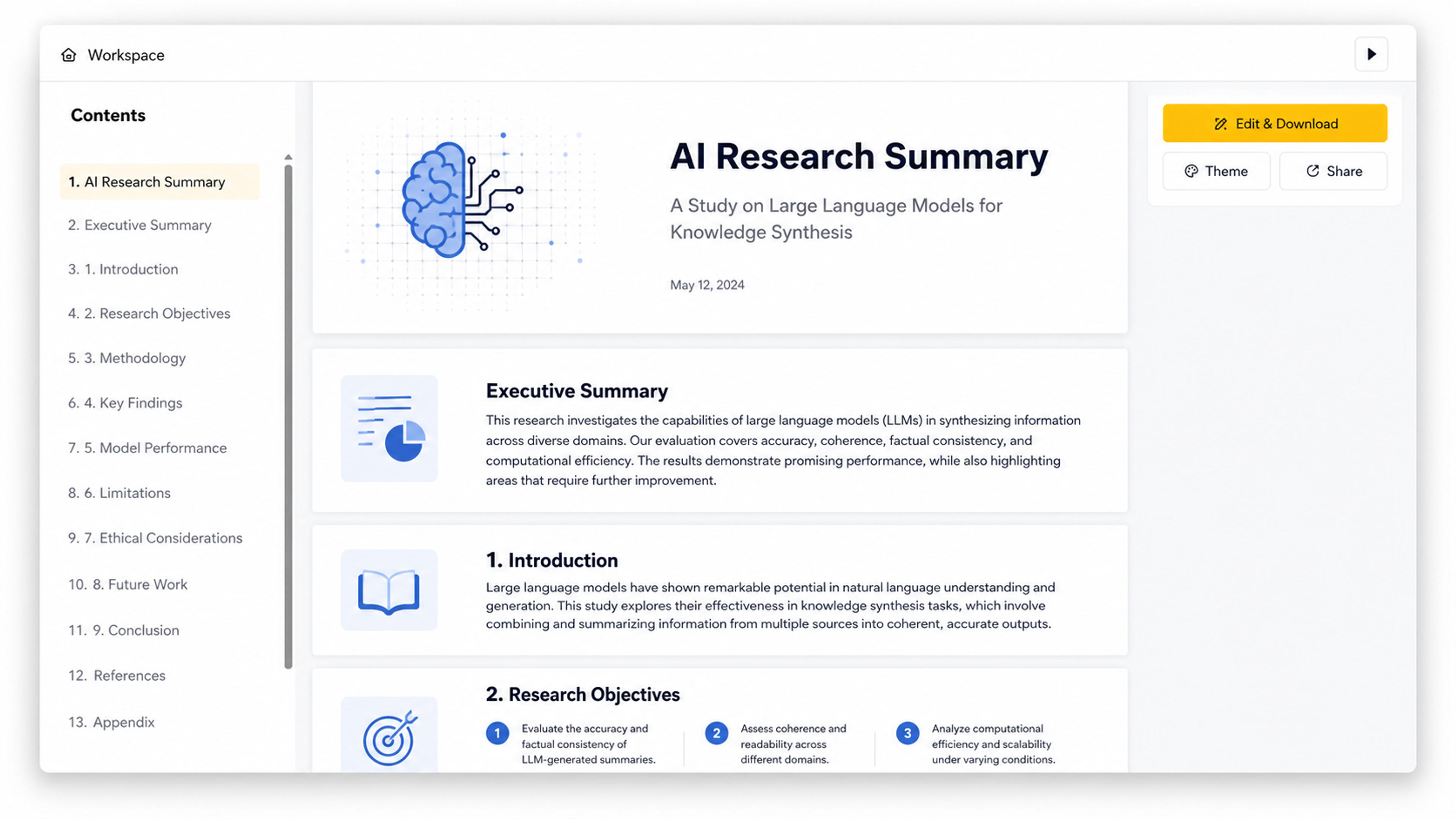
SlidesPilot has a free plan with no credit card required. Plus and Pro subscriptions are available with monthly and annual billing, and annual plans can provide up to 40% savings.
Choose SlidesPilot when: You want the fastest path from source material to a polished, editable presentation.
Perplexity Projects, previously known as Spaces, combines project-level context with Perplexity’s search and research capabilities. You can organize related threads and files, set project instructions, and bring current web information into the same research process.
This is the strongest option in the list when freshness matters as much as uploaded material. A market researcher, for example, can combine an internal brief with recent company announcements, statistics, and industry sources without separating file analysis from web research.
Perplexity has also expanded beyond answers. Its create tools can produce documents, spreadsheets, presentations, and other working files, making it broader than a traditional AI search engine. Its center of gravity remains research and citation-rich discovery, so teams that need fine-grained slide editing may still prefer a dedicated presentation workflow for the final deck.
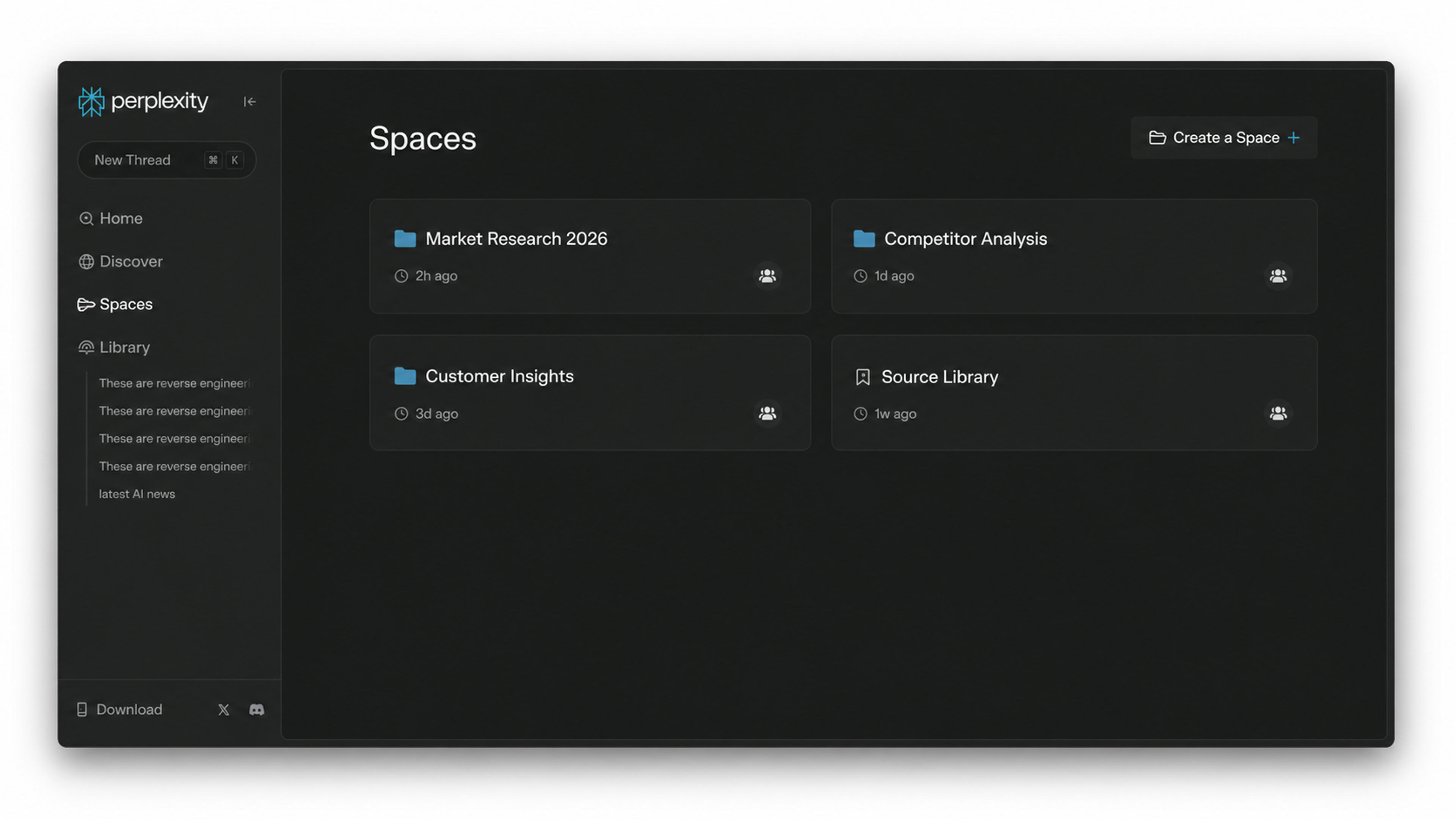
Perplexity offers a free Standard plan and paid Pro and Max plans. Education Pro is $10 per month with verification. Enterprise Pro starts at $40 per seat per month or $400 per year. Consumer paid pricing can vary by plan and checkout region, so it is worth confirming the current amount in the account upgrade screen.
Workflow fit: Perplexity is useful when uploaded sources and up-to-date web research need to share one workspace before presentation production begins.
Claude Projects is a strong alternative for people who care most about reading, reasoning, and coherent long-form synthesis. A project can hold background knowledge and instructions that apply across related chats, helping users maintain context while developing an argument, report, or narrative.
Claude is particularly useful when the source material is complex and the output needs judgment rather than a simple summary. It can compare competing claims, identify gaps in reasoning, restructure a long report, and draft a presentation narrative before the visual design begins.
For presentation work, Claude is best used as the thinking layer. It can produce a clear slide-by-slide outline, speaker notes, and alternative storylines, but a dedicated presentation tool is still the more direct place to design and export the final deck.
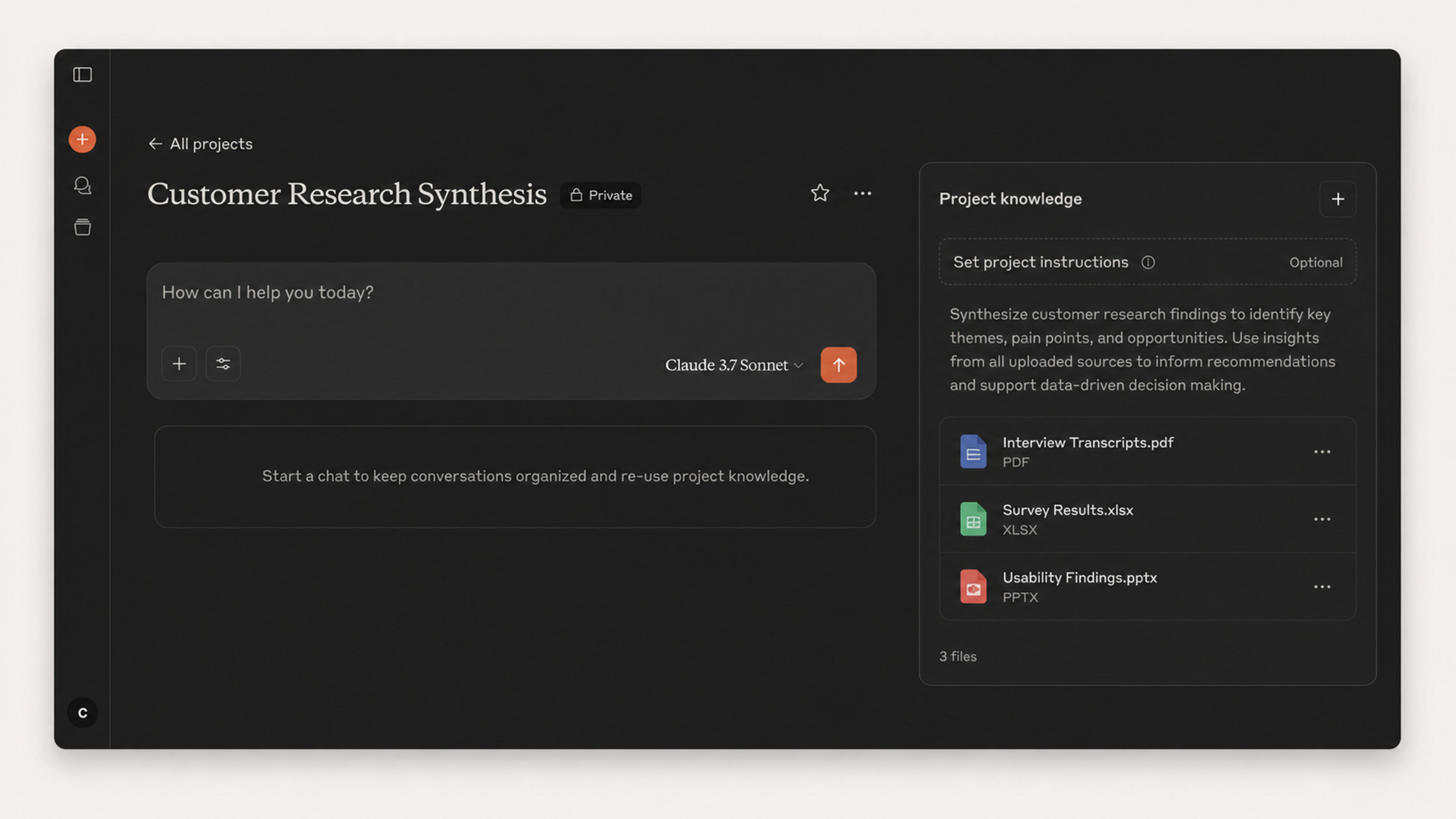
Claude has a free plan. Claude Pro costs $20 per month, or $17 per month when billed annually at $200 upfront. Pro includes unlimited Projects and expanded access to research and model capabilities.
Workflow fit: Claude is useful for thoughtful synthesis of dense source material before that narrative becomes a presentation.
ChatGPT Projects brings files, instructions, conversations, web research, analysis, and content generation into one ongoing workspace. It is a flexible option for projects that move between research, data analysis, writing, coding, image generation, and planning.
Compared with Gemini Notebook, ChatGPT Projects is less narrowly organized around a source notebook and more adaptable to changing tasks. A user might upload customer research, analyze a spreadsheet, draft a positioning document, generate diagrams, and refine a presentation outline within the same project.
That flexibility makes ChatGPT useful for broader knowledge work. When the required output is an editable presentation, the final step is still cleaner in a presentation-focused product where layout, slide structure, and PPTX editing are first-class parts of the workflow.
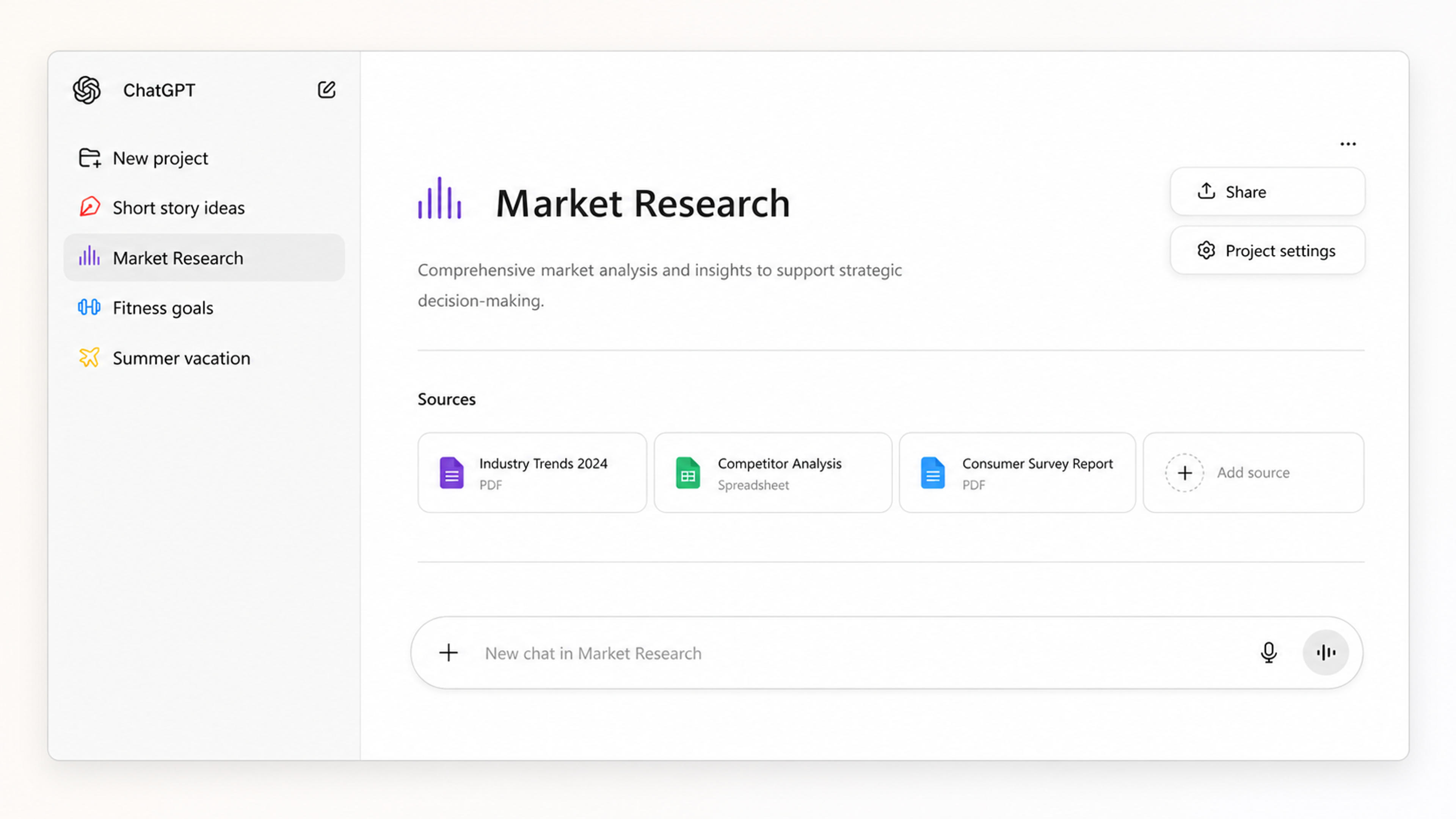
Projects are available across free and paid ChatGPT plans. ChatGPT Plus is $20 per month, while higher tiers add more access and capacity.
Workflow fit: ChatGPT supports work that spans research, analysis, writing, and multiple content formats before the final presentation is created.
Microsoft 365 Copilot Notebooks is the natural Gemini Notebook alternative for organizations whose source material already lives in OneDrive, SharePoint, Word, Outlook, Teams, and the broader Microsoft ecosystem.
Users can gather references into a notebook, ask questions across that material, and develop grounded working outputs without moving company files into a separate research environment. The strongest advantage is continuity: the notebook sits closer to the documents and collaboration tools that Microsoft 365 teams already use.
For presentation work, this route makes sense when PowerPoint is already the organization’s standard. The notebook supports the research and synthesis stage, while PowerPoint remains the destination for slide creation and editing.
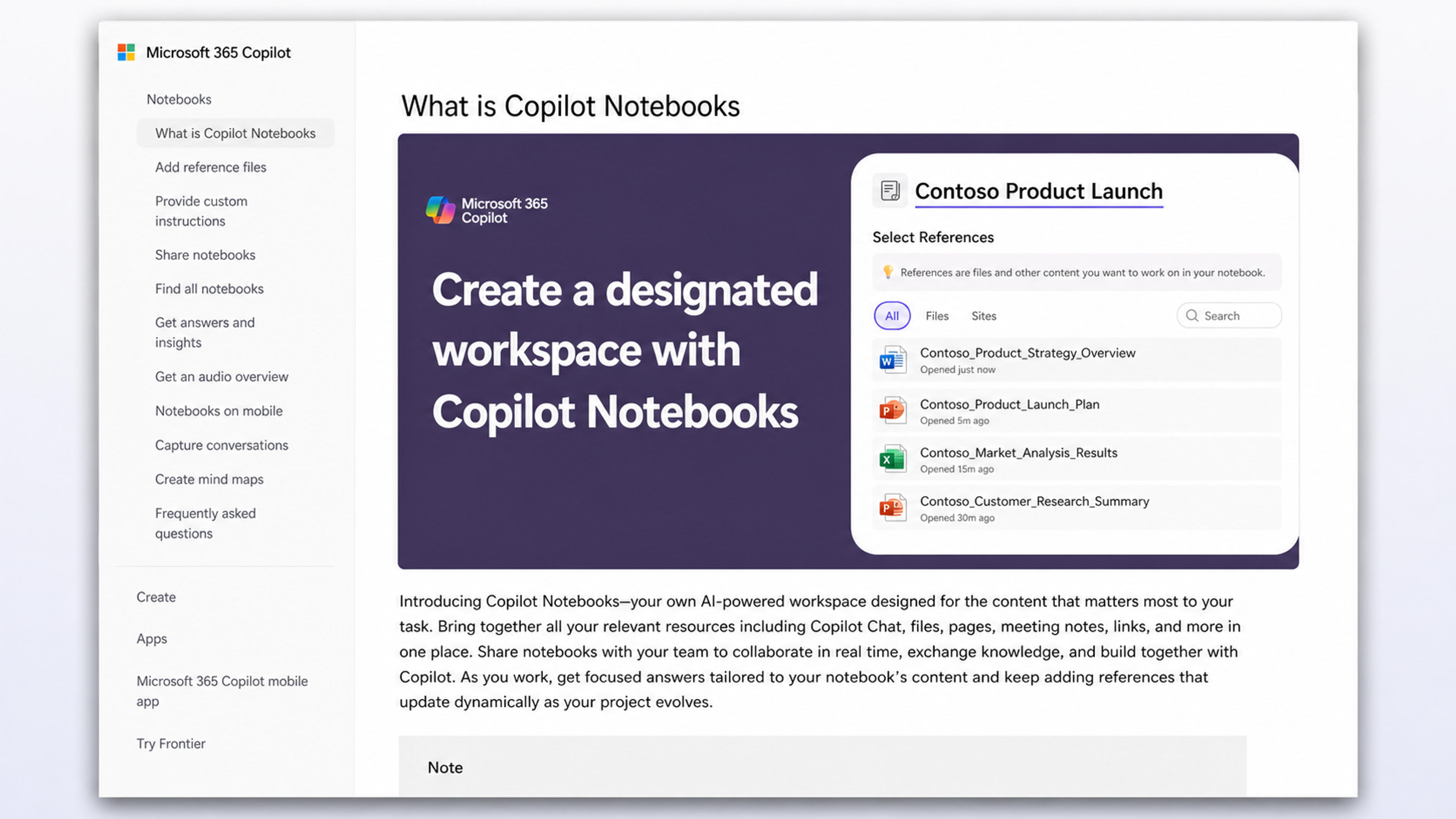
Availability depends on the user’s Microsoft 365 and Copilot licenses. Copilot Chat may be included with eligible Microsoft 365 subscriptions, while Microsoft 365 Copilot and Copilot Business are paid add-ons with pricing that varies by organization size, commitment, and bundle. Business buyers should confirm the exact license combination in Microsoft’s current plan selector.
Workflow fit: Microsoft 365 Copilot Notebooks keeps the research stage close to sources and teams already working inside Microsoft 365.
Elicit is the most specialized alternative on this list. It is built for evidence-heavy research tasks such as finding papers, screening studies, extracting structured information, comparing methods, and assembling literature reviews.
Where Gemini Notebook begins with the sources you add, Elicit helps researchers discover and evaluate relevant academic literature. Its structured tables are valuable when a project requires comparing sample sizes, interventions, outcomes, limitations, or other fields across many studies.
Elicit does not aim to be a visual presentation editor. Its value is the quality and structure of the evidence that comes before the deck. Researchers can use that evidence as the foundation for a conference presentation, thesis defense, journal club, or grant update, then move the material into SlidesPilot to create the slides.
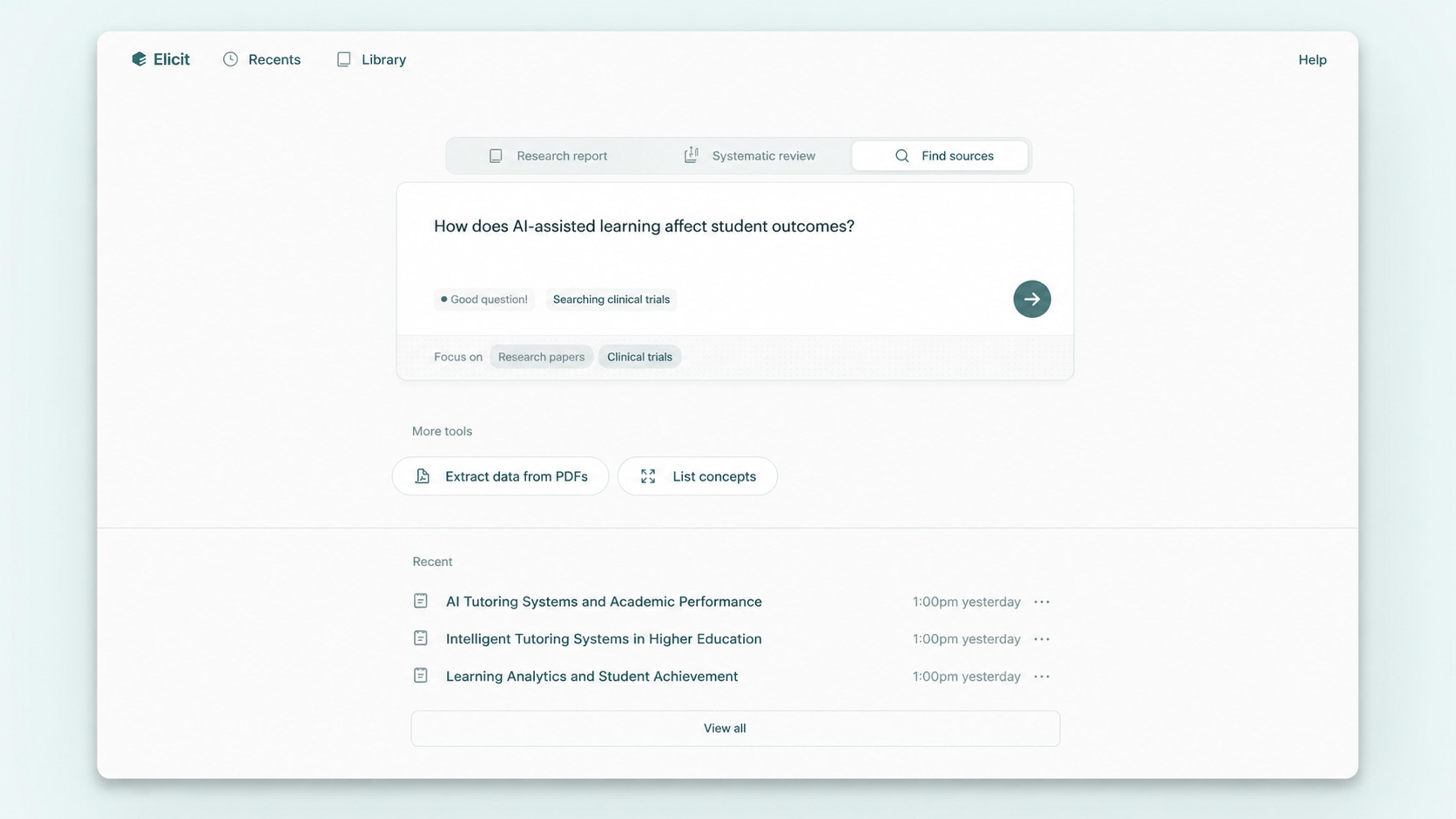
Elicit offers a free Basic plan. Plus starts at $11 per user per month when billed annually. Pro and Scale tiers add higher limits and more advanced systematic-review workflows.
Workflow fit: Elicit strengthens the evidence-gathering stage when a presentation depends on discovering, screening, and comparing academic research.
Notion AI works best when the “notebook” is really a living team workspace. It can search connected knowledge, summarize pages, draft documents, and help teams turn meeting notes, project plans, and internal documentation into new content.
Its main advantage is collaboration around the source material. Instead of uploading a fixed collection of documents for a single research session, teams can build on databases, pages, tasks, and shared knowledge that continue changing over time.
For presentations, Notion AI can turn internal material into a brief, an outline, or slide copy. A dedicated presentation tool remains useful when that content needs visual hierarchy, reusable layouts, and an editable PowerPoint file.
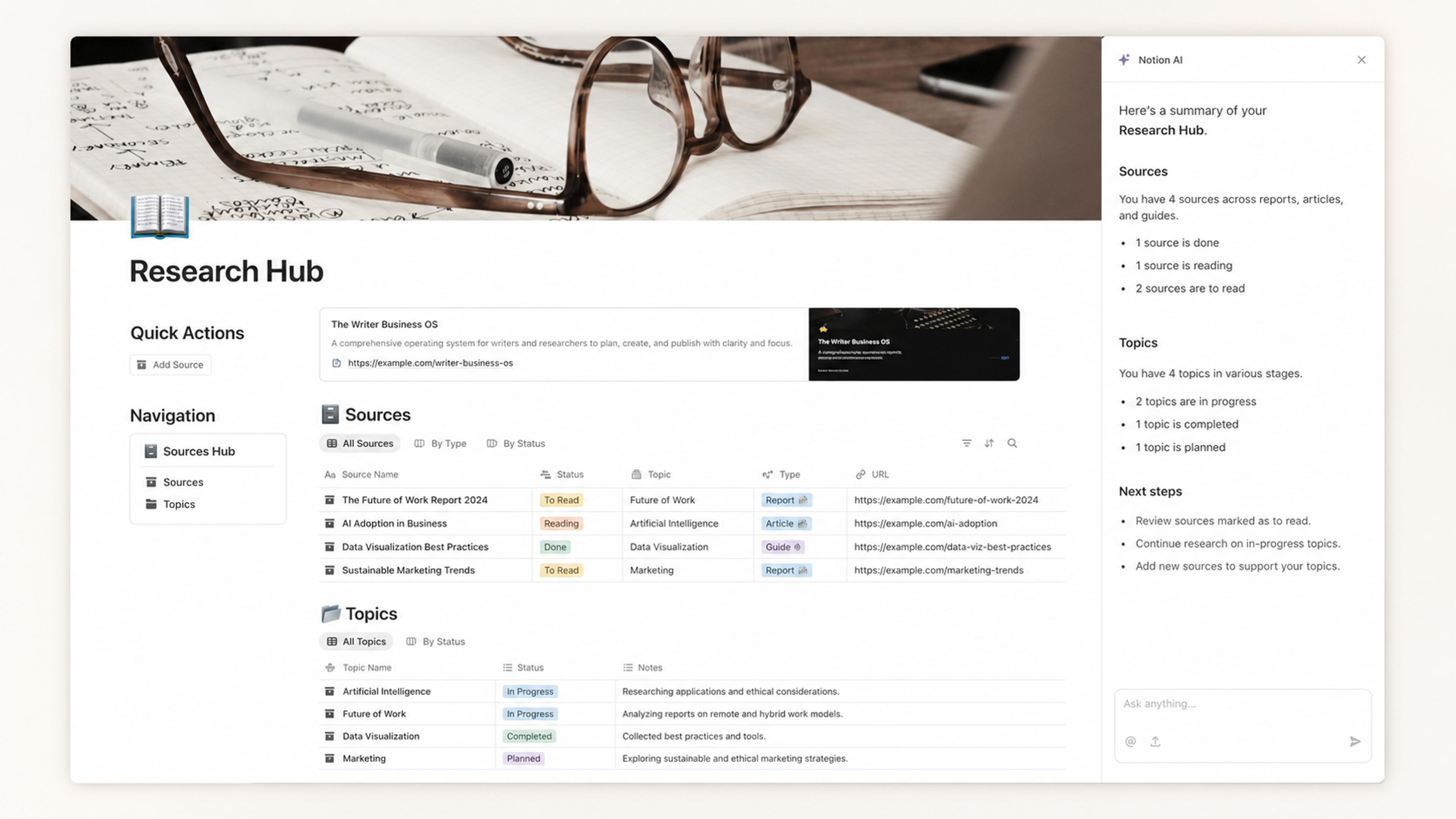
Notion has a free plan, with limited trial access to AI features on Free and Plus. Full Notion AI capabilities are included in Business, currently $20 per member per month, and Enterprise plans with custom pricing.
Workflow fit: Notion AI organizes research, notes, tasks, and team documentation in one collaborative workspace before they become presentation content.
Open Notebook is a compelling option for users who want a NotebookLM-style research environment with more control over hosting, data, and model choice. It is open source, self-hosted, and designed to work with multiple AI providers.
The product supports a broad mix of source formats, including documents, web pages, audio, and video. It also combines full-text and vector search, source-grounded conversations, notes, and podcast-style outputs.
The tradeoff is ownership of the technical setup. Instead of subscribing to a fully managed product, users deploy and maintain the application and connect their preferred model providers. For privacy-conscious teams with technical resources, that control is the reason to choose it.
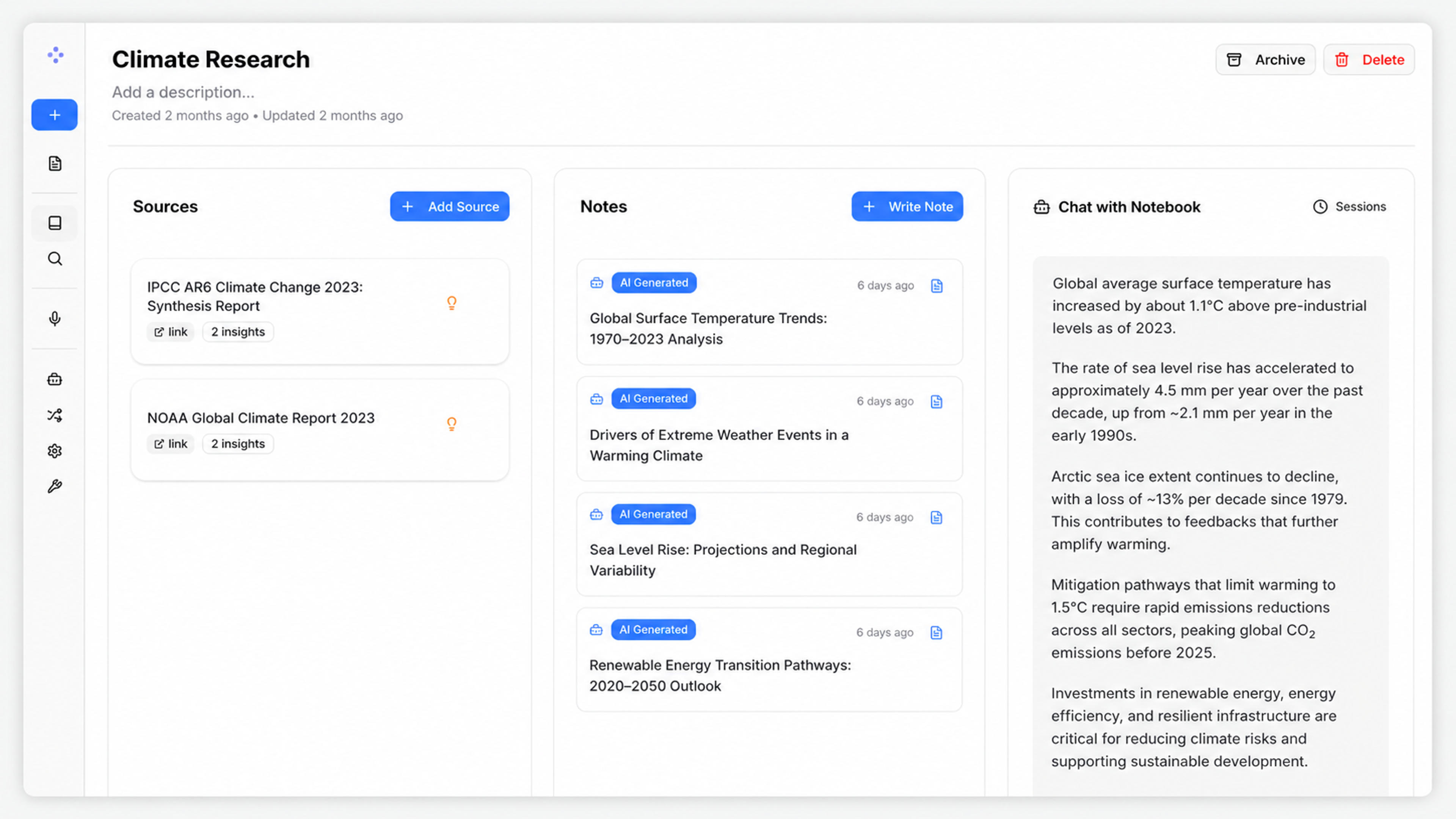
The Open Notebook software is free under an open-source license. Users still pay for their own infrastructure and any model, transcription, storage, or API usage they connect.
Workflow fit: Open Notebook serves the research stage when self-hosting, provider choice, and control over the environment are central requirements.
Gamma is a presentation and visual-content platform rather than a research notebook. It can generate decks, documents, social content, and simple websites from a prompt or source material, then let users edit the result in a flexible card-based canvas.
Its strength is speed from idea to a polished, shareable visual experience. Gamma is well suited to web-first presentations, asynchronous sharing, and content that may become something other than a conventional slide deck.
Gamma supports exports including PowerPoint, PDF, PNG, and Google Slides. Teams that spend most of their time in the browser may enjoy its native format; teams that need a document-to-PowerPoint workflow can compare how the exported file fits their existing editing and delivery process.
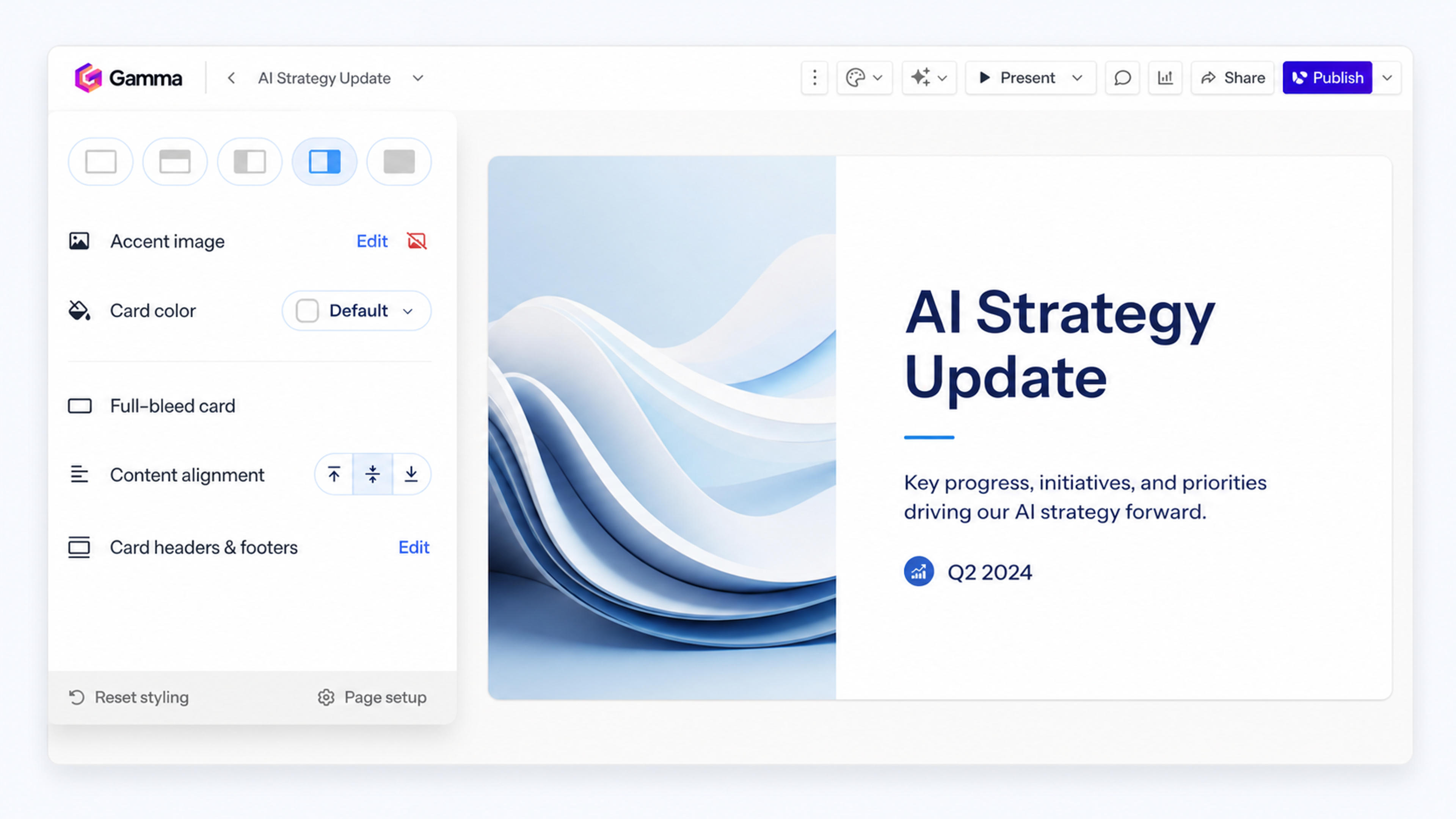
Gamma has a free plan and paid Plus, Pro, and Ultra subscriptions. Paid tiers increase monthly AI credits, generation length, branding control, analytics, and advanced image capabilities. Gamma lists prices dynamically by billing cycle and region, so the current checkout is the most reliable source for the exact amount.
Workflow fit: Gamma serves teams creating a web-native visual story with flexible sharing and multiple export formats.
Canva is a strong alternative when visual production matters more than source-grounded research. Its large template library, brand tools, asset collection, and collaborative editor make it easy to turn an established message into an attractive deck.
Canva’s AI tools can help create presentation content and layouts, while the main editor gives users direct control over text, images, charts, colors, and brand elements. It is especially useful for marketing, social media, education, and other workflows in which a presentation is one part of a larger visual campaign.
The workflow starts closer to design than research. Users with a dense PDF, report, or paper may want to synthesize the content first, then use Canva to refine the visual system.
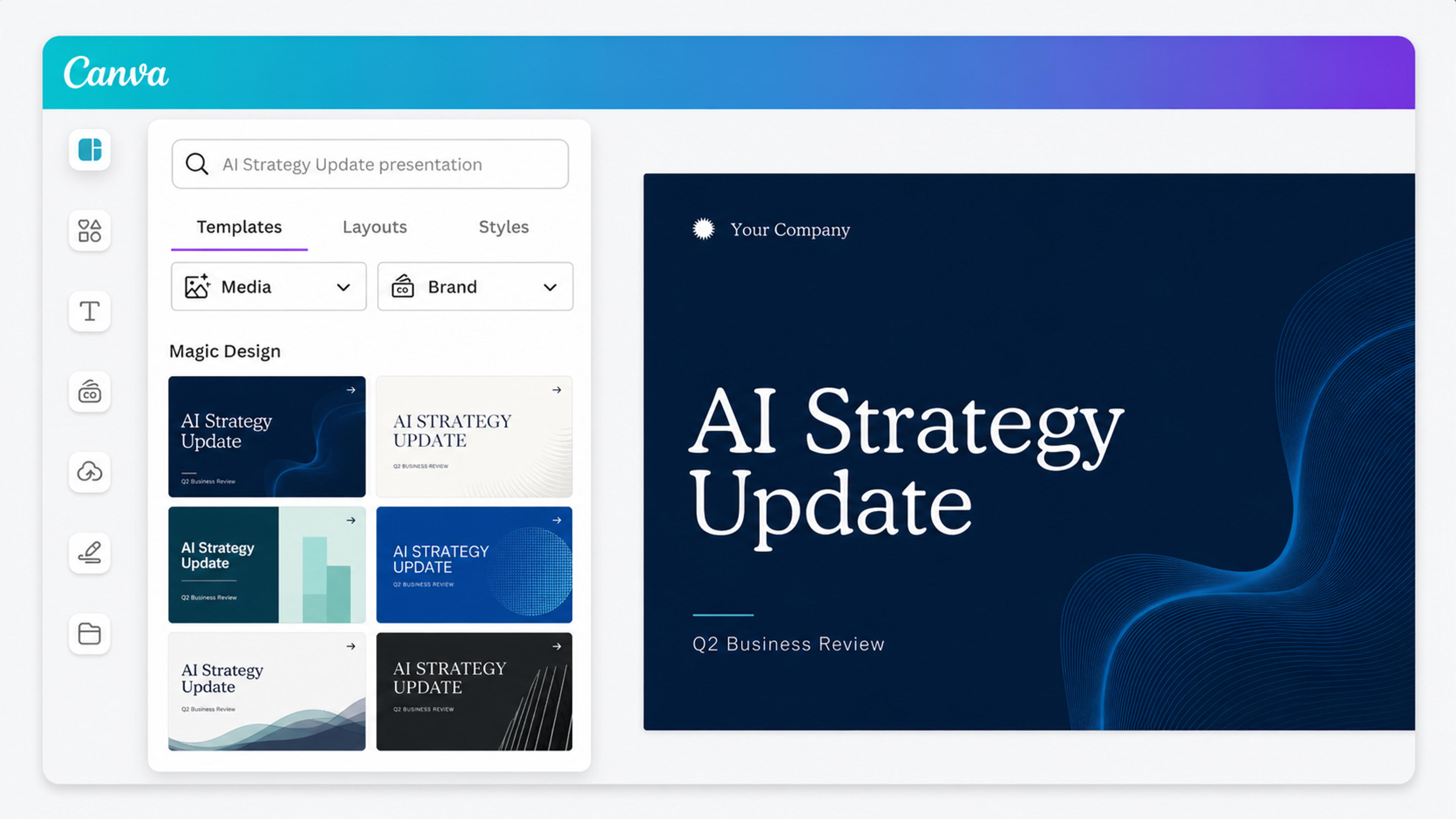
Canva Free supports individual design work. In the United States, Canva Pro is currently $144 per year for one person. Canva Business is priced per person and adds broader team and AI capabilities.
Workflow fit: Canva supports the design stage when brand control, templates, and visual asset creation lead the process.
Gemini Notebook and SlidesPilot overlap at one important point: both can turn source material into slides. The difference is where each workflow is designed to finish.
| Workflow question | Gemini Notebook | SlidesPilot |
|---|---|---|
| What is the starting point? | A notebook containing selected sources | A PDF, Word file, research paper, link, text, or topic |
| What is the primary job? | Explore, question, and synthesize sources | Turn source material into a presentation |
| How are generated slides revised? | Prompt-based revision, slide deletion, reordering, and regeneration | Direct editing in a structured presentation editor |
| What can be downloaded? | PDF or PowerPoint | Editable PowerPoint and other presentation workflows |
| Where does the work continue? | Mainly inside the notebook and its generated artifacts | In SlidesPilot, PowerPoint, or Google Slides |
| Who benefits most? | Researchers and learners exploring a source collection | People who need to present, share, and keep editing the deck |
Gemini Notebook’s slide feature is useful for creating a visual summary of a notebook. SlidesPilot goes further for presentation production because editing is part of the core experience, not merely a revision command applied to a generated artifact.
That distinction matters after export. Presentation teams rarely stop at the first draft. They change headlines, shorten bullets, move elements, add a company logo, adapt the deck to a template, update a chart, and incorporate stakeholder feedback. SlidesPilot keeps that continuation path open through its editor and editable PPTX output.
You can start the same workflow with SlidesPilot’s AI presentation generator or create a deck directly from a web link.
Use the destination to organize the workflow:
For many presentation-heavy workflows, two tools can also work together. Research in the environment that best fits your sources, then bring the finished material into SlidesPilot for the editable deck.
Gemini Notebook is the new name for Google’s NotebookLM. It is an AI research and learning workspace that answers questions based on sources selected by the user and can generate formats including reports, audio overviews, video overviews, mind maps, infographics, and slide decks.
No. Google renamed NotebookLM to Gemini Notebook in July 2026. The product remains available as a standalone experience, and existing notebooks continue in the renamed service.
SlidesPilot is the best NotebookLM or Gemini Notebook alternative when you need an editable PowerPoint presentation. It turns source material into a structured deck, lets you edit the presentation, and exports an editable PPTX for continued work in PowerPoint.
Yes. Gemini Notebook can generate slide decks and download them as PowerPoint or PDF files. It also supports prompt-based revisions, deleting, reordering, and regenerating slides. SlidesPilot is the more direct choice when native presentation editing and continued PPTX editing are central to the workflow.
The best free option depends on the task. SlidesPilot has a free plan for creating presentations, Perplexity provides free web research, ChatGPT and Claude offer free general-purpose project work, and Open Notebook is free open-source software for users who can host it themselves.
Yes. Open Notebook is an open-source, self-hosted alternative that supports multiple source types and AI providers. It gives technical users more control over deployment, data, and model selection.
Elicit is the most specialized choice for discovering and comparing academic papers. When the research is already assembled and the next step is a presentation, SlidesPilot can turn the paper or research document into an editable deck.
SlidesPilot is the strongest fit for business teams that regularly deliver presentations. Microsoft 365 Copilot Notebooks fits organizations centered on Microsoft content, while Notion AI works well when team knowledge lives in Notion.
Gemini Notebook remains a powerful source-grounded research workspace. The best alternative is determined by what must happen after the research.
Current web discovery may begin in Perplexity, academic evidence may come from Elicit, and a private research process may run in Open Notebook. Those environments can all supply stronger source material for the final deck.
For turning a document, paper, link, or idea into a presentation that you can keep editing and deliver as PowerPoint, choose SlidesPilot. It connects source understanding directly to the final presentation workflow, so the AI-generated deck becomes a working file rather than the end of the road.
Turn an idea into a complete, structured presentation. Define the audience and goal, guide the tone and length, and let SlidesPilot build the storyline, slide plan, content, and visual direction.
Convert PDF slides to editable PowerPoint online. Keep the original design and make text and slide elements editable. Free to use.
Turn Word documents into clear, structured, editable PowerPoint presentations with AI.
Turn a research paper into a clear, editable PowerPoint covering the question, methods, results, limitations, and citations.
Paste a content-rich link and turn the online source into a clear, editable PowerPoint presentation.
Upload a document, paste a link, or start with a topic. SlidesPilot creates a polished deck you can edit and export to PowerPoint.
Create your presentation

