

How to Present a Literature Review: Structure, Synthesis, and Slides
A practical guide to turning a literature review into a clear presentation with synthesis, slide structure, examples, and a quality checklist.
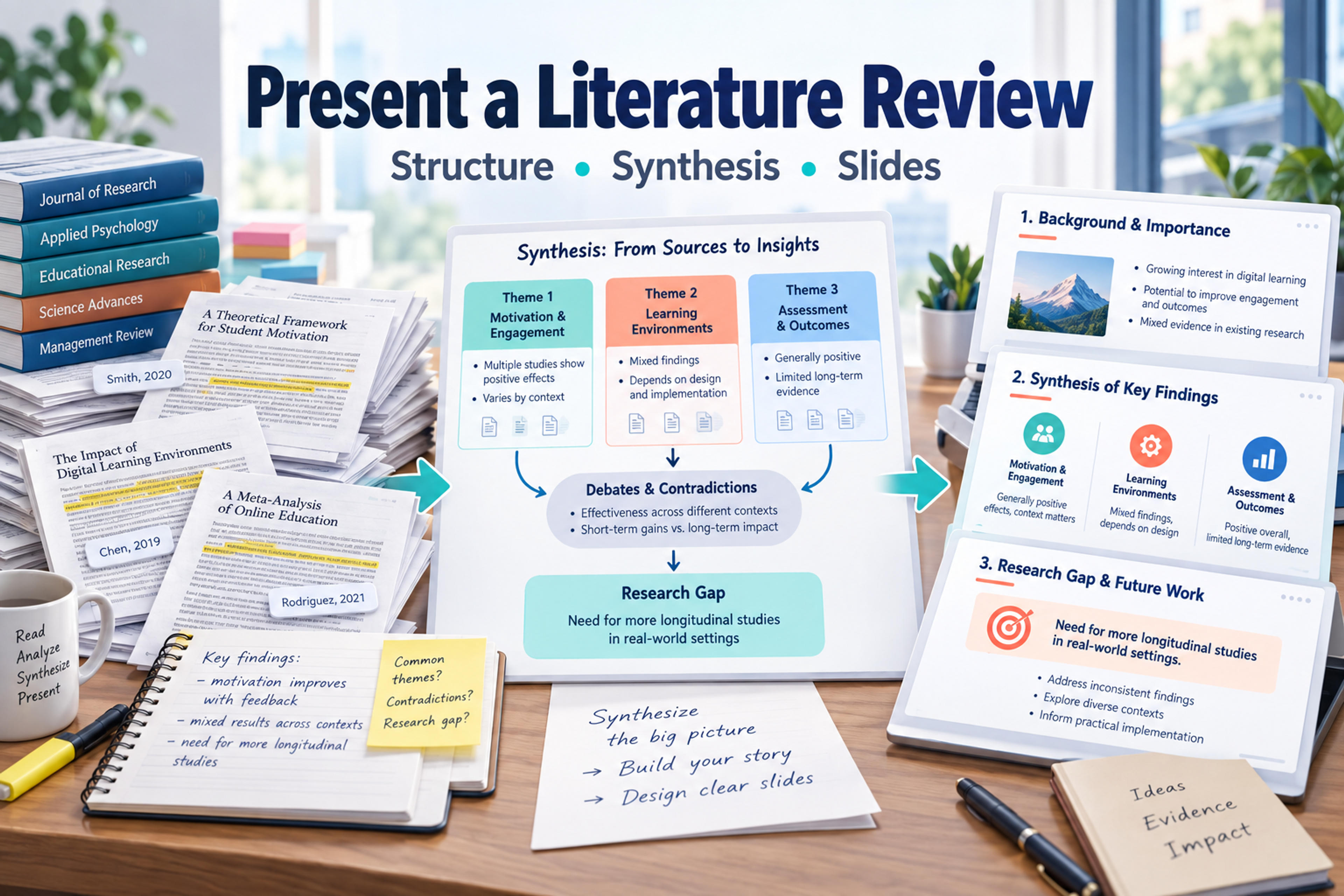
A practical guide to turning a literature review into a clear presentation with synthesis, slide structure, examples, and a quality checklist.
A strong literature review presentation does not retell every paper you read. It explains what the field already knows, where researchers disagree, how the evidence is organized, and what gap your own work will address. The hardest part is synthesis: moving from a document built for reading to slides built for listening.
Use your literature review as source material, but do not follow the document paragraph by paragraph. Build the deck around the questions your audience needs answered: what topic you reviewed, how you grouped the literature, what patterns emerged, where the evidence is limited, and why the next research question matters.
A written literature review gives readers depth. A presentation gives listeners orientation. That difference changes almost every slide decision.
Your audience usually wants to know four things:
That means the deck should be organized around relationships between sources, not around the order in which sources appear in your paper. If the written review has ten pages of source-by-source discussion, the presentation may need only three or four synthesis slides that compare those sources by theme, method, population, or finding.
Before building slides, create a source-to-slide map. This prevents the presentation from becoming a condensed essay and helps you decide what each slide is supposed to do.
| Source material in the review | Audience question | Slide message | Evidence to show | Best visual form |
|---|---|---|---|---|
| Introduction and scope | What field are we looking at? | The review examines one focused problem within a larger research area. | Topic boundary, key terms, inclusion criteria | Scope diagram or simple research question slide |
| Thematic sections | What patterns appear across studies? | The literature clusters into a small number of recurring themes. | Representative sources and shared findings | Theme map or matrix |
| Methodology discussion | How reliable or comparable is the evidence? | The evidence base uses different methods that shape the conclusions. | Study designs, samples, measures, timeframes | Comparison table |
| Areas of agreement | What do researchers broadly accept? | Several findings are consistent across the reviewed work. | Converging studies, repeated outcomes | Evidence ladder or grouped bullets |
| Debates and contradictions | Where does the field disagree? | The literature contains unresolved tensions worth investigating. | Conflicting findings, different contexts, limitations | Two-column debate slide |
| Research gap | What is still missing? | A specific unanswered question remains after synthesizing the field. | Missing population, method, setting, theory, or evidence | Gap statement slide |
The map also tells you what to leave out. A slide should not exist because a paragraph exists. It should exist because the audience needs that step in the argument.
Most literature review presentations work best with eight to ten core slides. You can shorten or expand the outline depending on your time limit, but the logic should stay the same: orient the audience, synthesize the literature, then show why the gap matters.
State the topic in plain language. If the review supports a thesis, dissertation, proposal, or research project, include the working research question or central problem. Avoid a title that is only a broad field name. A focused title makes it easier for the audience to understand what will be included and what will be left out.
Explain the practical, theoretical, or methodological importance of the topic. This is not a long background section. It is the reason the audience should care about the review before seeing the details.
A useful slide message might be: "Current research explains adoption barriers, but less clearly explains long-term usage behavior." That sentence gives the audience a problem to track.
Show what you reviewed and how you bounded the material. Depending on your assignment or project, this may include databases, time period, keywords, inclusion criteria, disciplines, populations, or document types. Keep it high level. The goal is credibility and orientation, not a full methods appendix.
Group sources into themes, theories, variables, or viewpoints. This is often the most important slide because it proves you synthesized the literature instead of collecting summaries. Use three to five themes when possible. More than that becomes difficult to follow in a live presentation.
Identify patterns that appear across multiple studies. This slide should be selective. Use only the strongest points of convergence, and phrase each as a finding, not a topic label. For example, "Feedback timing affects learner confidence" is stronger than "feedback timing."
Show tensions, mixed results, conflicting interpretations, or methodological differences. This is where your review becomes analytical. The audience should see that research disagreement is not random; it often comes from differences in context, sample, measurement, theory, or study design.
Summarize what the literature can and cannot support. You might compare the number of studies, research settings, participant groups, time horizons, or measurement approaches. The point is to help the audience judge the evidence base without reading every source.
Name the specific gap your review reveals. Strong gaps are precise. Instead of saying "more research is needed," explain what kind of evidence, population, method, comparison, setting, or theoretical connection is missing.
Connect the review to the next step. In a class presentation, this may be the conclusion you want the audience to remember. In a thesis or proposal, it may be the rationale for your research question, model, or methodology.
Do not fill core slides with long citations. Put detailed references, search terms, source tables, and extra evidence in backup slides or an appendix. If your audience needs to inspect the sources later, make the reference section clean and complete.
Upload your document and let SlidesPilot organize the key themes, evidence, and research gap into an editable presentation draft.
Create Literature Review SlidesThe fastest way to weaken a literature review presentation is to make one slide per article. That structure is easy to create, but hard to follow. It asks the audience to do the synthesis work themselves.
Instead, compare sources around the logic of the review. Useful synthesis lenses include:
A summary says, "Study A found one result, Study B found another, and Study C found a third." Synthesis says, "Across the literature, results differ mainly because studies define the outcome in three different ways." That second version gives the audience an insight they can use.
A literature review usually contains more detail than a presentation can hold. The goal is not to preserve every paragraph. The goal is to preserve the argument.
Keep content that directly supports the review's main claim, theme structure, evidence comparison, or research gap. Compress background definitions, repeated source summaries, and methodological details that matter only to readers checking your process. Move dense citation lists, search strings, coding tables, extended notes, and secondary examples to backup slides.
A useful rule is to ask one question for every detail: would the audience lose the logic of the review if this were removed from the main deck? If the answer is no, it probably belongs in speaker notes, a handout, or an appendix.
| Keep on main slides | Compress into one visual | Move to appendix |
|---|---|---|
| Central research question | Long background context | Full source table |
| Three to five main themes | Repeated definitions | Complete search strategy |
| Important agreements and disagreements | Multiple similar findings | Detailed coding notes |
| Evidence limitations that affect interpretation | Minor methodological differences | Extra quotations or excerpts |
| Research gap and implication | Secondary examples | Full reference list |
Document headings often describe topics. Slide headlines should make claims. This is one of the most important changes when turning a literature review into a presentation.
For example, a written heading might be "Barriers to adoption." A stronger slide headline would be "Adoption barriers cluster around cost, confidence, and workflow disruption." The second version tells the audience what to learn from the slide before they read the details.
Use this pattern for each synthesis slide:
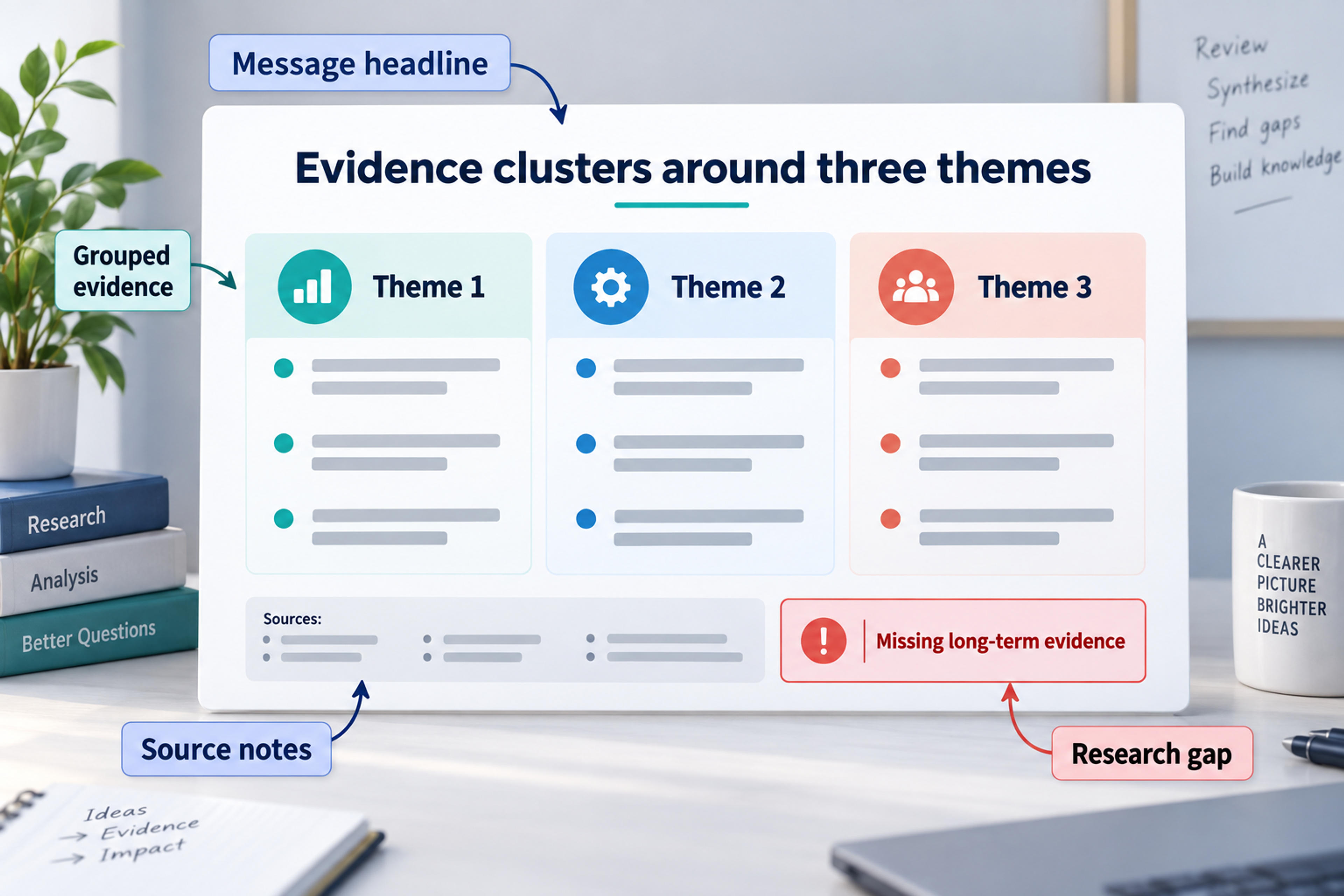
This message-first approach also helps you avoid overloaded slides. If a slide needs five separate messages, it is probably five slides or one appendix table.
A common draft slide looks like this:
Smith discusses engagement, Lopez focuses on motivation, Chen analyzes assessment, and Patel examines retention. (illustrative example)
That version lists sources, but it does not explain the relationship between them. A stronger synthesis slide would say:
Across the reviewed studies, engagement improves when feedback is timely, specific, and connected to learner goals.
Then the slide can group the evidence under three short columns:
| Feedback quality | What the sources suggest | Example evidence to include |
|---|---|---|
| Timely | Feedback is more useful when learners can act on it quickly. | Studies that compare immediate and delayed feedback |
| Specific | General praise has less instructional value than targeted guidance. | Studies that code feedback type or response quality |
| Goal-connected | Feedback is more likely to influence behavior when tied to clear outcomes. | Studies that connect feedback to performance criteria |
The improved version still uses sources, but it makes the pattern visible. That is the difference between telling the audience what you read and showing them what the literature means.
Literature reviews are text-heavy by nature, so slide design needs extra discipline. The best visuals are usually simple structures that reveal relationships between studies.
Use a matrix when you need to compare studies across themes, methods, or findings. Use a timeline when the field has evolved over time. Use a two-column layout when the literature contains a debate. Use a funnel when you are moving from a broad field to a narrow research gap. Use a concept map when several ideas influence each other.
Avoid filling slides with full paragraphs from the written review. If a sentence is too long to say naturally, it is usually too long for a slide. Turn long paragraphs into short claims, grouped evidence, visual comparisons, or speaker notes.
A five-minute literature review presentation should make one clear argument about the literature. A ten-minute presentation can explain the scope, two or three themes, one tension, and the gap. A longer seminar or thesis presentation can include more methodological detail, but it still needs a strong synthesis spine.
For a short presentation, use this compact structure:
| Slide | Purpose |
|---|---|
| 1 | Topic and research question |
| 2 | Scope of the literature |
| 3 | Main themes or evidence map |
| 4 | Agreement, disagreement, or limitation |
| 5 | Research gap and implication |
For a longer presentation, expand the theme, method, and evidence sections. Do not expand by adding one source per slide. Expand by adding more useful comparisons.
Use this checklist before you present:
SlidesPilot can help when your review is already written but the slide structure is still unclear. You can turn a Word document, pasted text, notes, or an outline into a structured, editable deck, then refine the themes, source notes, visuals, and speaker flow before exporting or sharing the presentation.
Most literature review presentations need enough slides to introduce the topic, explain the scope, synthesize the main themes, compare the evidence, identify the gap, and conclude. For a short class presentation, five to seven slides may be enough. For a thesis, proposal, or seminar presentation, eight to twelve core slides plus an appendix is often more practical.
Use source-specific slides only when one study is central to the argument. In most cases, group sources by theme, method, finding, or debate. A one-source-per-slide structure turns the presentation into a reading list.
Use the first content slide to explain why the review matters. State the problem, research area, or unresolved question that makes the literature worth reviewing. This gives the audience a reason to care before you move into themes and evidence.
Use short source notes on the relevant slide and keep the full reference list in the appendix. If a slide compares several sources, a compact table or grouped citation line is usually clearer than long in-text citation strings.
A summary reports what individual sources say. Synthesis explains how sources relate to each other. In a presentation, synthesis is more valuable because it helps the audience understand patterns, disagreements, limitations, and gaps across the field.
A literature review presentation should leave the audience with a map of the field, not a pile of source summaries. Start with the review's purpose, organize the evidence into meaningful groups, show where researchers agree or disagree, and end with the gap your work will address.
When you already have the review in a Word document, SlidesPilot can help turn that written structure into an editable presentation draft. Your argument, source emphasis, and final polish stay in your hands, while SlidesPilot gives you a strong deck foundation to build on.
Turn Word documents into clear, structured, editable PowerPoint presentations with AI.
Turn a research paper into a clear, editable PowerPoint covering the question, methods, results, limitations, and citations.
Paste text, add a YouTube or webpage link, or upload a document to create a beautiful, structured summary connected to the source.
Turn an idea into a complete, structured presentation. Define the audience and goal, guide the tone and length, and let SlidesPilot build the storyline, slide plan, content, and visual direction.
Use SlidesPilot to transform your written review into a clear deck with themes, evidence, and a research gap your audience can follow.

