

Turn Procedures into Training Flow
SlidesPilot converts manual sections into a sequence people can learn and follow. Setup, operation, maintenance, troubleshooting, and completion criteria become clear presentation sections.
Transform lengthy manuals into clear PowerPoint presentations
Drag & drop your file here or
Turn dense manuals into slides that people can follow during onboarding, operations, or safety training.
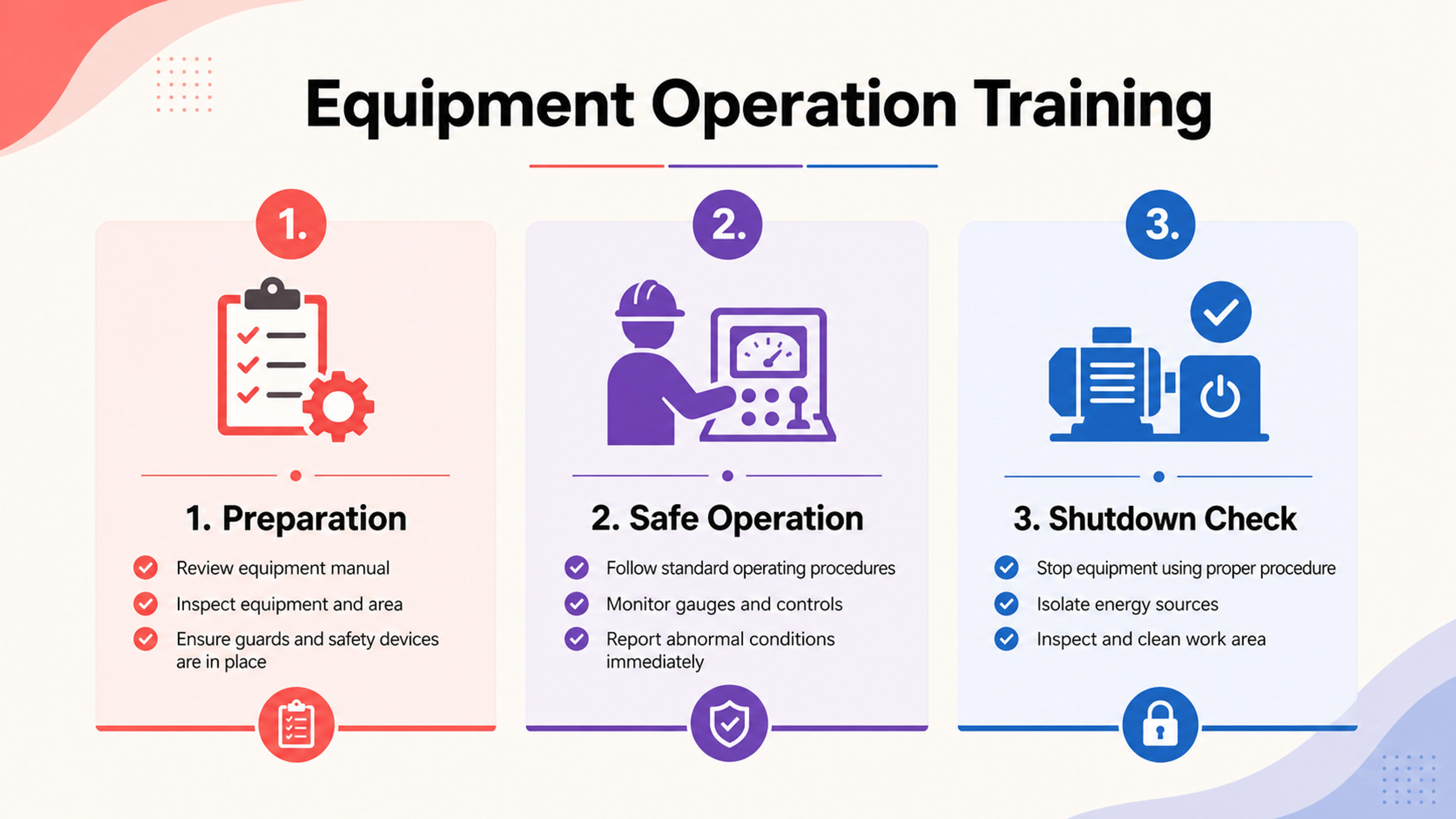
Break a manual into learnable sections with terms, steps, and checks in presentation order.
Convert manuals, SOPs, product instructions, and equipment guides into practical training presentations with procedures, checklists, examples, and recap slides.
SlidesPilot converts manual sections into a sequence people can learn and follow. Setup, operation, maintenance, troubleshooting, and completion criteria become clear presentation sections.
Instructions, screenshots, process notes, examples, and action points can become checklist slides. This makes dense manuals easier to teach, onboard, and reference.
The generated presentation supports onboarding, support education, safety briefings, product training, and process rollout. Teams can edit wording and visuals for internal standards.
Upload the manual, SOP, user guide, equipment instructions, onboarding document, or safety procedure. Add the learner level and training purpose so SlidesPilot can shape the deck around practical use.

SlidesPilot identifies procedures, roles, setup requirements, operating steps, screenshots, examples, checklists, troubleshooting flows, and completion criteria. This turns the manual into teachable content.

Choose the training structure. An equipment manual can become slides for setup, operating steps, maintenance routine, troubleshooting flow, safety actions, and final checklist.

Generate a manual-to-PPT deck with process sections, step explanations, visual cues, checklists, examples, and recap slides. The deck is built for training rather than full manual reading.

Refine procedures, labels, screenshots, checklists, and slide pacing before export. Teams can adapt the presentation for onboarding, support, safety, classroom, or operations training.

Manuals to PPT turns procedural documents into training material. SlidesPilot focuses on sequence, actions, checklists, and teachable explanations.

Manual sections become a process flow that learners can follow. This helps turn dense documentation into a training sequence.

Setup, operation, maintenance, troubleshooting, and completion points can become dedicated slides. The presentation supports practical use.

Screenshots, examples, and checklist items can be placed where they support each step. This makes instructions easier to teach and remember.

The editable output supports onboarding, product training, SOP rollout, safety education, and support documentation. Teams can tune it for audience and process standards.
Yes. Upload a manual, SOP, user guide, product instruction, equipment guide, or safety procedure and SlidesPilot can create a training deck with steps, checklists, examples, and recap slides.
User manuals, training manuals, product guides, equipment instructions, onboarding documents, operations procedures, and safety guides work well when they need to be taught or shared.
Yes. Procedures, setup steps, operating instructions, troubleshooting actions, and completion criteria can become checklist-style slides for training or reference.
Yes. Screenshots, diagrams, captions, and visual references can be placed alongside the steps they explain. This helps product and process training become more practical.
Manuals to PPT focuses on formal manuals, SOPs, and procedural documentation. Guides to PPT focuses on broader how-to guides, playbooks, and educational articles.
Yes. You can revise step names, add screenshots, adjust checklist wording, change slide order, and export the editable PowerPoint for training or operations use.
Use Manuals to PPT for formal procedures and training documents. Choose guides, tutorials, syllabus, or document summarizer workflows when the source is less procedural or the output should be a written brief.
Transform manuals and guides into PowerPoint presentations
Transform video tutorials and guides into PowerPoint presentations
Transform written lesson plans into engaging PowerPoint presentations
Turn reports, papers, and documents into clear, structured, editable PowerPoint presentations with AI.
Turn Word documents into clear, structured, editable PowerPoint presentations with AI.
Use AI Presentation Generator when that workflow better matches your source or output.
Transform your work into a presentation, instantly. ⭐ #1 AI PowerPoint Generator | Trusted by 3 million users worldwide